EasyManua.ls Logo

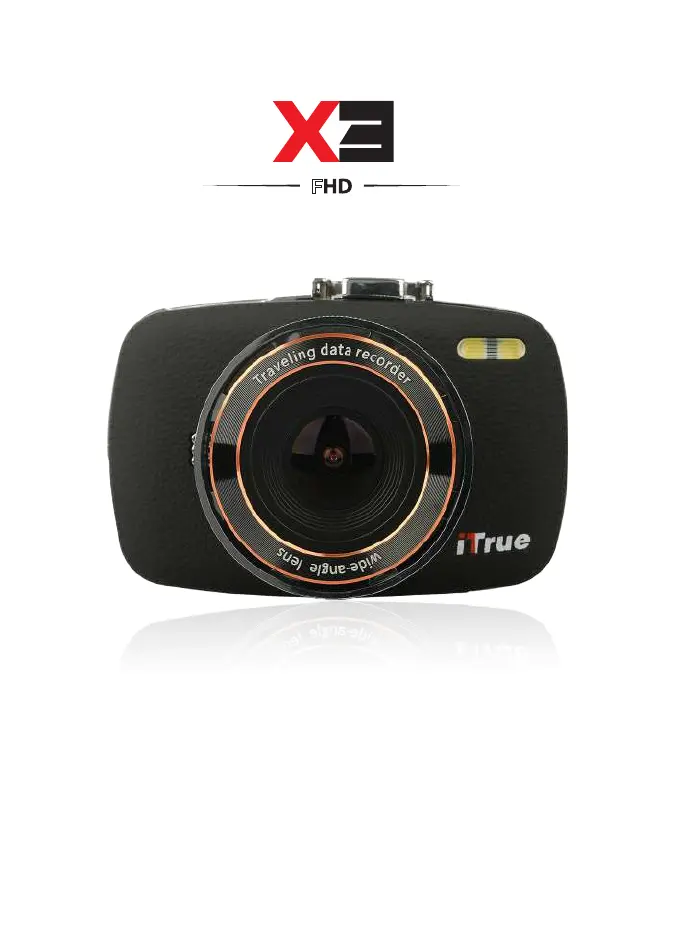
iTrue X3 - User Manual

iTrue X3
44 pages
Print Icon
To Next Page IconTo Next Page
Loading...
USER
MANUAL
1
CAR CAMCORDER
F

Questions and Answers

  • M
    mphillipsAug 16, 2025
    What to do if my iTrue Dash Camera is unable to record videos?
    • B
      Brittany LoweAug 16, 2025
      If your iTrue Dash Camera isn't recording videos, it might be due to a full memory card. In this case, check the available space on your memory card and delete files if needed. Alternatively, if loop recording is enabled, the memory card might be corrupted. Try reformatting the memory card; if the issue continues, replace it with a new one.
  • S
    stricklandjustinAug 19, 2025
    Why does my iTrue Dash Camera show a 'file error' when playing back videos?
    • J
      john50Aug 19, 2025
      If your iTrue Dash Camera displays a 'file error' when you try to playback pictures or videos, it's likely that the MicroSD card is corrupted or has bad sectors. To resolve this, reformat the memory card.
  • R
    ryanhahnAug 22, 2025
    How to fix iTrue Dash Cameras when the captured image is not stored?
    • R
      Rachel EnglishAug 22, 2025
      If the captured image is not stored on your iTrue Dash Camera, it could be due to a full or malfunctioning MicroSD card. Try reformatting the card or replacing it with a new one. Also, ensure you stop recording before shutting down the device, as images might not be saved during a power outage.
  • L
    Lisa GarzaAug 26, 2025
    Why does the screen auto power-off on my iTrue X3?
    • B
      belindagentryAug 26, 2025
      If your iTrue Dash Camera screen turns off automatically, it could be due to two reasons: either the screen saver function is enabled, or the battery is low. To solve this, press the UP button to disable the screen saver mode. If that doesn't work, try charging the battery.
  • D
    Donna WilliamsAug 28, 2025
    What to do if all buttons are invalid on iTrue X3?
    • R
      rsmithAug 28, 2025
      If your iTrue Dash Camera's buttons are not working, it could be due to a procedural error, a faulty operation, or a problem with the MicroSD card. First, try pressing the RESET button to restart the DVR. If that doesn't work, try changing to a new SD card or reformatting the existing one.
  • M
    Mark EvansAug 31, 2025
    Why is no image displayed on a high-definition TV screen from my iTrue Dash Camera?
    • A
      adamguerreroAug 31, 2025
      If your iTrue Dash Camera is not displaying an image on a high-definition TV screen, it could be due to a couple of reasons. First, make sure the AV/HDMI cable is properly plugged into the TV. Second, check the back panel of your TV to identify the correct input mode, and ensure you've selected that input on your TV.
  • Y
    ycastroSep 3, 2025
    Why my iTrue X3 device cannot be turned on?
    • B
      barronaliceSep 3, 2025
      If your iTrue Dash Camera device cannot be turned on, the battery might be low. Try charging the battery.
  • M
    Megan WatsonSep 6, 2025
    Why does my iTrue Dash Camera auto stop recording in video mode?
    • D
      Dr. Shane AndersonSep 6, 2025
      If your iTrue Dash Camera stops recording automatically in video mode, it indicates that you need a compatible SDHC microSD card for HD video recording. Get a microSD card that has a minimum of 8GB Class 10 speed.
  • T
    Tracey ThorntonSep 9, 2025
    Why are the images from my iTrue Dash Cameras hazy?
    • K
      kathleenwallerSep 9, 2025
      If the images from your iTrue Dash Camera appear hazy, the lens might be dirty. Inspect the lens for fingerprints or dust and clean it with a micro fabric cloth if needed.
  • A
    Austin LewisSep 12, 2025
    Why there are horizontal stripes interference on the image of my iTrue X3 Dash Cameras?
    • C
      Cody ArellanoSep 12, 2025
      If you notice horizontal stripes interference on the image from your iTrue Dash Camera, it could be due to a wrong light frequency setting. Adjust the setting according to your local power supply: use 50Hz or 60Hz. For Singapore/Malaysia, use 50Hz.

iTrue X3 Specifications

General IconGeneral
BrandiTrue
ModelX3
CategoryDash Cameras
LanguageEnglish