Need help?
Do you have a question about the Ivation IVADM20 and is the answer not in the manual?
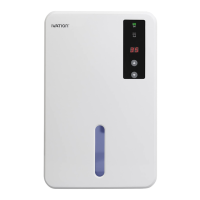
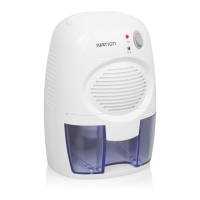
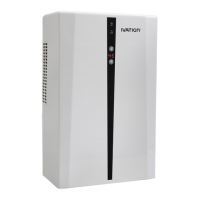
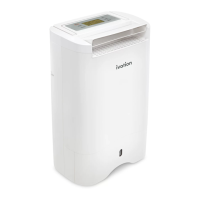
The Ivation IVADM20 Dehumidifier is designed to efficiently remove excess moisture from small rooms, such as studies, walk-in closets, and bathrooms. It operates using thermoelectric cooling, also known as the Peltier effect, which creates a heat flux between two different types of materials. This technology allows the device to quietly pull moisture from the air without the use of compressors or moving parts, effectively reducing muskiness and dampness in the room.
The primary function of the IVADM20 Dehumidifier is to maintain a comfortable and healthy humidity level in your living space. It features an advanced humidistat function, which distinguishes it from simpler dehumidifiers that run continuously regardless of the ambient humidity. This intelligent function allows you to set a desired relative humidity (RH) level within a range of 40% to 80%. Once set, the device will automatically turn on when the RH level increases beyond your set level by a value of 5% and will turn off when the RH level drops below your set level by a value of 5%. By default, the unit is pre-set to 50% RH, offering a balanced starting point for most users. This automatic operation not only conserves energy but also extends the lifespan of the power adapter by preventing unnecessary continuous operation.
The device is equipped with an On/Off Switch for simple control. A Green "On" LED indicates when the unit is actively running. For user convenience and safety, the dehumidifier includes a Yellow "Full" LED that illuminates when the water tank is at capacity. In such an event, the IVADM20 Dehumidifier will automatically power off to prevent overflow, ensuring hassle-free operation. The RH Level Display provides real-time feedback on the current relative humidity, while RH Up/Down Buttons allow for easy adjustment of your desired humidity setting.
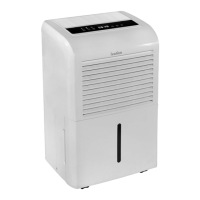
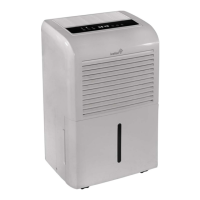
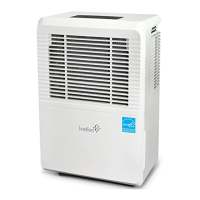
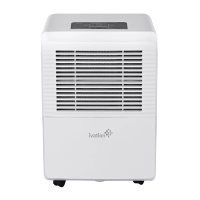
The design incorporates an Air Inlet Grill and a Dry Air Outlet Grill to facilitate efficient air circulation and moisture extraction. A Carrying "Handle" Opening is integrated into the design for easy portability, allowing you to move the unit between rooms as needed. The Removable Water Tank is a key component, designed for straightforward removal and emptying. It features a Tank Pull-Out "Handle" for secure grip during removal and a Water Displacement Hole with a plug for convenient drainage. The unit also includes a Hydraulic Cut-Off mechanism, which is part of its safety features to prevent overfilling. Power is supplied via an AC/DC Power Adapter that connects to a DC Power Socket on the device. Rubberized Stability Feet ensure the unit remains securely in place during operation, minimizing vibrations and potential movement.
To begin using the IVADM20 Dehumidifier, simply place it in your preferred area within a small room. Connect the smaller end of the AC/DC Power Adapter into the DC Power Socket on the unit, and then plug the other end into a wall socket. Toggle the On/Off Switch to the "On" position to activate the device.
Setting your desired humidity level is intuitive. After turning the unit on, wait a few seconds for the RH Level Display to show the current RH level. Then, use the RH Up/Down Buttons to select your desired humidity. The display will flash ten times to confirm your selection before reverting to showing the current environment's RH. This feature ensures that the dehumidifier operates only when necessary, optimizing energy consumption and maintaining your preferred comfort level.
Emptying the water tank is a simple process. When the Yellow "Full" LED illuminates, indicating the tank is full, the dehumidifier will automatically turn off. Before removing the tank, toggle the On/Off Switch to the "Off" position. Insert two fingers into the Tank Pull-Out Handle and gently pull the tank out. Remove the plug from the Water Displacement Hole and pour the collected water into a sink or toilet. After emptying, reinsert the plug and slide the tank back into the device until it clicks into place. The dehumidifier is then ready for continued use.
Proper maintenance ensures the longevity and optimal performance of your IVADM20 Dehumidifier. It is crucial to always turn the unit off and disconnect the power cord before undertaking any cleaning. For general cleaning of the product surface, a soft cloth can be used to wipe away dust and grime. To clean the air inlet grills, which can accumulate dust over time and potentially impede airflow, a soft-bristled brush is recommended. Regularly cleaning these grills helps maintain efficient operation and prevents the buildup of debris that could affect the dehumidifier's performance.
The device is not designed for user servicing beyond the removable water tank. Disassembling the unit is not recommended and could lead to damage to the product, voiding the manufacturer's guarantee. Always handle the unit with both hands to avoid tilting, especially when moving it, and ensure it is kept in an upright position during use. Avoid using the power adapter in excessively wet areas and ensure that the air inlet and outlet grilles remain unobstructed for proper functioning. Keeping the device away from children's reach is also an important safety precaution. Adhering to these simple maintenance and safety guidelines will help you enjoy the benefits of your Ivation dehumidifier for years to come.
 General
| Model | IVADM20 |
|---|---|
| Capacity | 20 pints |
| Weight | 30 pounds |
| Dimensions | 12 x 15 x 24 inches |
| Energy Star Certified | Yes |
| Noise Level | 42 dB |
| Auto-Restart | Yes |
| Continuous Drain Option | Yes |
| Type | Portable |
| Coverage Area | 1, 500 square feet |
| Operating Temperature | 41°F - 95°F |