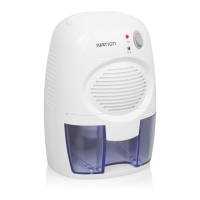
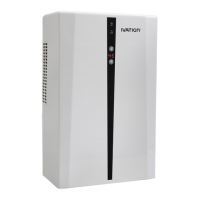
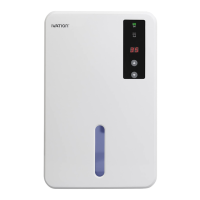
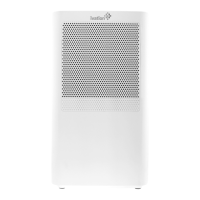
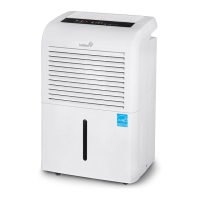
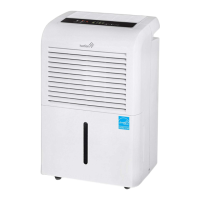
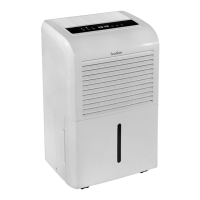
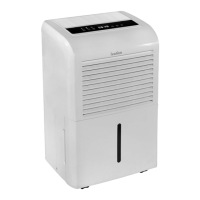
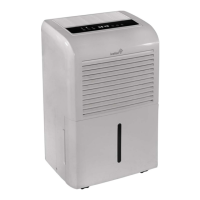
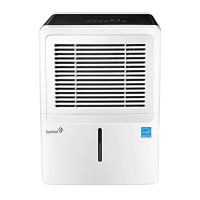
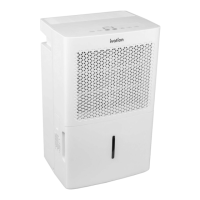
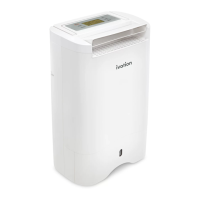
The Ivation 19-Pint Desiccant Dehumidifier is designed for indoor residential use to effectively reduce humidity levels. This user-friendly appliance comes with a drain hose and a comprehensive user guide to ensure safe and efficient operation.
Function Description
The primary function of this dehumidifier is to remove excess moisture from the air, helping to create a more comfortable and healthier indoor environment. It operates within a temperature range of 33°F – 104°F (1°C – 40°C) and a humidity range of 30% – 90%. The device features a control panel with an LCD display that shows various indicators such as speed, water full status, timer, brightness setting, check indicator, sleep mode, humidity, temperature, continuous mode, and dimmed display.
The dehumidifier offers three operational modes:
- Low: Operates at a low fan speed with a low heat setting.
- High: Operates at a high fan speed with a high heat setting.
- Sleep: Operates at a low fan speed with a low heat setting, and the LCD display is dimmed. In this mode, the DIM setting defaults to L2, but if L0 or L1 DIM settings were previously selected, they will be retained.
Users can set the desired humidity level using the HUMIDITY button, cycling through options from 35% to 85% and a continuous mode (CO Cont.). In continuous mode, the dehumidifier runs non-stop, regardless of the room's current humidity level.
A built-in timer allows users to set the dehumidifier to run for a specific duration, ranging from 1 hour to 12 hours, or continuously. The timer icon activates on the display when a timer is selected.
The device also features an auto louver with a SWING function, allowing users to adjust the airflow direction. The louver can swing upward at about 70° (UP), straight ahead at about 50° (FRONT), in a wide angle at about 120° (WIDE), or remain stationary (HOLD). When in HOLD mode, the swing icon disappears from the display.
The display brightness can be adjusted using the DIM button, offering seven levels from H (full bright) to L0 (dark). The dimmed icon activates on the display when a brightness setting is selected.
For convenience, the dehumidifier includes a memory function that saves programmed settings (mode, humidity, backlight, and swing) even after power is turned off or cut, resuming these settings when power is restored. Timer settings, however, need to be reprogrammed.
The unit can display temperature in either Fahrenheit or Celsius, which can be toggled by pressing the TIMER and SWING buttons simultaneously.
Usage Features
- Placement: The dehumidifier should be placed on a flat, stable surface in an upright position. It requires at least 8 inches of air space on all sides for optimal performance.
- Indoor Use: This appliance is strictly for indoor residential use and should not be used in commercial or industrial settings.
- Efficiency: To maximize efficiency, it is recommended to close all doors, windows, and other openings to spaces outside the room where the dehumidifier is installed. The air inlet should always be kept clean and free from blockages.
- Drying Clothes: When used for drying clothes, ensure that clothes are at least 15.7 inches (40 cm) away from the unit to prevent it from getting wet.
- Water Bucket: The dehumidifier collects water in a removable water bucket. When the bucket is full, a "water full" icon will appear on the display, indicating it's time to empty it.
- Continuous Drainage: For extended operation without needing to empty the water bucket, the dehumidifier supports continuous drainage. A drain hose can be connected to a designated drain hole at the back of the unit after removing a knockout with a screwdriver. It's important to ensure the hose does not bend and that the water bucket is not removed when connecting the hose for continuous drainage.
- Safety Precautions:
- Always check that the power cord and outlet wattage/voltage comply with the rating label before plugging in.
- Ensure the power cable is plugged into a grounded outlet, is undamaged, and the connection is secure.
- Never place heavy objects on the power cord.
- Do not move the dehumidifier by pulling on the power cord.
- Avoid using heating devices near the dehumidifier.
- Do not handle electrical parts with wet hands.
- Never place the dehumidifier under wet or dripping objects.
- Empty the water bucket before long-term storage.
- Do not attempt to repair or disassemble the appliance yourself.
- If any malfunction or abnormal behavior (e.g., burning odor) occurs, immediately disconnect the product and contact customer service.
- Dispose of the product properly according to local waste disposal services.
- Children and persons with reduced capabilities should be supervised when using the device.
- An extension cord is not recommended.
- Ensure installation complies with national wiring regulations.
- If the power cord is damaged, it must be replaced by authorized personnel.
Maintenance Features
- Cleaning the Unit:
- Turn off the dehumidifier and unplug it from the power supply once the fan stops running.
- Clean the surface with a soft, damp cloth. Avoid abrasive chemicals or cleaners.
- Dry the unit with a towel.
- Never pour water or cleaning solution directly onto the unit.
- Cleaning the Filter:
- It is recommended to clean the filter monthly.
- Turn off the unit and unlatch the filter from the back.
- Run the filter under water and gently wipe it dry.
- Return the filter to its original position.
- Emptying the Water Bucket:
- Turn off the dehumidifier.
- Pull out the water bucket from the front.
- Lift the bucket by the handle, dispose of the water, and clean the bucket before replacing it.
- Ensure the float in the bucket is not removed or damaged, as this can affect proper operation. If the bucket is replaced incorrectly, the "water full" icon will blink.
- Long-Term Storage:
- Turn off the dehumidifier and unplug it.
- Clean and dry the water bucket, avoiding hot water to prevent warping.
- Allow the unit to dry out for at least one day.
- Clean the filter and the unit as described above.
- Cover the unit to prevent dust accumulation.
- Store upright in a cool, dry place away from direct sunlight.


 To Next Page
 General