Need help?
Do you have a question about the Ivation IVALDH95PWWP and is the answer not in the manual?
Explanation of the unit's automated functions like auto shutoff and defrost.
Guide on how to adjust the desired humidity level for optimal dehumidification.
Procedure for programming automatic start and stop times for the unit.
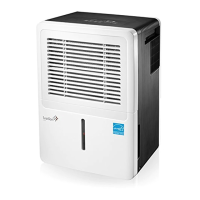
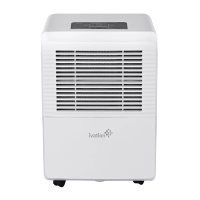
The Ivation 95-Pint Dehumidifier with Built-in Pump is designed to efficiently remove excess moisture from the air in your home, creating a more comfortable and healthier environment. This unit is intended for household use and operates within an ambient temperature range of 41°F (5°C) to 96°F (35°C). It is capable of removing up to 95 pints (approximately 11.9 gallons/45L) of moisture from the air per day, meeting ENERGY STAR® specifications for energy efficiency.
The primary function of this dehumidifier is to reduce indoor relative humidity. It achieves this by drawing in moist air, passing it over cooling coils where moisture condenses, and then expelling drier air back into the room. The collected water can be managed through three drainage options: manual collection in a removable reservoir, continuous gravitational draining via a hose, or automatic pumping through a built-in pump for vertical lift and longer distances.
The unit features an adjustable humidity control, allowing users to set a desired relative humidity level between 35% and 85% in 5% increments. Once the desired level is set, the dehumidifier will cycle on and off to maintain it. For continuous operation regardless of the room's humidity, a dedicated "Cont." mode is available.
An automatic defrost feature prevents frost buildup on the evaporator coils. When frost is detected, the compressor cycles off, and the fan continues to run until the frost evaporates, ensuring efficient operation even in cooler conditions. However, the appliance may not operate satisfactorily if the room temperature falls below 41°F (5°C).
The built-in pump allows for flexible drainage options, enabling water to be pumped up to approximately 15 feet vertically to a floor drain or suitable drainage facility. This feature is activated when the reservoir is about 3/4 full. It's important not to use the pump feature when outdoor temperatures are at or below 32°F (0°C) to prevent damage from freezing water.
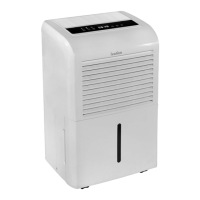
The dehumidifier is equipped with a user-friendly control panel that includes several buttons and an LCD display. The "Power" button turns the unit on and off. Upon first operation, it is recommended to let the unit run continuously for 24 hours. If the unit is switched off and needs to be restarted, a 3-minute time delay is automatically initiated to prevent compressor overheating.
The "Pump" button activates the built-in drainage pump, illuminating an indicator light. Ensure the pump drain hose is correctly installed and the continuous drain hose is removed before using this feature.
The "Comfort" button activates a continuous dehumidifying operation where the unit automatically controls room humidity between 45% and 55% based on room temperature. In this mode, manual humidity settings are overridden.
A "Turbo" button allows users to select between high ("Turbo") and normal fan speeds, with "Turbo" providing maximum moisture removal.
The "Timer" button enables programming for automatic start and stop times, allowing the unit to operate at prescribed intervals between 0.0 and 24 hours in 0.5-hour or 1-hour increments. The LCD display shows the programmed times and then defaults to showing the actual room humidity level.
The unit also includes a "Full reservoir alert" which illuminates an indicator light and stops operation when the water collection reservoir is full, prompting the user to empty it. An "Auto restart" feature ensures that if power is unexpectedly cut, the unit will resume operation with its previous settings once power is restored.
For portability, the dehumidifier is fitted with casters, making it easy to move. However, avoid forcing casters over carpeting or moving the unit when water is in the reservoir. Proper placement requires the unit to be on a hard, level surface with adequate clearance from walls, furniture, and window coverings (at least 10 inches on sides and back, 20 inches on top for air outlet). Doors and windows in the room should be closed for optimal performance.
Regular maintenance is crucial for optimal performance and longevity of the dehumidifier. Before any cleaning or maintenance, always turn off the unit and unplug it from the power source.
The unit features a "Removable, cleanable filter" that should be cleaned regularly. A "Filter Button" with an LED light illuminates after approximately 250 hours of operation to remind you to clean the air filter. To reset the reminder, press the "Filter" button after cleaning. The air filter should be removed and cleaned at least every 30 days, either by vacuuming or rinsing under warm or cold running water and allowing it to dry thoroughly before reinserting. The unit should never be operated without the air filter.
The water collection reservoir should be removed and washed approximately every two weeks. It is not dishwasher safe. When replacing the reservoir, ensure the pump intake rod is in its horizontal position to allow proper installation.
To clean the pump filter, remove the reservoir, then remove and clean the pump filter with water.
For general cleaning of the unit's exterior, use a clean, damp cloth and avoid harsh detergents or chemicals.
When storing the unit, turn it off and wait one day before emptying the reservoir. Clean the main unit, reservoir, and air filter, ensuring they are completely dry. The power cord can be wrapped around the holder on the back of the unit for secure storage. Finally, cover the unit to protect it from dust and moisture and store it in a cool, dry, well-ventilated area.
 General
| Model Number | IVALDH95PWWP |
|---|---|
| Capacity | 95 pints |
| Energy Star Certified | Yes |
| Noise Level | 51 dB |
| Color | White |
| Coverage Area | 4, 500 sq. ft. |
| Dimensions | 15.4 x 11 x 24.5 inches |
| Drainage Options | Manual or continuous drainage |
| Tank Capacity | 13.5 pints |
| Operating Temperature | 41°F to 95°F |

 To Next Page