EasyManua.ls Logo

Ivation IVALDH30PW - User Manual

Ivation IVALDH30PW
5 pages
Print Icon
To Next Page IconTo Next Page
Loading...
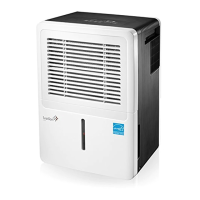
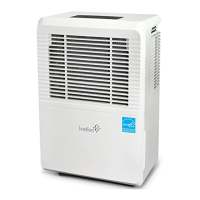
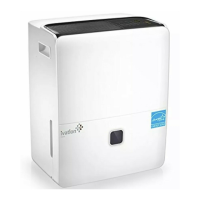
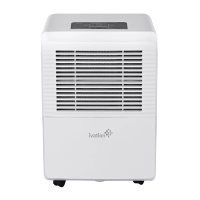
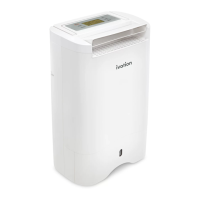
50-Pint Energy Star Dehumidifier
USER GUIDE
IVALDH30PW
Thank you for purchasing the Ivation® 50-Pint Energy Star Dehumidifier. This User Guide is intended to
provide you with guidelines to ensure that operation of this product is safe and does not pose risk to the
user. Any use that does not conform to the guidelines described in this User Guide may void the limited
warranty.
Please read all directions before using the product and retain this guide for reference. This product is
intended for household use only.
This product is covered by a limited one-year warranty. Coverage is subject to limits and exclusions. See
warranty for details.
Box ontents
50-pint dehumidifier
User guide
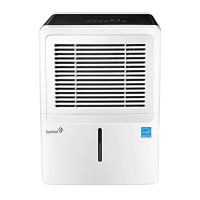
Parts
1. Control panel 6. Air outlet vent
2. Air intake vent 7. Power cord band
3. Air filter 8. Drain hose outlet
4. Water reservoir 9. Power cord
5. Handle 10. Power plug
rearfront
Control Panel
Handle
Air Intake Vent
Air Filter
Water Reservoir
Power Plug
Air Outlet Vent
Drain Hose Outlet
Power Cord Band
Power Cord

Questions and Answers

  • T
    Terrance HughesAug 10, 2025
    Why is my Ivation IVALDH30PW Dehumidifier not drying the air properly?
    • I
      ismithAug 10, 2025
      If your Ivation Dehumidifier isn't drying the air effectively, give it more time to remove moisture. Ensure that nothing obstructs the front or back of the unit. Try selecting a lower humidity setting. Verify that all doors, windows, and openings are securely closed. Also, the room temperature might be too low (below 41° F; 5° C).
  • C
    Cody DayAug 16, 2025
    What to do if my Ivation Dehumidifier does not start?
    • J
      James HernandezAug 16, 2025
      If your Ivation Dehumidifier doesn't start, first ensure it is properly plugged into a working outlet. Then, check your house's fuse or circuit breaker box. Also, the unit might have reached its preset level, or the reservoir could be full or not correctly positioned.
  • S
    Sandra RogersAug 22, 2025
    Why is my Ivation Dehumidifier making loud noises?
    • K
      Kimberly CookAug 22, 2025
      If your Ivation Dehumidifier is making loud noises, it could be due to a few reasons. The air filter might be clogged. Ensure the unit is upright and not tilted. Also, check that the floor surface is level.
  • K
    Kimberly GravesAug 28, 2025
    What to do if water is spilling on the floor from my Ivation IVALDH30PW?
    • W
      walkerroyAug 28, 2025
      If you notice water spilling on the floor from your Ivation Dehumidifier, check the hose connection to ensure it is not loose. Also, verify that the back drain plug is properly installed.
  • J
    Juan AverySep 3, 2025
    Why does frost appear on the coils of my Ivation IVALDH30PW Dehumidifier?
    • D
      Dr. Brooke HallSep 3, 2025
      If frost appears on the coils of your Ivation Dehumidifier, don't worry. This is normal, as the unit is equipped with an auto-defrost feature.

Ivation IVALDH30PW Specifications

General IconGeneral
ModelIVALDH30PW
Moisture Removal Capacity30 pints per day
Drainage OptionManual or Continuous Drainage
Control TypeElectronic
Operating Temperature41°F - 95°F
ColorWhite
Energy Star CertifiedYes
Dehumidifying TechnologyCompressor
Coverage Area1500 sq. ft.
Special FeaturesAuto Restart
Noise Level48 dB
Warranty1 Year

Related product manuals