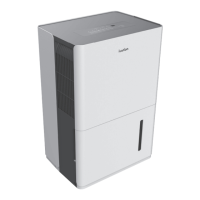
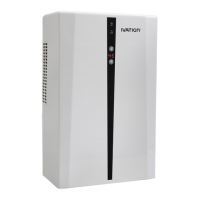
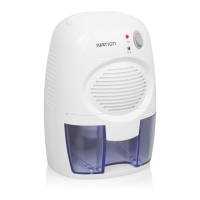
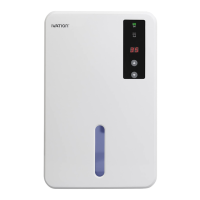
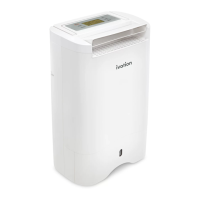
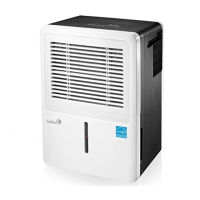
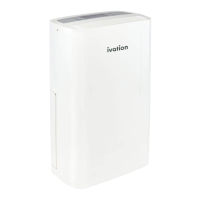
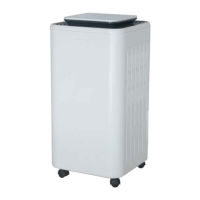
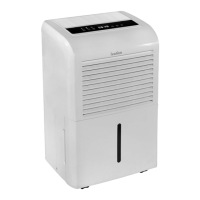
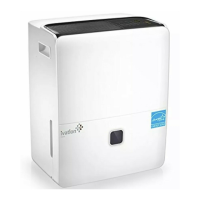
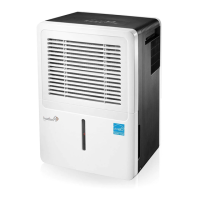
This document describes the Ivation® 50-Pint Energy Star Dehumidifier with Pump, a product designed for household use to reduce humidity levels. It is rated for quality assurance by Energy Star.
Function Description
The Ivation® 50-Pint Energy Star Dehumidifier with Pump is designed to remove excess moisture from indoor residential spaces. It operates within a temperature range of 41 °F – 90 °F (5 °C – 32 °C) and a humidity range of 30% - 90%. The unit features a compressor and fan system to draw in humid air, condense the moisture, and then release drier air back into the room. The collected water can be stored in a removable bucket or continuously drained using a hose, with an integrated pump for vertical or horizontal drainage.
Usage Features
The dehumidifier is controlled via a user-friendly control panel with various lights and buttons.
Control Panel Elements:
- Power Indicator Light (A): Illuminates when the unit is on.
- Filter Indicator Light (B): Turns on after 250 hours of operation to remind the user to clean the air filter.
- Nonstop Operation Indicator Light (C): Indicates continuous dehumidification.
- High, Medium, and Low Fan Indicator Lights (D): Show the current fan speed setting.
- 4-hour or 2-hour Delay On/Off Indicator Lights (E): Indicate if a timer for automatic on/off is set.
- Full Indicator Light (F): Illuminates when the water bucket is full or not correctly in place, prompting the user to empty or re-seat it.
- Pump Mode Indicator Lights (G): Indicate when the unit is operating in pump mode.
- POWER (H): Turns the dehumidifier on or off.
- FILTER (I): Resets the CLEAN FILTER indicator LED after the filter has been cleaned.
- -/+ (J): Adjusts the desired humidity level in 5% increments, ranging from 35% to 80%. Pressing the minus button until "NS" appears on the display sets the unit for continuous operation. In nonstop mode, the dehumidifier operates continuously at its maximum setting if connected to a drainage hose or until the bucket is full.
- DISPLAY (K): Shows the set humidity level during adjustment and then displays the actual room humidity level (± 5% accuracy).
- FAN SPEED (L): Toggles between High, Medium, and Low fan speeds.
- TIMER (M): When the unit is operating, this button can be pressed to set it to automatically turn off in 2 or 4 hours. When the unit is off, it can be pressed to automatically turn on in 2 or 4 hours.
- PUMP (N): Press and hold this button for three seconds to activate pump mode.
Additional Functions:
- Bucket Alert: If the water bucket is full, removed, or not locked in place for more than three minutes, a ten-second buzzer alert sounds, and the unit shuts off completely. Operation resumes once the bucket is emptied and replaced.
- Auto Shut Off: The device automatically stops dehumidifying when the bucket is full, removed, or incorrectly placed, or when the room humidity drops 5% below the set level. The fan continues to run for three minutes, followed by the Bucket Alert and complete shutdown.
- Auto Defrost: If frost accumulates on the evaporator coils, the compressor cycles off, and the fan continues to run until the frost evaporates.
- Power Outage: The unit automatically restarts with the last used settings after power is restored following an outage or interruption.
Drainage Options:
The dehumidifier offers two primary drainage methods: manual draining via the water bucket or continuous draining using a hose.
Before First Use:
- Ensure the float in the water bucket is properly placed.
- The water bucket must be properly installed and emptied.
- Do not remove the bucket while the unit is in operation.
- All successful button presses are confirmed with an auditory beep.
- When the power cable is connected, the power indicator light illuminates, and the unit beeps.
Maintenance Features
Regular maintenance ensures optimal performance and longevity of the dehumidifier. Always turn off and unplug the unit before cleaning. Do not wash or submerge the unit in water, and avoid harsh detergents.
Caring for the Air Intake Vent and Outer Casing:
- Wipe the outer casing with a soft, dry towel to remove dust. For more thorough cleaning, use a damp (not wet) towel with soapy water.
- Use a dust catcher or gentle brush to clean the air intake vent.
Caring for the Water Bucket:
- Remove and clean the water bucket every few weeks to prevent mold, mildew, and bacteria growth. Use a soft brush and rinse it out.
- To clean the bucket, first remove the handle by flipping it up towards the front/top of the bucket, aligning the pegs with the holes, and pulling the bucket plate to free the pegs.
- Once the handle is removed, press down the four buckles around the bucket and lift the drain lid to access the interior for cleaning.
- After cleaning, replace the drain lid and handle, ensuring the float is correctly positioned with the foam plastic beneath the drain lid. Do not remove the foam plastic from the float.
Caring for the Air Filter:
- The dehumidifier will remind you to clean the air filter after 250 hours of operation (Filter indicator light turns on). Clean more frequently if the environment is particularly dusty.
- To remove the air filter, first remove the water bucket. Reach inside the opening at the bottom of the front air vent, grasp the bottom plastic edge of the air filter, and pull it straight down.
- Clean the air filter with warm soapy water, rinse it thoroughly, and allow it to air-dry completely before re-installing.
- Warnings: Do not operate the dehumidifier without the filter, as dust will accumulate on the evaporator and impair performance. Do not dry the air filter with fire or an electric hairdryer, as this can cause misshaping or fire. Avoid using a dust catcher or brush, as these can permanently damage the filter.
Seasonal Use and Storage:
Before Seasonal Use:
- Check that the air outlet is not blocked.
- Ensure the power plug and socket are in good condition.
- Verify that the air filter is clean.
- Check that the drain hose is not damaged.
After Seasonal Use:
- Disconnect power.
- Clean the air filter and outer casing.
- Clean any dust or obstacles from the dehumidifier.
- Empty and clean the water bucket.
Seasonal Storage Instructions:
- Ensure the water bucket is emptied and dry, and the drainage hose is removed.
- Unplug the dehumidifier and safely store the power cable.
- Clean the unit and wrap it to prevent dust accumulation in the filters, air vents, etc.


 To Next Page
 General