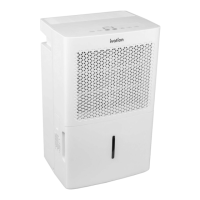
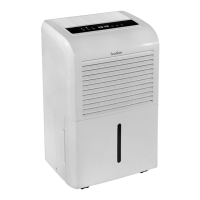
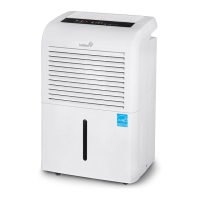
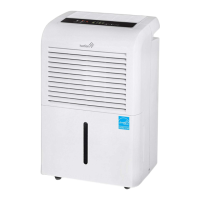
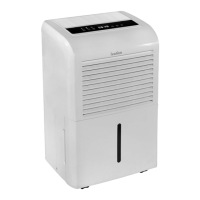
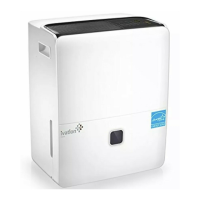
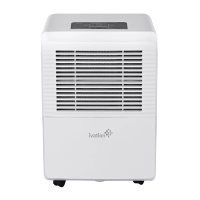
The Ivation 50-Pint Energy Star Dehumidifier is designed to efficiently remove excess moisture from your home, improving air quality and comfort. This appliance is intended for household use and operates within a temperature range of 41°F (5°C) to 95°F (35°C). It features a user-friendly control panel with various settings and indicators to manage its operation.
Function Description:
The primary function of this dehumidifier is to extract moisture from the air, collecting it in a water reservoir or draining it continuously. It helps prevent the growth of mold, mildew, and dust mites, which thrive in humid environments. The unit is equipped with an auto shut-off feature that activates when the water reservoir is full or the set humidity level is reached, ensuring safe and efficient operation. An auto defrost function is also integrated, which cycles off the compressor and keeps the fan running when frost builds up on the evaporator coils, preventing damage and maintaining performance. In the event of an unexpected power cut, the auto restart feature will resume operation with the previous settings once power is restored.
Usage Features:
The dehumidifier offers several modes and controls to customize its operation:
- Comfort Mode: This mode automatically adjusts the humidity level between 45% and 55% based on the room's temperature, providing optimal comfort without manual intervention. Humidity cannot be manually set in this mode.
- Continuous Mode: For constant dehumidification without a timer, select the continuous mode. The continuous mode light will illuminate to indicate this setting.
- Humidity Control: Users can manually adjust the desired relative humidity in 5% increments, ranging from 35% to 85%. Press the minus button for dryer air and the plus button for damper air.
- Timer Function: The timer allows you to schedule when the dehumidifier will start or stop. You can set the timer in 0.5-hour increments, up to a maximum of 10 hours, by pressing the timer button and using the increase/decrease buttons.
- Fan Speed: The fan button allows you to switch between high and low fan speeds. A higher fan speed will generally result in more moisture removal.
- Indicators: The control panel includes various indicator lights such as "Reservoir Full," "Auto Defrost," "On," "Off," "Comfort Mode," "Filter Light," "Continuous Mode," and "Turbo Speed Fan Light," providing clear visual feedback on the unit's status. A digital display shows current settings and error codes.
For optimal performance, position the unit at least 40cm from the back and 20cm from the sides and front of any obstructions. Ensure the unit is placed on a level, stable surface to prevent tilting and ensure proper drainage. Avoid covering the intake or exhaust vents with cloths or towels, as this can impede airflow and reduce efficiency.
Maintenance Features:
Regular maintenance is crucial for the longevity and efficient operation of your dehumidifier:
- Water Reservoir Cleaning: The water reservoir should be washed with fresh water every few weeks to prevent the buildup of bacteria or mold.
- Air Filter Cleaning: The air filter needs to be cleaned with clean water at least every 30 days. A "Clean Filter" light will illuminate on the control panel when it's time to clean the filter. After cleaning, press the filter light reset button to turn off the indicator. Always ensure the filters are securely inserted.
- Continuous Draining: For convenience, the unit can be set up for continuous drainage into a floor drain. This involves removing the plastic cover from the drain outlet, inserting a water hose with a female threaded end (not included) through the drain outlet, and securing it with an adapter and screws (not included). The hose should then be led to a suitable drainage facility.
- Storage: When storing the unit, first turn it off and wait one day before emptying the reservoir completely. Clean the main unit, reservoir, and air filter. Wrap the power cord and bundle it with a band, then cover the unit with a plastic bag. Store the dehumidifier upright in a dry, well-ventilated place.
Safety Precautions:
Always adhere to safety guidelines to prevent accidents and ensure proper functioning. Do not exceed the unit's rated power or use a damaged power cord. Never modify the cord length or share the outlet with other appliances. Avoid handling the plug with wet hands and do not operate the unit in small, confined spaces. Do not install the unit near heat sources or where it may be exposed to combustible gas. Disconnect power if unusual sounds, smells, or smoke occur, and never attempt to disassemble or repair the unit yourself. Always unplug the unit before cleaning. Do not drink the water drained from the unit. In case of a thunderstorm, cut off power to protect the unit from lightning. If the unit is knocked over or water enters it, immediately turn off and unplug the unit, then contact a qualified service technician. Keep the unit out of reach of children and pets, and do not insert fingers or other foreign objects into vents. Avoid placing heavy objects on the power cord or running the cord under carpeting or throw rugs.


 To Next Page
 General