EasyManua.ls Logo

Ivation Vacuum Sealer - User Manual

Ivation Vacuum Sealer
11 pages
Print Icon
To Next Page IconTo Next Page
Loading...
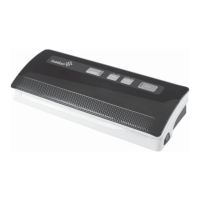
Vacuum Sealer
User Guide
Thank you for purchasing the Ivation Vacuum Sealer. This User Guide is intended to provide
you with guidelines to ensure that operation of this product is safe and does not pose risk to
the user. Any use that does not conform to the guidelines described in this User Guide may
void the limited warranty.
Please read all directions before using the product and retain this guide for reference. This
product is intended for household use only.
This product is covered by a limited one-year warranty. Coverage is subject to limits and
exclusions. See warranty for details.
In the Box:
Vacuum sealer
Starter kit: 5 (quart) + 5 (gallon) bags
User guide

Questions and Answers

  • B
    brianna40Aug 2, 2025
    Why is air re-entering the bag after sealing with Ivation Vacuum Sealer Kitchen Appliances?
    • V
      Vanessa KingAug 2, 2025
      Air may re-enter the bag after sealing due to a few reasons. Leaks can occur due to wrinkles, debris, crumbs, grease, or liquids along the seal. In this case, reopen the bag, wipe the top inside, and smooth it out along the sealing strip before resealing. Additionally, the release of natural gases or fermentation from foods like fresh fruits and vegetables can cause this. Also, check the bag for punctures.
  • E
    Earl RodriguezAug 8, 2025
    What to do if air is not completely removed from the bag using Ivation Vacuum Sealer Kitchen Appliances?
    • J
      Jeremiah RobersonAug 8, 2025
      If air is not being completely removed from the bag, ensure the open end of the bag is entirely inside the vacuum chamber area for proper sealing. Check the sealing strip and foam gasket beneath the lid for any debris and ensure correct positioning. The vacuum bag may also have a leak; test by sealing the bag with some air, submerging it in water, and applying pressure. It is important to only use the specific vacuum bag with vacuum channels provided by the manufacturer. Leaks can also be caused by wrinkles, debris, crumbs, grease or liquids. Reopen the bag, wipe the top inside of the bag and smooth it out along the sealing strip before resealing.
  • D
    Daniel MorenoAug 13, 2025
    What to do if my Ivation Vacuum Sealer machine does not seal after vacuuming?
    • W
      William RangelAug 14, 2025
      If your machine isn't sealing after vacuuming, keep in mind that there is a vacuum pressure sensor built into the machine. Check the sealing strip and the foam gasket beneath the lid for debris and correct positioning. Also, make sure the foam seal gaskets on both the cover and on the base around the vacuum chamber are clean and undamaged. The vacuum bag may have a leak. To test, seal the bag with some air in it, submerge in water, and apply pressure.
  • C
    cmartinezAug 20, 2025
    How to fix Ivation Vacuum Sealer when nothing happens when trying to vacuum package?
    • P
      Pedro CookAug 20, 2025
      If nothing happens when you try to vacuum package, start by checking the power cord to ensure it is firmly plugged into the electrical outlet. Examine the power cord for any damages. Then, check if the electrical outlet is operative by plugging in another appliance. If your appliance has a mode switch, make sure it is set to the correct mode. Finally, make sure the bag is placed correctly inside the vacuum chamber and beneath the air intake.
  • K
    Kendra PhillipsAug 27, 2025
    What to do if the bag melts in Ivation Vacuum Sealer Kitchen Appliances?
    • M
      Michelle JohnsonAug 27, 2025
      If the sealing strip or sealing element overheats and melts the bag, lift the lid and allow the sealing strip or heating element to cool for a few minutes.

Summary

Important Safeguards

Functions Overview

Vacuum + Seal; Cancel Button

Explains dual function for starting and stopping the vacuum sealing process.

Food Settings: Dry and Moist

Guides selection for food moisture content affecting sealing time.

Detailed Functions and Components

Vacuum Pressure Settings

Details Normal and Gentle settings for vacuum intensity.

Seal Button Functionality

Explains manual sealing and stopping vacuum for controlled sealing.

LED Indicators and Safety Switch

Explains LED status meanings and the heating circuit safety switch.

Physical Components Overview

Details parts like release buttons, air intake, sealing strip, chamber, gaskets, element, hook, and hose storage.

Operating Instructions

Vacuum Sealing a Bag

Step-by-step guide for vacuum sealing food items in bags.

Sealing an Optional Canister

Instructions for using the vacuum sealer with an optional canister.

Cleaning and Maintenance

Vacuum Sealer Cleaning

Instructions for cleaning the main vacuum sealer unit.

Vacuum Bag Care

Guidelines for washing and reusing vacuum bags.

Appliance Storage Recommendations

Recommendations for storing the appliance when not in use.

Product Use Tips

Important Food Storage and Safety Information

Troubleshooting Guide

Appliance Not Starting or Operating

Steps to take if the appliance does not start or operate.

Incomplete Air Removal from Bag

Reasons and solutions for incomplete air removal from bags.

Sealing Function Failure

Troubleshooting steps when the sealing function fails.

Bag Seal Integrity Issues

Common issues related to bag sealing and how to fix them.

Food Preservation Guidelines

Ivation Vacuum Sealer Specifications

General IconGeneral
BrandIvation
ModelVacuum Sealer
CategoryKitchen Appliances
LanguageEnglish

Related product manuals