6
3.3 Introduction to app Interface
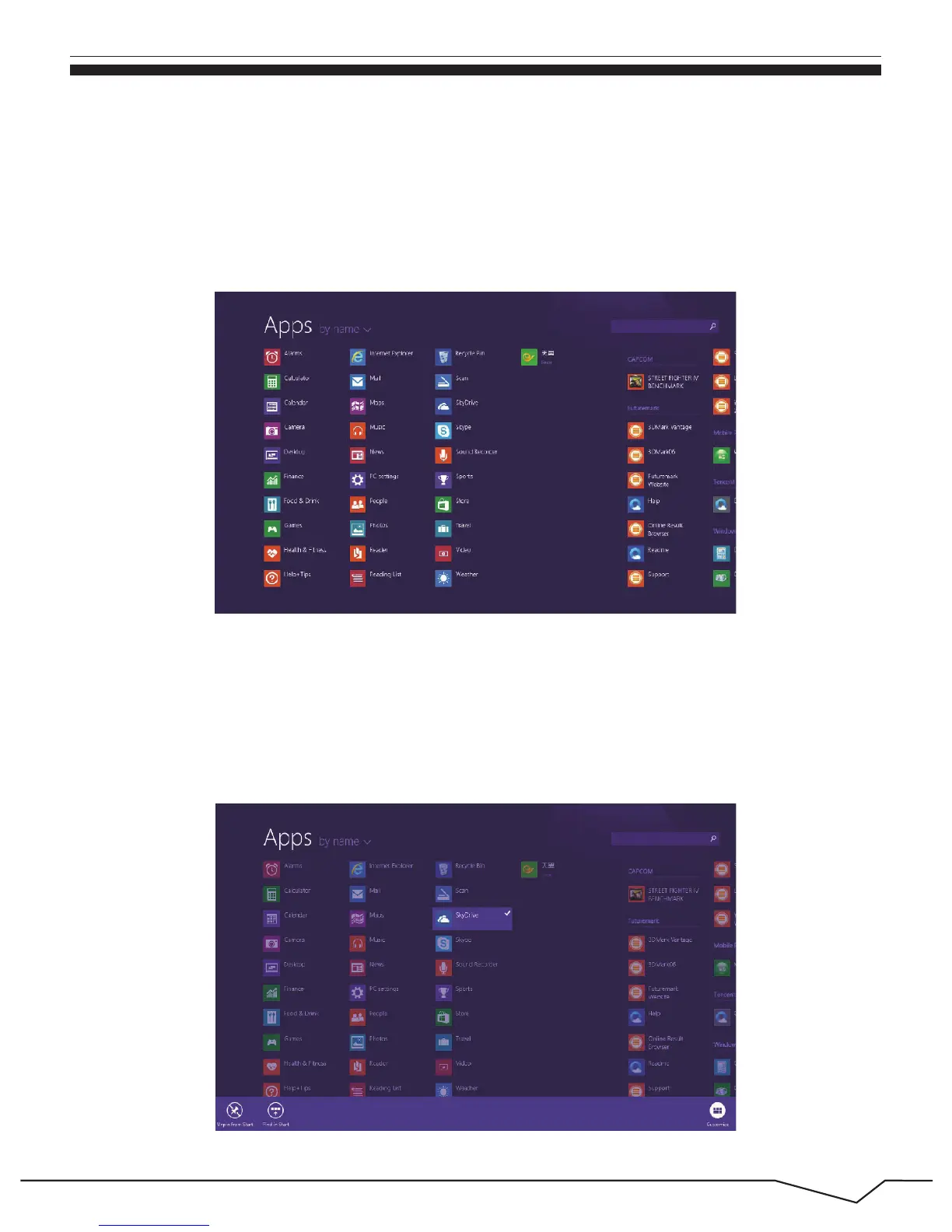
If you want to fix more application programs on the start interface, see the operation
in the figure below, (1) press and hold the application program magnet for about one
second, and release the magnet till the Customize column shows at the buttom, and
select (2) to fix to the start screen.
Besides the application programs already fixed on the start screen, you can also
start other application programs in all application programs, such as other software
application programs attached to the Tablet PC.


 To Next Page
 Loading...