7
3.4 Charm menu column
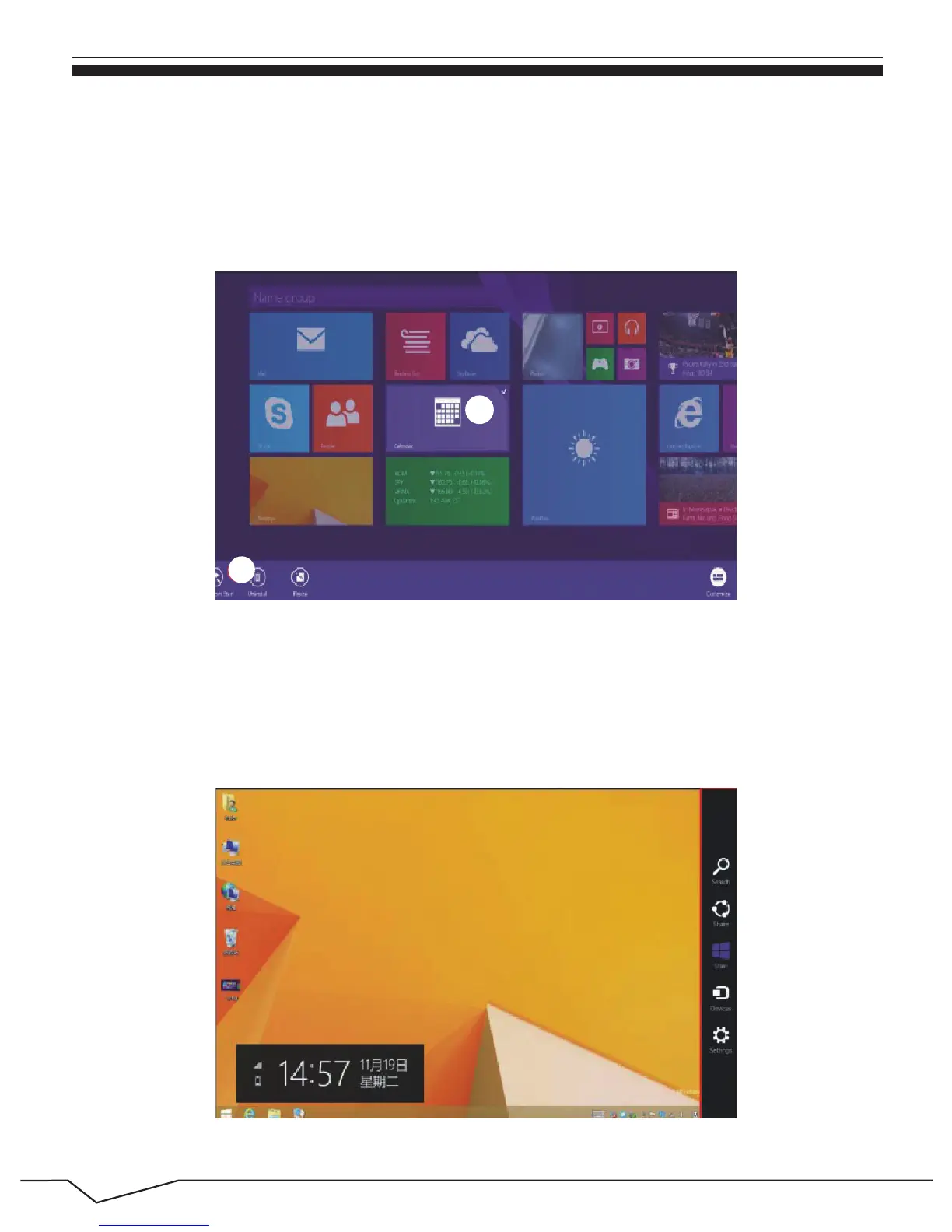
Conversely, if you want to cancel or delete a certain application in the start screen,
(1) press and hold the application program magnet for about one second, and
release the magnet till the Customize column shows at the buttom, and select the
attributes to customize the magnet you want.
Slide it to the left from the right side of the screen to start Charm menu
column, including: Start, Device, Setup, Share, and Search Program.
1
2


 To Next Page
 Loading...