Need help?
Do you have a question about the J.Burrows Elite MS300 and is the answer not in the manual?
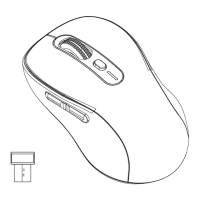
Lists and identifies all functional parts of the mouse including buttons, scroll wheel, and ports.
Steps to remove and reattach the magnetic top cover to access the USB receiver.
Instructions for turning on the mouse and adjusting DPI sensitivity.
Instructions for connecting the mouse via the USB receiver.
Guides for connecting to Bluetooth devices (BT1 and BT2).
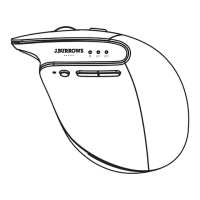
Explains the meaning of the LED indicator lights during operation.
Lists key specifications including model, code, Bluetooth version, power, and dimensions.
Details the operating systems compatible with the mouse.
Outlines the 8-year warranty, conditions, and exclusions for Australian customers.
Instructions on how to make a warranty claim and consumer law rights.
This document is an instruction manual for the J.Burrows Elite MS300 Wireless Mouse.
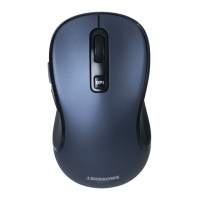
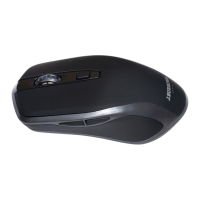
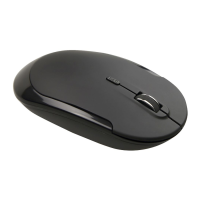
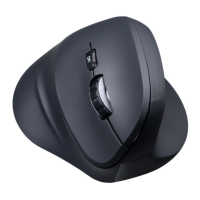
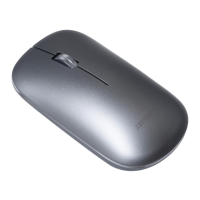
The J.Burrows Elite MS300 is a wireless mouse designed for general computer use. It offers both 2.4 GHz wireless connectivity via a USB receiver and Bluetooth connectivity, allowing for flexible pairing with various devices. The mouse features standard left and right buttons, a scroll wheel, and a mode button for switching between different connectivity options. It also includes an optical sensor for tracking movement and an On/Off switch to conserve battery. The mouse is rechargeable and comes with a charging cable.
Connectivity Options: The Elite MS300 supports two primary connection methods:
DPI Adjustment: The mouse's sensitivity (DPI) can be adjusted. To modify the DPI, press the left button and scroll wheel together for more than three seconds. The available DPI settings are 800, 1200, 1600, 2000, and 2400.
Power Management: The mouse has an On/Off switch to conserve battery life. It is recommended to turn off the mouse when not in use, especially before charging.
Charging: The Elite MS300 is equipped with a 300mAh Lithium rechargeable battery. It comes with a charging cable (USB-A / USB-C).
USB Receiver Storage: The USB receiver can be conveniently stored inside the mouse by removing the magnetic top cover. This prevents loss when transporting the mouse.
Warranty Information (for Australian customers): Officeworks Ltd provides an 8-year warranty from the date of purchase against defects and non-performance as intended. If defects occur during this period, Officeworks will, at its discretion and expense, repair or replace the product. The warranty does not cover:
Safety Warning: Only connect the provided charging cable to the Elite MS300 wireless mouse. Connecting this cable to other devices may cause damage to both the cable and the device.
Trademark Information:

 To Next Page
 General