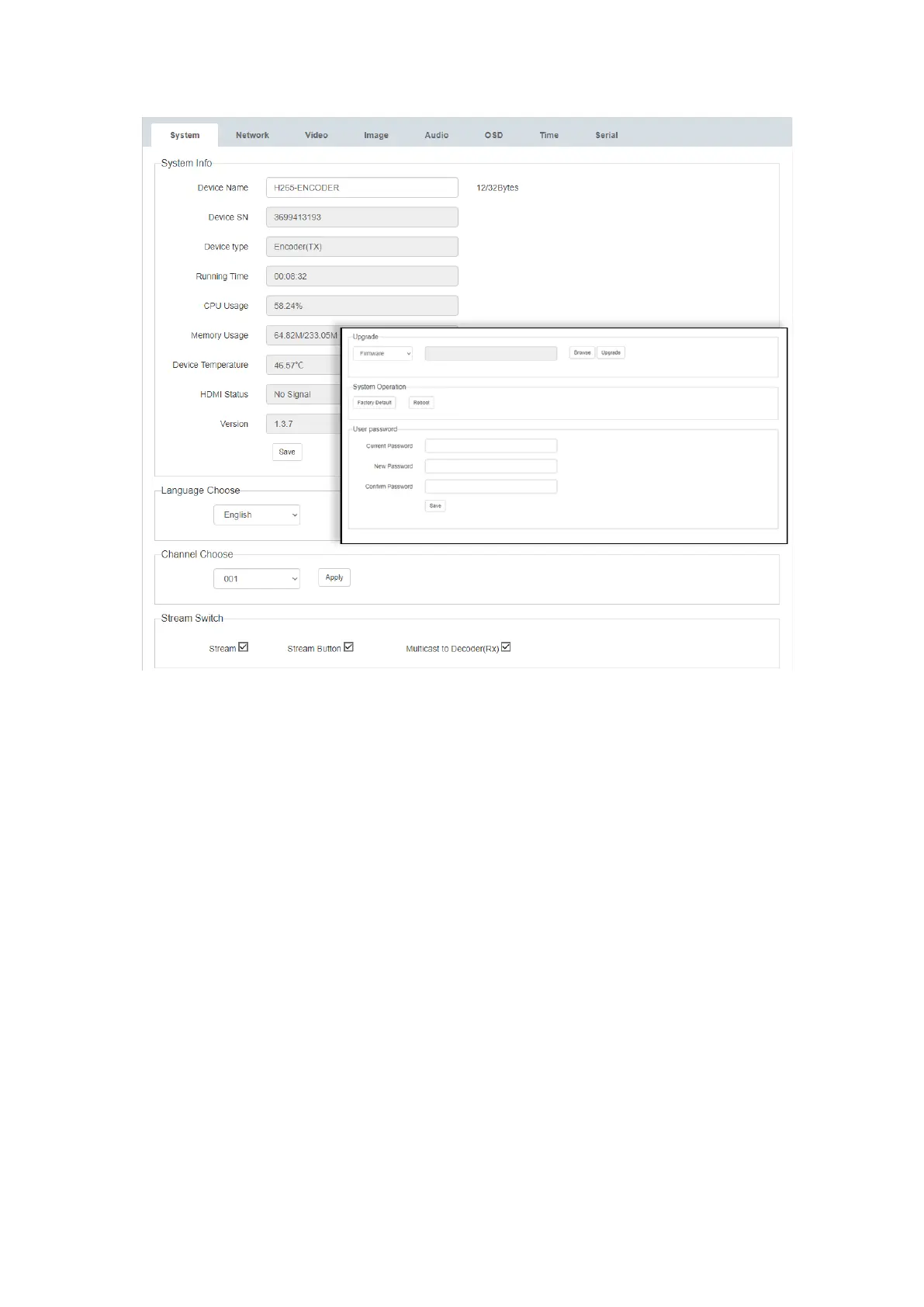
2) Language Switching
● In the "System" tab, the language of the interface can be switched from English (US)
to Chinese via the drop-down menu.
3) Channel
● Through channel configuration, the user can create a one-to-many broadcast or many-
to-many video matrix.
● The multicast channel of the encoder should be configured in the ‘System’ tab prior to
being used with a decoder. The decoder will need to match the encoder’s multicast
channel in order to display the encoder’s source signal.
(Note: Two encoders cannot use the same multicast channel otherwise channel conflict
will be caused).
4) Stream Switch


 To Next Page