9.1.2 VLC Play
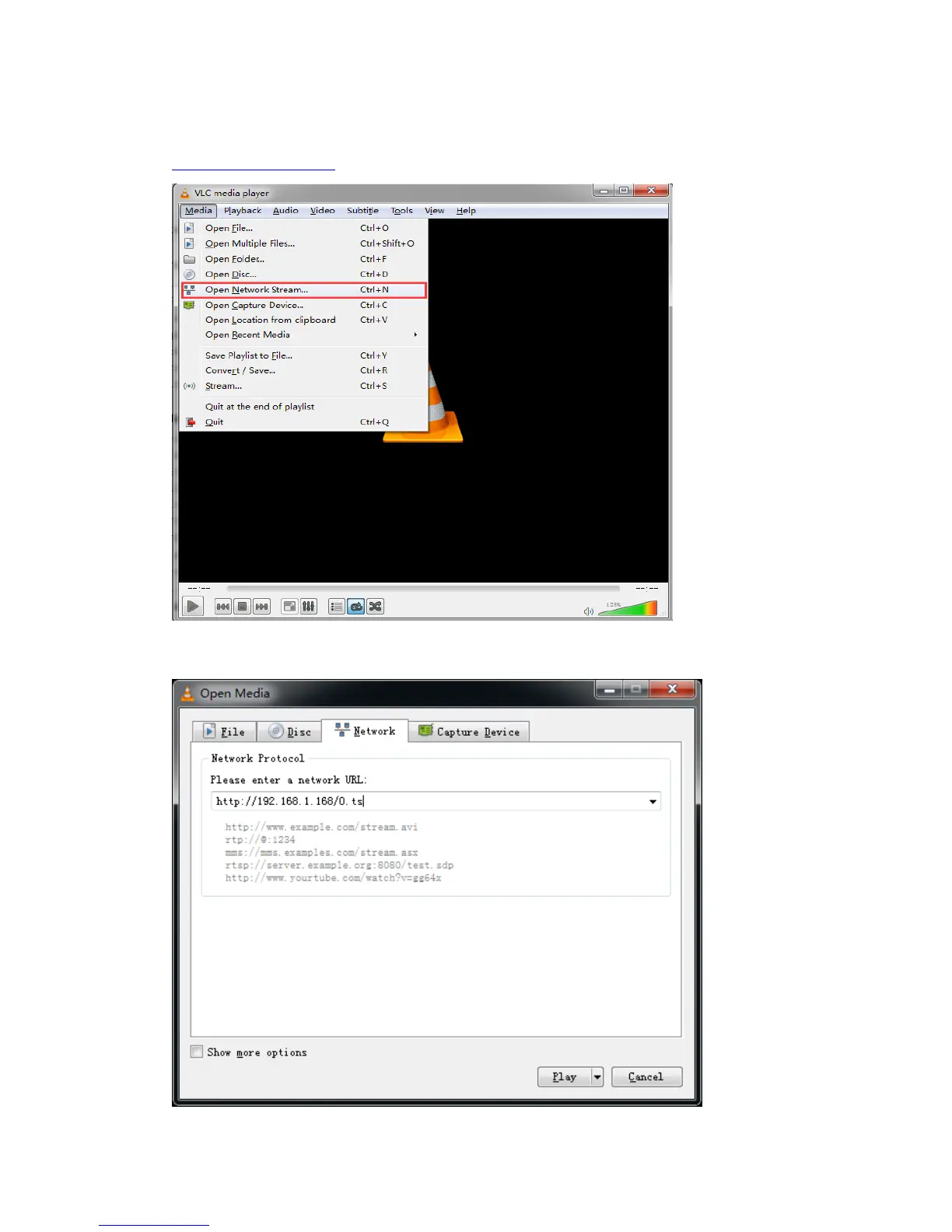
Connect a HDMI source to the HD encoder. Open VLC media player (Download link:
http://www.videolan.org/),Click “Media”, then click “Open Network Stream”.
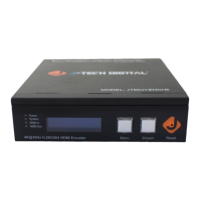
Enter the Stream URL from the page of “Main stream”, click “Play”. Note: Please make
sure that the stream type you choose, is enabled in the encoder.


 To Next Page