7. OSD Setting
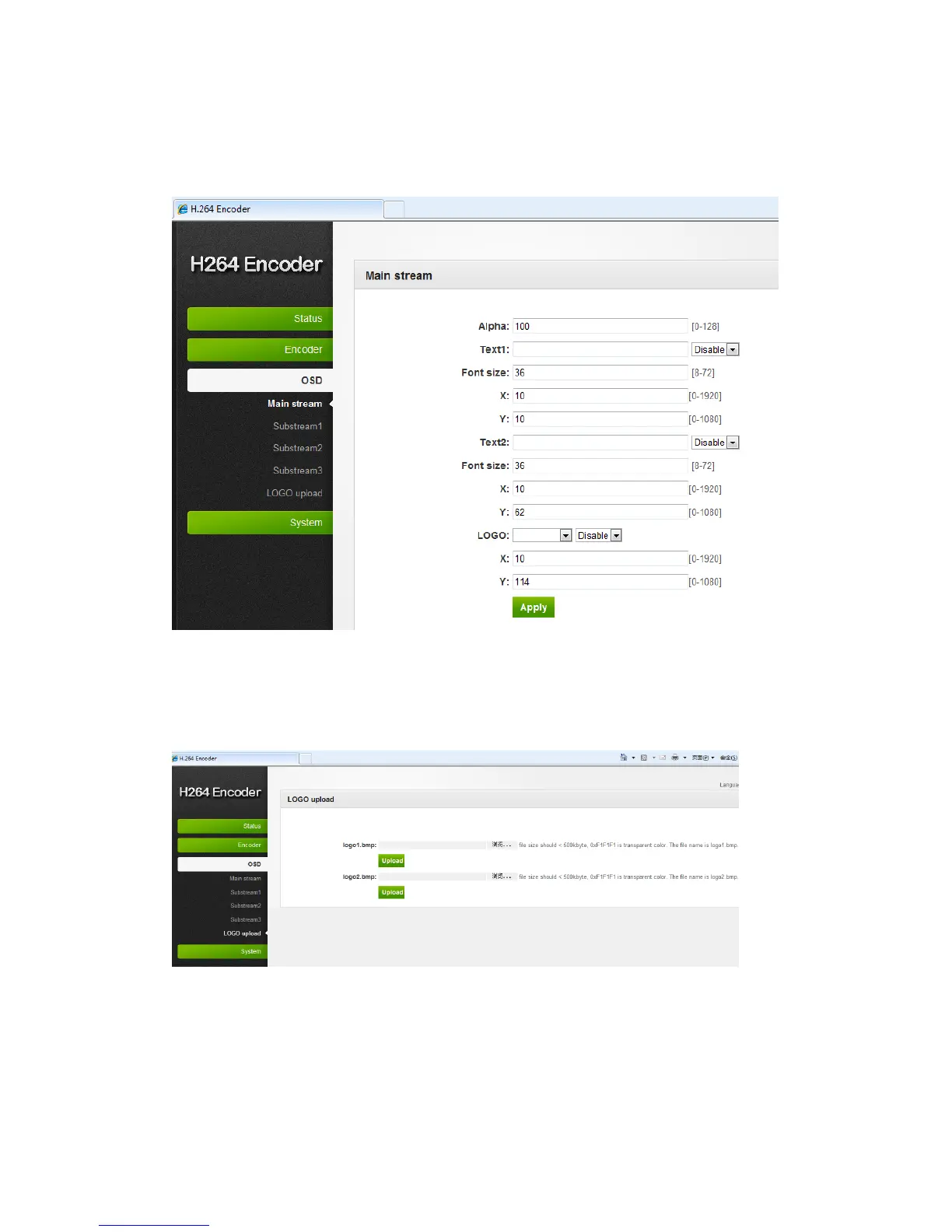
7.1 Streaming OSD Setting
Click “OSD” → “Network” → Configure your settings → Click “Apply”
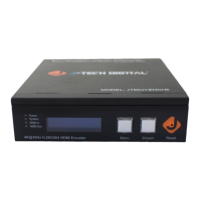
7.2 LOGO uploading
“LOGO upload” → Choose a bmp file that matches the requirements → Click “Apply”
※Note: The screenshots might have some difference with actual operation interface due
to software upgrade, all the screenshots are for reference only.


 To Next Page