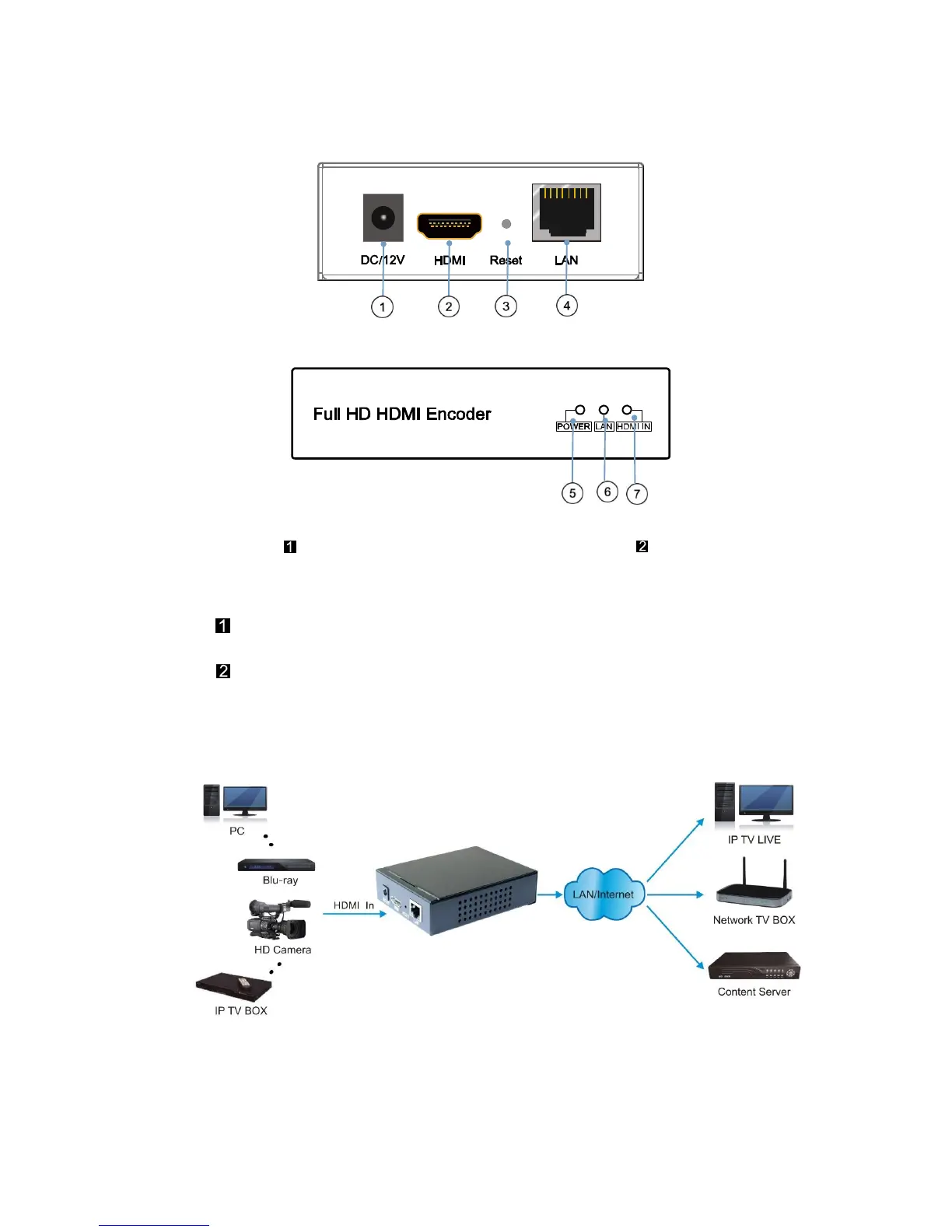
3. HARDWARE DESCRIPTION
① Power input port ② HDMI input
③ Reset button ④ LAN output
⑤ Indicator of power input ⑥ Indicator of LAN output
⑦ Indicator of HDMI input
Note: . Reset to the factory default setting: press “Reset” for 10 seconds till all three
indicators go out.
. LAN: default IP is 192.168.1.168 for the unit.
4. Typical Application


 To Next Page