5. Connection Configuration
5.1 Software
5.1.1 Change the IP Address of PC
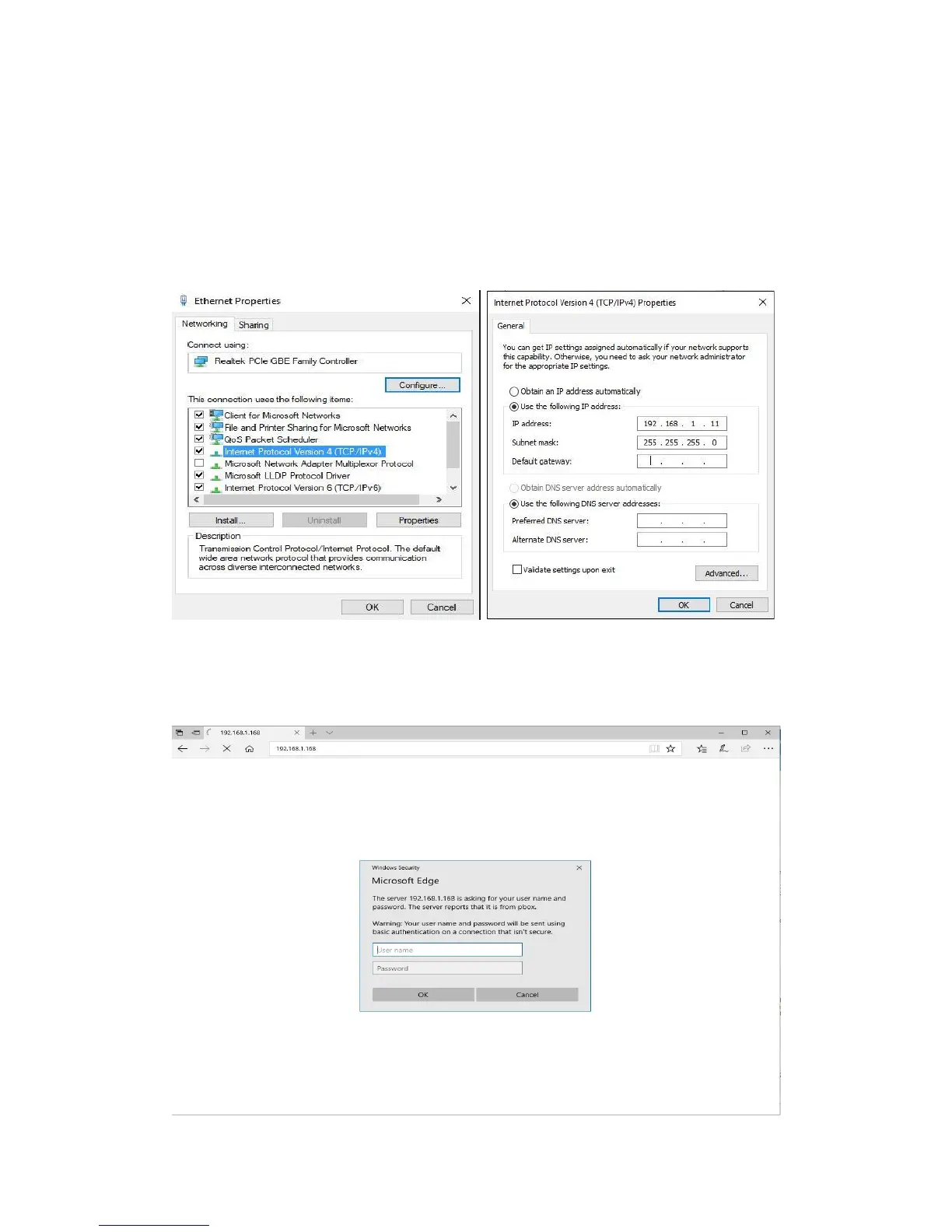
Assign the PC (or laptop) an IP address. On a Windows PC: Press the +R on your
keyboard →Enter “control netconnections” in the run box and press enter → Right click
on your wired ethernet adapter → Select “Properties → Double click “Internet Protocol
Version 4 (TCP/IPv4)” → Enter the IP address with 192.168.1.11 (0-255) and Subnet
mask 255.255.255.0. Press OK twice to save the configuration.
5.1.2 Login for configuration
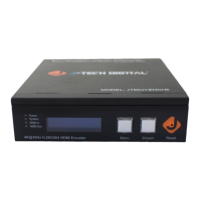
Enter the unit IP 192.168.1.168 in your browser, to open the web GUI. Login with the default
user name and pass word as admin.


 To Next Page