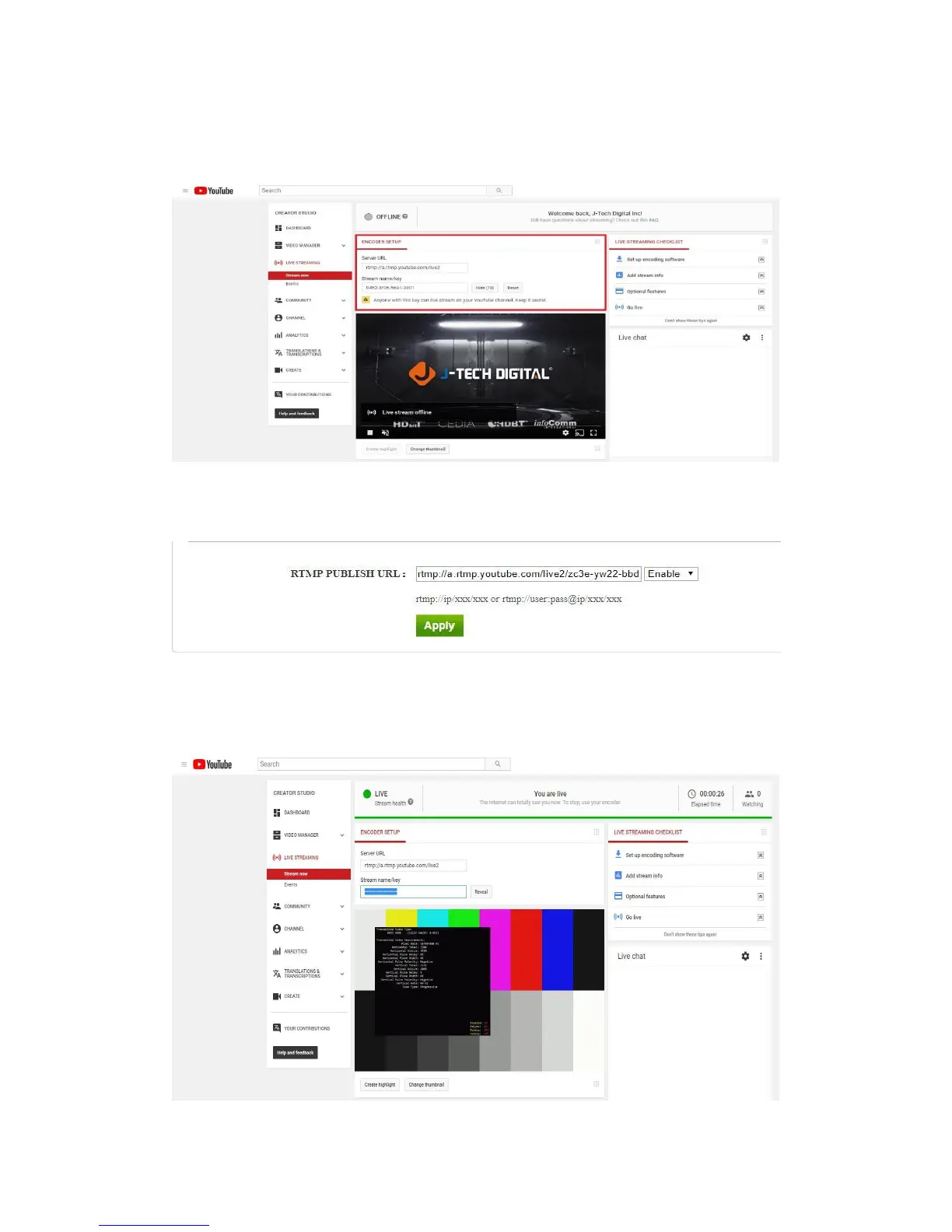
1. To stream to YouTube: access your YouTube Live settings (below) and combine your
“Server URL” and “Stream name/key” (separated by a forward slash).
Full RTMP URL Example: rtmp://a.rtmp.youtube.com/live2/zc3e-yw22-bbdw-baeg
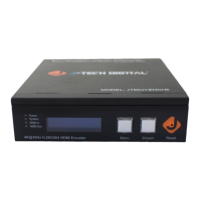
2.Enter the full RTMP URL into the “RTMP PUBLISH URL” setting of your J-Tech Digital
Encoder; apply and reboot.
Note: For best results, check that “TS muxer” is set to “Compatible with FFMPEG”
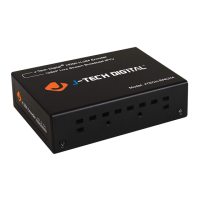
3. Check “Stream Health” in YouTube and adjust settings accordingly, per your specific
stream requirements.
Note: Use Google’s DNS servers (8.8.8.8 and 8.8.4.4), in your encoder’s network
settings for best results.


 To Next Page