Need help?
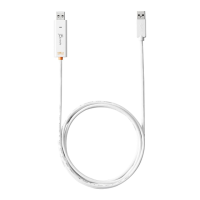
Do you have a question about the J5create JUC400 and is the answer not in the manual?
Guide through the Mac Keyboard Setup Assistant process.
Access the Wormhole CDROM icon on Mac after connecting.
Handle AutoPlay prompts and initiate software installation.
Resolve common issues if auto-run is not launched.
Learn to share keyboard and mouse between computers.
Share clipboard content and transfer files bi-directionally.
Connect and use PC keyboard for iPad operations.
Configure Wormhole Switch settings like position, sharing, and updates.
Enable/disable sharing functions and send Ctrl-Alt-Del.
Details on user manual, online support, and telephone assistance.
Information on product warranty terms and conditions.
Details FCC, CE, C-Tick, and VCCI compliance statements.
 General
| Model | JUC400 |
|---|---|
| Category | Switch |
| Power Delivery | Yes |
| Ethernet | No |
| Connector on First End | USB-C |
| Data Transfer Rate | Up to 5 Gbps |
| Interface | USB 3.0 |
| Transfer Speed | 5 Gbps |
| Power Source | USB-C |
| Compatibility | Windows, macOS |

 To Next Page