Need help?
Do you have a question about the J5create JUC100 and is the answer not in the manual?
Details the key advantages and functionalities of the Wormhole KM Switch, such as plug-and-play and multi-computer sharing.
Lists the system requirements, including operating systems, CPU, RAM, hard disk space, and USB port compatibility.
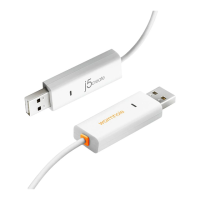
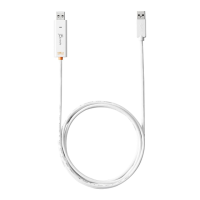
Provides details on the device's dimensions, weight, cable length, and LED indicators.
Lists all items included in the product packaging for the user.
Explains how to configure the display position for seamless mouse movement between connected computers.
Describes how to temporarily disable the KM switching function for regular mouse and keyboard use.
Explains how to temporarily disable the clipboard sharing feature between computers.
Allows users to set favorite configurations, including keyboard/mouse control, clipboard sharing, and event notifications.
Displays version information, copyright, and publisher details for the software.
Provides instructions on how to close or remove the Wormhole KM Switch application.
Details how to use a single keyboard and mouse to control multiple computers intuitively.
Explains how to copy and paste content, such as text and pictures, between two computers.
Guides users on transferring files between computers using drag-and-drop or copy-paste methods.


 To Next Page
 General