EasyManua.ls Logo

Jabra Elite 2 - User Manual

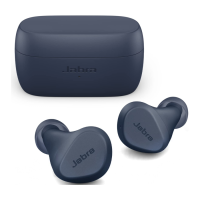
Jabra Elite 2
2 pages
Print Icon
To Next Page IconTo Next Page
Loading...
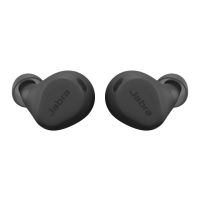
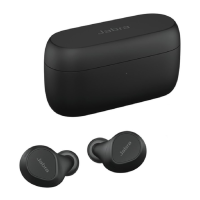
Jabra Elite 2 - ciemnoszary
How do I pair my Jabra Elite 2 with my mobile device?
To pair your headset with your mobile device or tablet, follow these steps.
1. Turn on the Bluetooth setting on your mobile device.
2. Turn on your earbuds by removing them from the charging case.
Alternatively, simultaneously press the Left and Right buttons.
The LED light on the right earbud will turn green.
3. To enter pairing mode, simultaneously press and hold (3 seconds) the
Left and Right buttons on the earbuds, until the LED on the right
earbud flash blue.
The earbuds are now ready to pair with your mobile device.
Note
Even if you want to use just the right earbud, you must still pair both
earbuds with your mobile device. After the pairing, you can place the
left earbuds in the charging case.
4. To pair, go to the Bluetooth menu on your mobile device and select
Jabra Elite 2 from the list. Enter 0000 (four zeros) if you are asked for
a pin code.
In daily use, when you turn on the earbuds, they will automatically
reconnect with the last previously paired device, if it is turned on and
within range.
Note
Android users can also use Google Fast Pair to pair their headset with their
19/02/2023 21:54
https://www.jabra.pl/supportpages/jabra-elite-2/100-91400000-60/faq/48891992-00f4-
4bac-bcfa-f981c3f0f4cd
Strona 1 z 2
Question and Answer IconNeed help?

Do you have a question about the Jabra Elite 2 and is the answer not in the manual?

Summary

Pairing Jabra Elite 2 with Mobile Device

Bluetooth Pairing Procedure

Step-by-step guide to connect Jabra Elite 2 earbuds to a mobile device via Bluetooth.

Using a Single Earbud

Information on using only the right earbud; both must be paired initially.

Google Fast Pair for Android

Android users can use Google Fast Pair for simplified headset connection.

Pairing Troubleshooting

Troubleshooting and Further Guidance

Advice on re-trying pairing, using different devices, and accessing the Bluetooth Pairing Guide.

Summary

Pairing Jabra Elite 2 with Mobile Device

Bluetooth Pairing Procedure

Step-by-step guide to connect Jabra Elite 2 earbuds to a mobile device via Bluetooth.

Using a Single Earbud

Information on using only the right earbud; both must be paired initially.

Google Fast Pair for Android

Android users can use Google Fast Pair for simplified headset connection.

Pairing Troubleshooting

Troubleshooting and Further Guidance

Advice on re-trying pairing, using different devices, and accessing the Bluetooth Pairing Guide.

Jabra Elite 2 Specifications

General IconGeneral
TypeIn-ear
WirelessYes
Bluetooth Version5.2
Battery LifeUp to 7 hours (earbuds), Up to 21 hours (with charging case)
Water ResistanceIP55
Noise IsolationPassive Noise Isolation
MicrophoneYes
Driver Size6mm
Microphones2
Supported CodecsSBC, AAC
Touch ControlsYes
Wireless RangeUp to 10 meters
Charging TimeApprox. 2 hours (earbuds), approx. 2 hours (charging case)

Videos

How to Pair Jabra Elite 2 with iPhone / iPad?

How to Pair Jabra Elite 2 with Android Phone / Tablet?

How to Pair Jabra Elite 2 with any Windows PC & Laptop?

How to Fix Connection Issues of Jabra Elite 2?

How to Hard Reset Jabra Elite 2

Related product manuals