Need help?
Do you have a question about the Jabra Evolve 65e and is the answer not in the manual?
Instructions for powering the earbuds on and off using the multi-function button.
Steps for connecting to a computer using the Jabra Link 370 Bluetooth adapter.
Instructions for connecting the earbuds to a computer using the provided USB cable.
Guide on how to pair the Jabra Evolve 65e with a smartphone via Bluetooth.
Details controls for managing calls and music playback, including power, play/pause, answer/end, and reject.
Step-by-step guide to reset the Jabra Evolve 65e to factory settings.
 General
| Driver type | Dynamic |
|---|---|
| Driver unit | 12 mm |
| Ear coupling | Intraaural |
| Headphone frequency | 20 - 20000 Hz |
| Extra earbuds | Yes |
| Cables included | USB |
| Battery recharge time | 2 h |
| Continuous audio playback time | 13 h |
| Operating temperature (T-T) | -10 - 55 °C |
| USB connector | Micro-USB |
| Wireless range | 30 m |
| Bluetooth version | 4.2 |
| Connectivity technology | Wireless |
| Headset type | Binaural |
| Product type | Headset |
| Product color | Black |
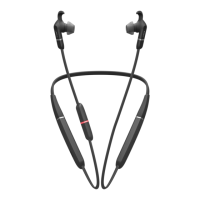
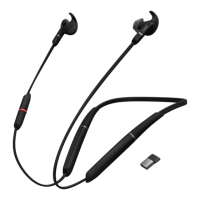
| Wearing style | Neck-band |
| Operating keys | Mute |
| Volume control | Button |
| Control unit type | In-line control unit |
| Country of origin | China |
| Recommended usage | Office/Call center |
| Protection features | Dust resistant, Waterproof |
| Hearing protection technologies | Jabra Safetone G616 |
| International Protection (IP) code | IP54 |
| Number of simultaneously connected devices (max) | 2 |
| Microphone type | Boom |
| Microphone direction type | Omnidirectional |
| USB cable length | 1.5 m |
| Brand compatibility | Any brand |
| Voice guidance languages | English |
| Number of products included | 1 pc(s) |
| Package depth | 153 mm |
| Package width | 192 mm |
| Package height | 63 mm |
| Package weight | 280 g |
| Master (outer) case width | 400 mm |
| Master (outer) case height | 215 mm |
| Master (outer) case length | 325 mm |
| Master (outer) case weight | 3960 g |
| Harmonized System (HS) code | 85183000 |
| Quantity per master (outer) case | 12 pc(s) |
 Weight and Dimensions
| Weight | 36 g |
|---|





 To Next Page