EasyManua.ls Logo

Jabra Elite 25h - User Manual

Jabra Elite 25h
13 pages
Print Icon
To Next Page IconTo Next Page
Loading...
User manual
Jabra
Elite 25h
Question and Answer IconNeed help?

Do you have a question about the Jabra Elite 25h and is the answer not in the manual?

Summary

Welcome and Product Features

Jabra Elite 25 h Key Features

Highlights premium wireless sound, angled earcups, Bluetooth 4.0, lightweight design, and premium materials.

Whats in the Box

Device Components Overview

Illustrates and labels key parts like volume buttons, multi-function button, and ports.

Included Accessories

Shows Micro-USB cable and Audio cable included in the package.

How to Wear Your Headphones

Height Adjustment

Explains how to adjust the headband for a perfect fit.

How to Charge Your Headphones

Battery Status Indicators

Details how to check battery status via the multi-function button and LED colors.

How to Connect Your Headphones

Bluetooth Pairing Guide

Step-by-step instructions for pairing with a new or second mobile device via Bluetooth.

3.5 mm Jack Connection

Explains how to connect the headphones using the provided audio cable.

How to Use Your Jabra Elite 25 h

Music and Chat Controls

Details how to control music playback and phone calls using headphone buttons.

Powering On and Off

Instructions on how to power the headphones on and off using the switch.

Multiple Call Handling

Explains how to manage multiple incoming and active calls simultaneously.

Support and Care

Frequently Asked Questions (FAQ)

Directs users to the online FAQ for further assistance.

Factory Reset Procedure

Steps to perform a factory reset, clearing pairing lists and settings.

Headphone Maintenance

Guidelines for proper storage and protecting headphones from environmental damage.

Technical Specifications

Overview

The Jabra Elite 25h is a premium wireless headphone designed for an enhanced audio experience with comfort and durability. It offers a blend of advanced sound technology, robust construction, and user-friendly features for music and calls on the go.

Function Description:

The Jabra Elite 25h provides a premium wireless sound experience, amplifying audio without distortion and bringing out the depth and clarity of your music. Its angled earcups are designed to seal the sound, allowing you to hear all the nuances of your audio. The headphones connect easily to any device via Bluetooth 4.0, offering wireless freedom. For situations where a wired connection is preferred or necessary, a detachable cord is included. The device is built to be "life-proof," featuring a lightweight and comfortable design that has been tested for durability in active lifestyles. It incorporates premium materials, including stainless steel, ensuring both aesthetics and resilience. The headphones support multiple call handling, allowing users to manage current, incoming, and held calls simultaneously.

Important Technical Specifications:

  • Weight: 150 grams
  • Dimensions: H 172 mm x W 146.1 mm x L 59 mm
  • Microphone: 4 mm Omni-directional microphone
  • Speaker: 40 mm dynamic speaker
  • Operating range: Up to 10 meters (33 feet)
  • Bluetooth version: 4.0
  • Paired devices: Up to 8 devices, connected to 2 at the same time (MultiUse™)
  • Supported Bluetooth profiles: Headset profile v1.2, Handsfree profile v1.6, A2DP v1.2, AVRCP v1.4
  • Talk time: Up to 14 hours
  • Standby time: Up to 12 days
  • Operating temperature: -10° C to 60° C (14° F to 140° F)
  • Storage temperature: -20° C to 85° C (-4° F to 185° F)
  • Pairing passkey or PIN: 0000

Usage Features:

The Jabra Elite 25h features an adjustable headband for a perfect fit. Controls are conveniently located on the earcups.

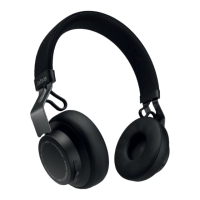
  • On/Off/Pairing Switch: A dedicated switch for powering the headphones on/off and initiating Bluetooth pairing. To enter pairing mode, hold the switch in the "Pairing" position for 3 seconds.
  • Multi-function Button: This button serves various purposes:
    • Pause/Play Music: Tap the button.
    • Battery Status: Tap the button when not on a call to check the battery level.
    • Answer/End Call: Tap the button.
    • Reject Call: Double-tap the button.
    • Redial Last Number: Double-tap the button.
    • Put current call on hold and answer incoming call: Press (2 secs) the button.
    • Switch between held call and active call: Press (2 secs) the button.
  • Volume Up/Down Buttons:
    • Adjust Volume: Tap the respective volume button.
    • Skip Track: Press and hold either volume button.
    • Battery Status: Tap either volume button when not on a call to check the battery level.
  • Battery Status Lights: LED indicators provide visual feedback on battery and connection status. Green indicates medium/high battery, red indicates low battery, and flashing red indicates critically low battery.
  • Charging: The headphones are charged via a Micro-USB port (charging only) using the supplied Micro-USB cable. A full charge takes 1-2 hours.
  • Wired Connection: A 3.5 mm jack connector allows for a wired connection using the supplied audio cable. When connected via the 3.5 mm jack, Bluetooth connections are disabled.
  • Bluetooth Connectivity: The headphones automatically attempt to connect to a mobile device when powered on. Voice-guided instructions assist with the connection process. The device supports connecting to a new or second mobile device by holding the On/Off/Pairing switch in the pairing position.

Maintenance Features:

  • Storage: Always store the headphones with the power off and safely protected to preserve battery life and prevent damage.
  • Temperature Avoidance: Avoid storing the headphones at extreme temperatures (above 85°C/185°F or below -20°C/-4°F). Such conditions can shorten battery life, affect operation, and degrade performance.
  • Liquid Exposure: Do not expose the headphones to rain or other liquids to prevent internal damage.
  • Factory Reset: To reset the headphones to factory settings and clear the pairing list, press and hold both the Volume up button and the Multi-function button simultaneously for 5 seconds.
  • Support: A comprehensive FAQ is available online at jabra.com/help/elite25h for further assistance and troubleshooting.

Jabra Elite 25h Specifications

General IconGeneral
BrandJabra
ModelElite 25h
CategoryHeadphone
LanguageEnglish

Related product manuals