14
ENGLISH
JABRA EVOLVE 80
5. HOW TO CONNECT
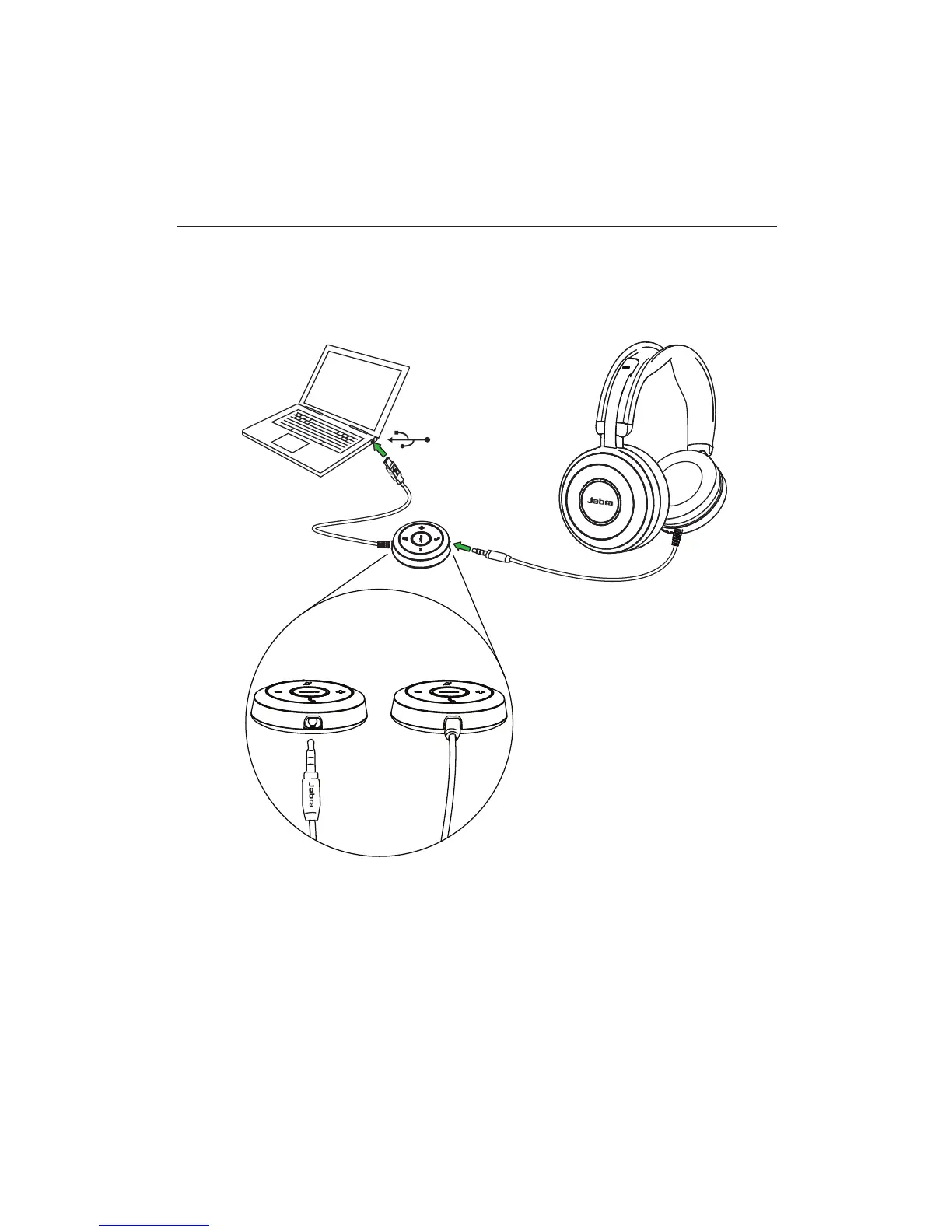
5.1 CONNECT TO PC WITH CONTROLLER
Fully plug the headset into the controller, and
connect the controller to a USB port on the PC.
The headset jack MUST be fully inserted into the
controller for the headset to work.
NOTE: When the headset is disconnected from the controller, any
active call will be put on hold. To resume the call, reconnect the
headset to the controller and manually resume the call on the PC
(softphone).






 To Next Page