17
ENGLISH
JABRA EVOLVE 80
6.1 CALLS
FUNCTION ACTION
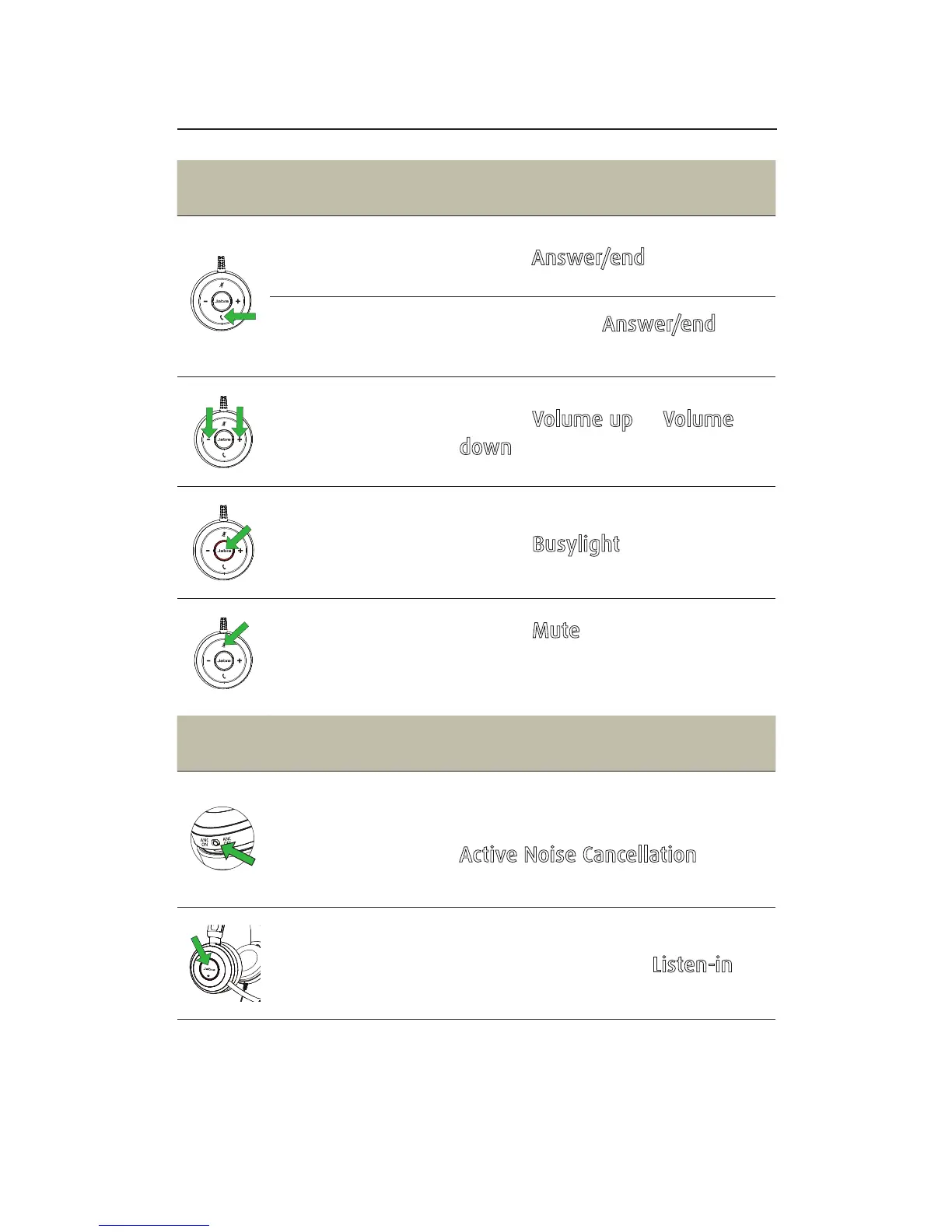
Answer/end
call
Tap the Answer/end button
Reject call
Double-tap the Answer/end
button
Adjust volume
Tap the Volume up or Volume
down button
Busylight
on/off
Tap the Busylight button
Mute/unmute
microphone
Tap the Mute button, or swivel
the microphone up (mute) or
down (un-mute)
FUNCTION ACTION
Active Noise
Cancellation
(ANC) on/off
Active Noise Cancellation reduces
outside disturbance. Slide the
Active Noise Cancellation switch
to ANC ON/ANC OFF
Listen-in
on/off
Listen-in lets outside sound into
the headset. Tap the Listen-in
button (ANC must be on)







 To Next Page