1
1 HOW TO CONNECT
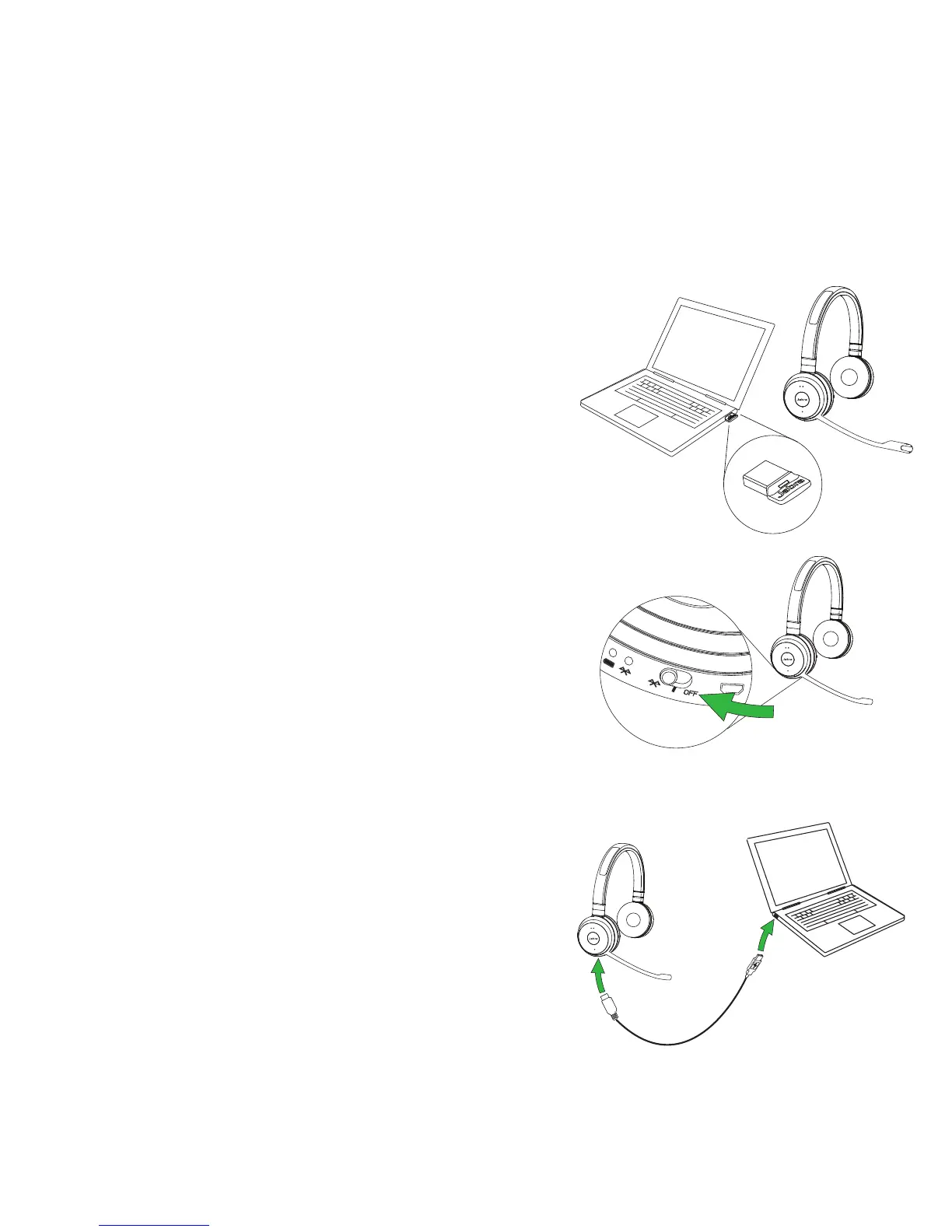
CONNECT TO PC (USING JABRA LINK 360)
Plug the Jabra Link 360 dongle into a USB
port on your PC. The headset and the
Jabra Link 360 are already pre-paired.
CONNECT TO MOBILE DEVICE (USING
BLUETOOTH)
Wear the headset and hold (3 secs) the
On/o/connect switch in the connect
position until you hear the voice-guided
instructions. The Bluetooth indicator will
ash blue.
CONNECT TO PC (USING USB CABLE)
Plug the headset into any USB port on
the PC using the supplied USB cable, and
ensure the headset is switched on.















 To Next Page