27
ENGLISH
7.8 HearThrough
TM
HearThrough utilizes the built-in microphones
to enable you to pay attention to your
surroundings and engage in conversation
without needing to remove the headset.
HearThrough settings can be configured using
the Jabra Sound+ app on your smartphone or
Jabra Direct on your computer.
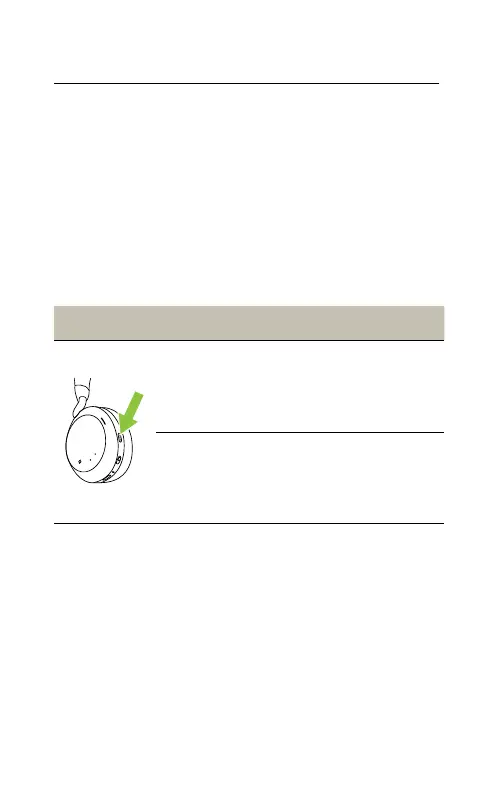
Left earcup HearThrough
Cycle between
ANC and
HearThrough
Press the Sound
modes button
Turn o Sound
Modes
Press and hold (1 sec)
the Sound modes
button









 To Next Page