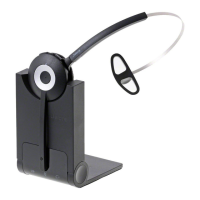
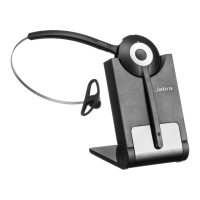
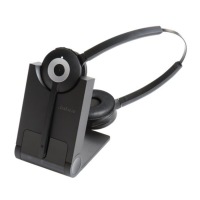
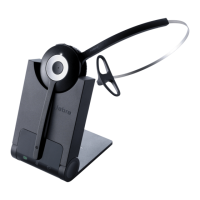
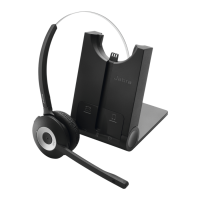
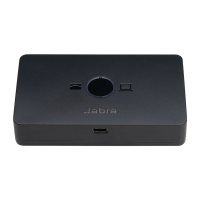
This document describes how to connect a Jabra wireless headset (specifically the Jabra Pro 920 Mono) with a Jabra Link 14201-17 EHS cable to a Polycom desk phone to enable remote call control.
Function Description
The Jabra Pro 920 Mono is a wireless headset designed for professional use, offering the convenience of hands-free communication. When combined with the Jabra Link 14201-17 EHS (Electronic Hook Switch) cable, it enables remote call control functionality with compatible Polycom desk phones. This means users can answer and end calls directly from their headset, even when away from their desk, enhancing mobility and productivity within an office environment. The system comprises the wireless headset itself, a headset base, an AC adapter for power, a modular connector for the phone interface, and the specialized EHS cable for advanced call control. The headset base acts as the central hub, connecting to both power and the desk phone, and facilitating the wireless link to the headset.
Important Technical Specifications
While specific technical specifications like frequency range, battery life, or weight are not explicitly detailed in the provided text, the document highlights key components and their roles:
- Jabra Pro 920 Mono: This is the core wireless headset. "Mono" indicates it features a single earpiece, allowing users to remain aware of their surroundings while on a call.
- Jabra Link 14201-17 EHS Cable: This is a crucial accessory that enables the remote call control feature. It has a red band on one end for easy identification and connects to the AUX interfaces on both the headset base and the Polycom phone. The EHS functionality allows the headset to electronically control the phone's hook switch, eliminating the need to manually lift the handset.
- AC Adapter: Supplies power to the headset base.
- Modular Connector: Connects the headset base to the Polycom phone's headset interface. It is identified by a blue band on the end that plugs into the headset base.
- Polycom Desk Phone: The target device for integration, requiring specific configuration for "Headset Hook Switch" to be set to "Jabra EHS".
Usage Features
The connection and configuration process outlines the primary usage features:
- Wireless Freedom: The headset provides wireless connectivity, allowing users to move freely within their workspace while on calls.
- Remote Call Control: With the Jabra Link 14201-17 EHS cable properly connected and configured, users can answer and end calls directly from the headset, without needing to be physically at their desk. This is a significant productivity enhancer.
- Easy Connection: The connection process is straightforward, involving plugging in the AC adapter, the modular phone connector, and the EHS cable into designated ports.
- Audio Customization: The system allows for adjustment of the headset microphone volume to ensure optimal voice clarity for the person on the other end of the call. This is a crucial feature for maintaining professional communication quality.
- Visual Indicators: The modular connector with a blue band and the EHS cable with a red band assist in correct identification and connection, simplifying the setup process.
- Compatibility: The system is specifically designed for integration with Polycom desk phones, indicating a tailored solution for this phone ecosystem.
Maintenance Features
The document primarily focuses on initial setup and configuration rather than ongoing maintenance. However, implicit maintenance aspects include:
- Power Management: The use of an AC adapter suggests that the headset base requires continuous power, and the headset itself likely contains a rechargeable battery that is charged when placed on the base (though not explicitly stated, this is standard for wireless headsets).
- Firmware/Software Updates: While not mentioned, modern wireless headsets and their bases often benefit from firmware updates to improve performance, add features, or resolve issues. Users might need to check the Jabra support website for such updates.
- Troubleshooting: The configuration steps provide guidance for troubleshooting common issues, such as ensuring the "Headset Hook Switch" function is correctly set on the phone and adjusting microphone volume for optimal audio. If the headset base requires manual configuration, setting the Electronic Hook Switch to "DHSG" and the dial tone switch to position "A" are critical steps for proper functionality.
- Cable Management: Proper routing and securing of the AC adapter, modular phone connector, and EHS cable can help prevent damage and ensure reliable connectivity.
- Cleaning: Although not detailed, regular cleaning of the headset and base, as per manufacturer guidelines, would contribute to longevity and hygiene.
In summary, this Jabra wireless headset system, particularly the Jabra Pro 920 Mono with the Jabra Link 14201-17 EHS cable, offers a robust solution for hands-free communication with remote call control capabilities for Polycom desk phones, emphasizing ease of connection, customizable audio, and enhanced user mobility.

 Need help?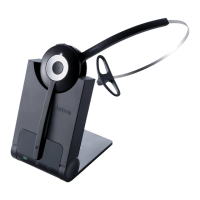

 To Next Page
 General