Page 95
J-400
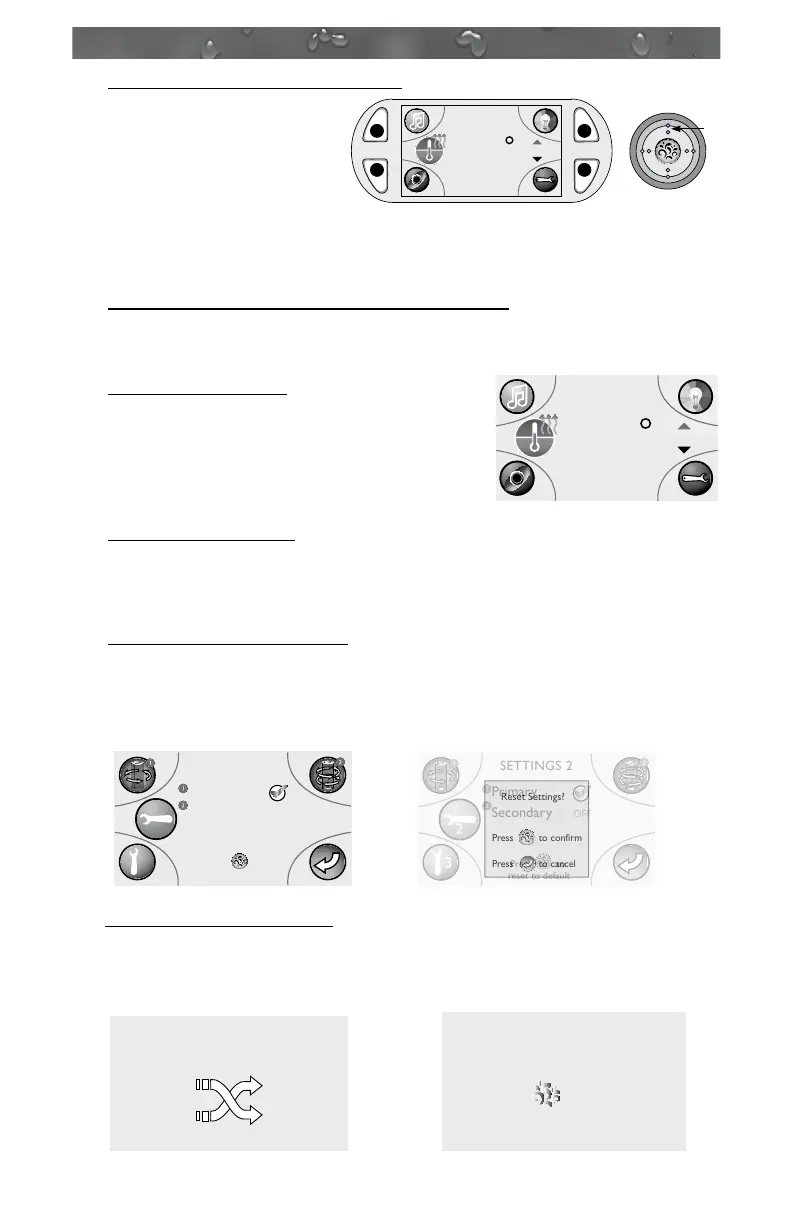
16. Extended Temperature Activated:
The spa is set to go up to
104°F (40°C), but it can
be set to reach 106°F
(41°C). To access the
extended temperature
you must press the “Up”
(on the Quad Keypad) button and the button D at the
same time for 2 seconds. The system will now allow you to raise the
temperature to 106°F (41°C) and the LCD display will read
(Figure A). To clear this
message, just press the Down button on the Quad Keypad to lower
the temperature below or back to 104°F (40°C).
17. Please Check Filter!
This message will appear when the lter
reminder time has expired (Figure B).
Please remove the ProClarity/Proclear
lters and lter/debris bag for cleaning or
replacement.
18. Feature not installed:
This message will appear when a user tries to activate
a feature that is not installed. To clear the message press button D to
return to the Main Menu.
19. Clear Settings 2 Programs:
This message will appear when you choose to reset all settings 2
menu settings back to factory defaults (Figure C). You can either
press the Splash button to reset or press the Previous button D to
cancel.
20. Remote bonding screens:
These message screens will appear when the wireless remote has
been bonded to the spa and can now be used to control the spa
functions (Figure D).
106
F
Temp.
6:45 PM
Extended Temperature
Activated
UP
C
B
A
D
Figure A
102
F
Temp.
6:45 PM
Please check filter!
Figure B
Reset Settings?
Press to confirm
Press to cancel
Primary
Secondary
Press to
reset to default
SETTINGS 2
OFF
3
2
Primary
Secondary
Press to
reset to default
SETTINGS 2
OFF
3
2
Figure C
Reset Settings?
Press to confirm
Press to cancel
Primary
Secondary
Press to
reset to default
SETTINGS 2
OFF
3
2
Primary
Secondary
Press to
reset to default
SETTINGS 2
OFF
3
2
REMOTE CONTROL
CONNECTION
Figure D
REMOTE CONTROL
CONNECTION
Enjoy


 To Next Page