See FAQ at support.jadens.com
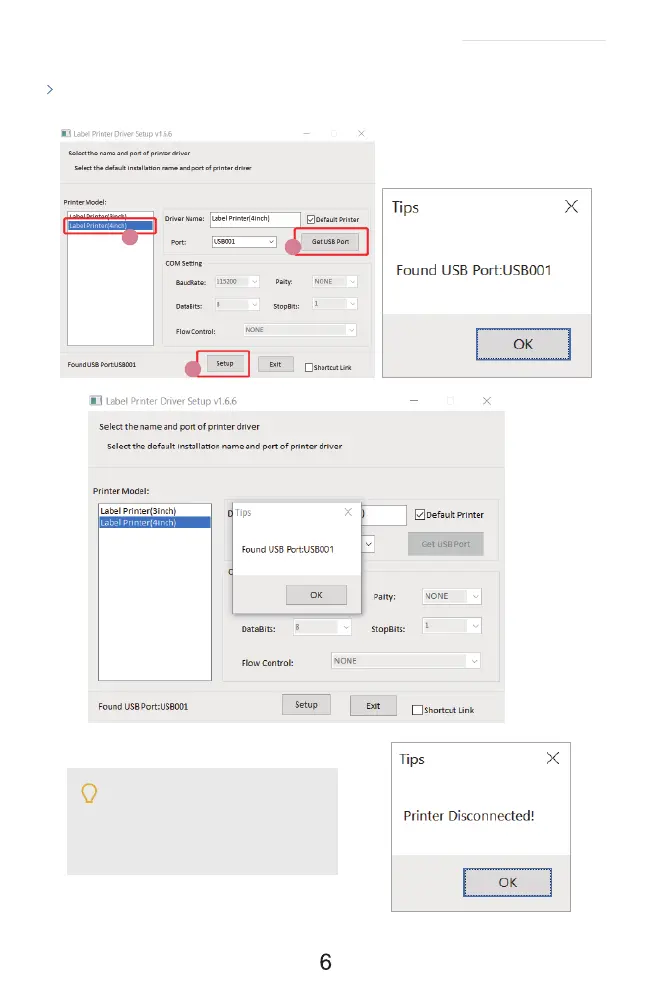
If you get the tips ' Printer Disconnected'
that means your computer and printer
are not connected. Please connect them
via USB port or turn on power, then install
again.
1
2
3
Click ' Get USB Port' to get the USB port which your computer connect to the printer, and then
click ' Setup'' . The printer will be successfully set up.


 To Next Page