Black Cat II Radar Recorder User’s Manual
3-6
Connecting the Black Cat II Radar
to Your Computer – Remote GSM Modem
The Black Cat II Radar Recorder has optional GSM modem capability
which allows you to connect to a unit remotely via an Internet connection.
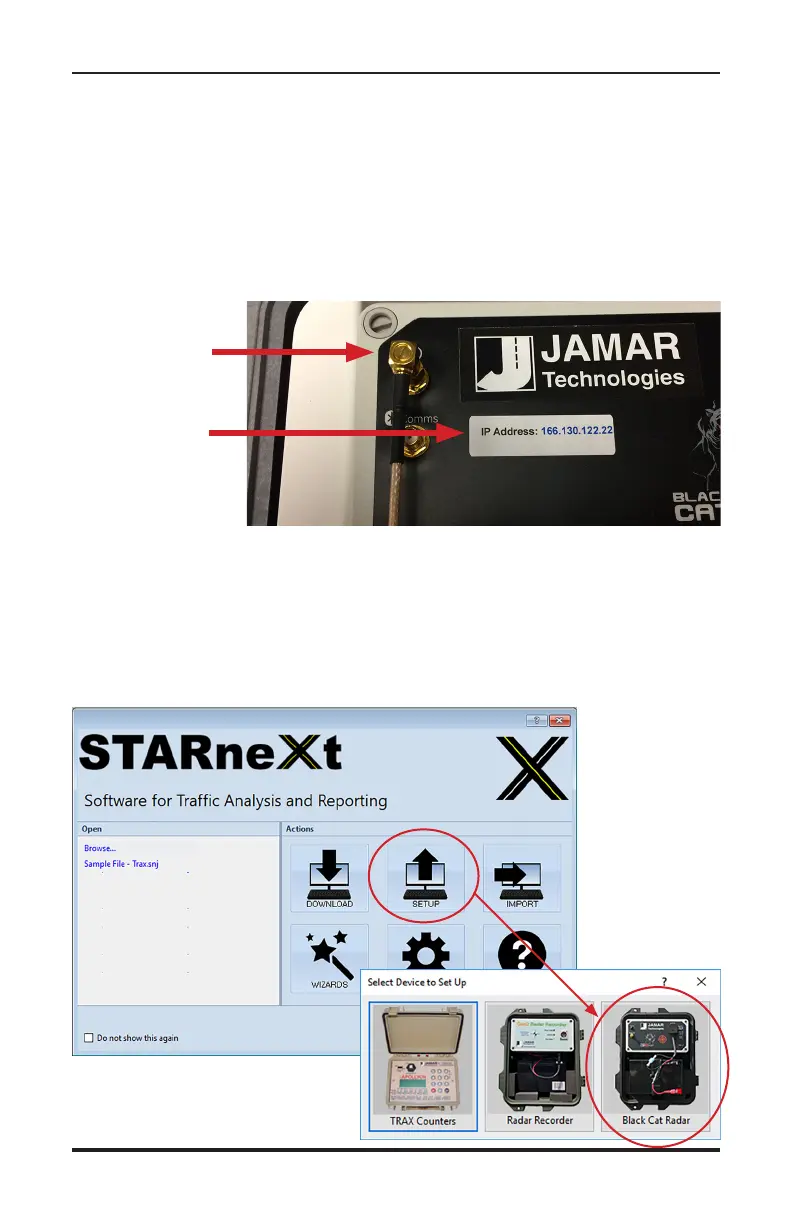
If your unit has the option available, you should see a sticker on the front
panel showing the IP Address of the unit. You should also see the modem
antenna port of the Black Cat II connected to the antenna, as shown below.
To use the Remote Site feature, follow the steps below.
Start the STARnext software on your laptop and select Setup from the
Actions section of the Quick Start screen. You'll then see a screen showing
the different devices for setup. Select Black Cat Radar on the right.
IP Address
Sticker
GSM Modem
Antenna
Connected



 To Next Page
 Loading...