3-11
Chapter 3 — Programming the Radar Head
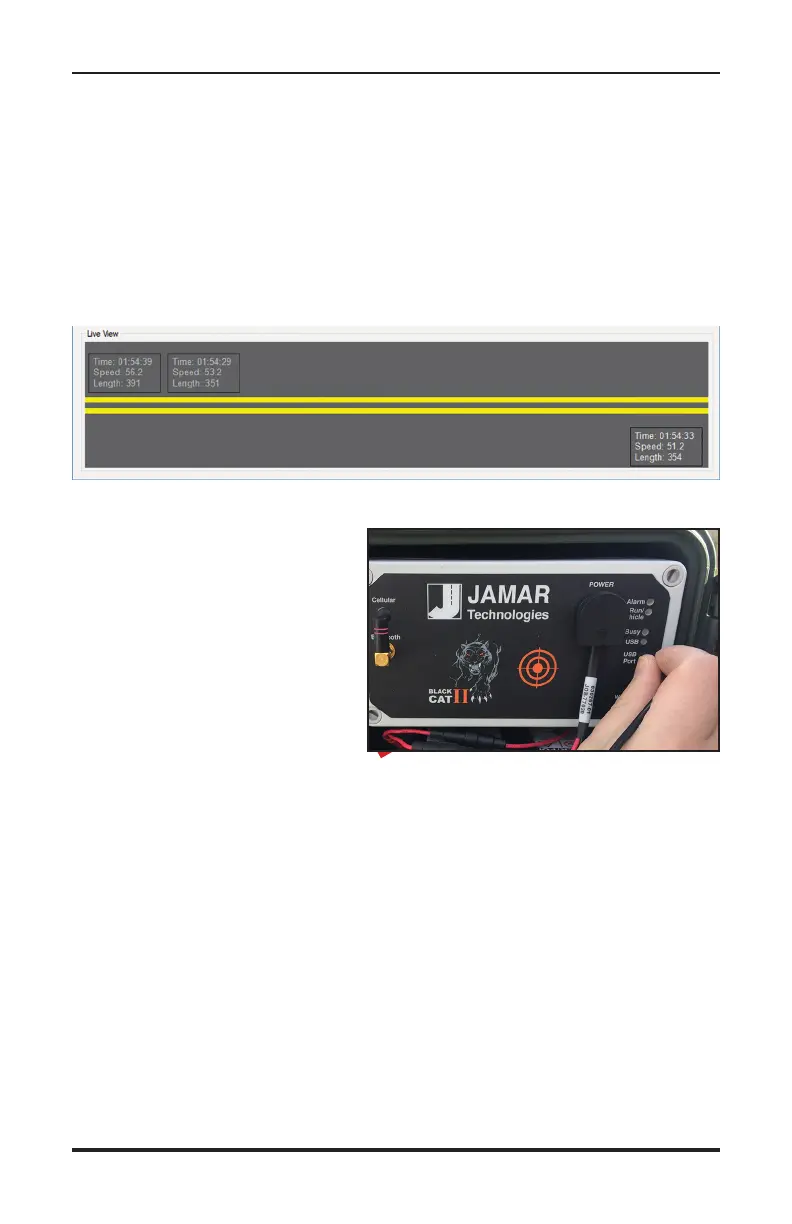
LiveView
After settings have been uploaded into the Black Cat, the Liveview section
of the setup screen allows you to view and verify the accuracy of the data
you are currently collecting, compared to what you are actually seeing on
the road.
As a vehicle passes the detection zone you will see the details of that ve-
hicle appear.
IMPORTANT: The area of the
Black Cat II Radar Recorder
that you are aiming toward the
road is the bulls eye target, as
shown in the picture here.
If you are not seeing vehicles in
Liveview, make sure the Radar
is properly aimed toward traffic.
We highly recommend that you use the LiveView to verify that the
Radar is correctly recording vehicles before you leave the site. If the
LiveView is not showing vehicles as they pass, the recorder is not getting
good data. Double check all setup settings.


 To Next Page