EasyManua.ls Logo

JAMO DMR 61 - User Manual

JAMO DMR 61
18 pages
Print Icon
To Next Page IconTo Next Page
Loading...
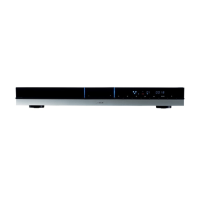
DVD Receiver DMR 61

Other manuals for JAMO DMR 61

Questions and Answers

  • M
    Monica WrightJul 30, 2025
    Why is there no sound coming from my JAMO Receiver?
    • K
      Kimberly DeckerJul 31, 2025
      If you're not getting any sound from your JAMO Receiver, there are a couple of things to check: First, make sure the volume isn't set to 0. If it is, simply turn up the volume. Secondly, ensure that the speaker cords are correctly connected. If not, connect them properly.
  • M
    Megan WallsAug 4, 2025
    What to do if JAMO Receiver remote control is not working?
    • A
      Amy BrennanAug 4, 2025
      If your JAMO Receiver isn't responding to the remote control, try these steps: 1. Make sure that batteries are inserted in the remote control. If not, insert new batteries. 2. If batteries are already inserted, they may be worn out, replace them with new batteries. 3. Ensure that you are pointing the remote controller at the remote sensor of the DMR 61. 4. Make sure that you are not too far from the DMR 61. Operate the remote controller within 5 m.
  • G
    Gloria JohnsAug 10, 2025
    How to fix JAMO Receiver when there is no picture on the TV?
    • W
      William LewisAug 10, 2025
      If you are not getting a picture on your TV when using the JAMO Receiver, make sure that the TV is switched ON. If it is off, turn it ON. Also, verify that the TV is connected correctly to the receiver. If the connection is faulty, connect the TV correctly.
  • K
    Kimberly KnappAug 14, 2025
    What to do if my JAMO Receiver disc can’t be played?
    • T
      tracy17Aug 15, 2025
      If your JAMO Receiver isn’t playing a disc, here’s what to check: * First, make sure the disc label is facing up. If it’s upside down, ensure the disc label is facing up. * The disc may be empty or the format might not be supported. Remove the disc and try another. * The disc might be dirty or damaged. Clean the disc or dispose of it if it’s defective. * Also, verify that the disc is placed within the proper guide on the disc tray. If not, place the disk within the proper guide on the disc tray.
  • J
    jmillerAug 19, 2025
    Why is my JAMO Receiver not turning on even when plugged in?
    • B
      Brian AdkinsAug 19, 2025
      If your JAMO Receiver isn't powering on even when plugged in, check that the power plug is securely connected. If it is loose, connect the power plug securely. Also, ensure that the wall plug is turned ON. If it is off, turn ON the wall plug.
  • J
    jennifer76Aug 25, 2025
    What to do if JAMO Receiver DMR 61 does not respond to some operating commands during playback?
    • J
      Joseph FosterAug 25, 2025
      Operations may not be permitted by the disc. Read the instructions on the disc.

Summary

Introduction

Connecting the System

Back Panel Layout

Overview of the rear connections and ports on the DMR 61 receiver.

SCART Video Configuration

How to connect devices using SCART cables for audio and video.

S-Video Configuration

Connecting the TV using S-Video cable for video and audio.

Component and HDMI Configuration

Connecting to plasma/LCD displays via component or HDMI.

Device and Remote Control Layouts

Front Panel Layout

Identifies controls and ports on the front of the DMR 61 unit.

Remote Control Layout

Detailed guide to all buttons and functions on the remote control.

System Setup and Configuration

TV System and Video Output Settings

Setting TV output standards (NTSC/PAL) and video output types.

TV Type and Aspect Ratio Adjustment

Adjusting the display aspect ratio (4:3 LB, 4:3 PS, 16:9).

Default Settings and Language Options

Restoring defaults and setting OSD, audio, and subtitle languages.

Speaker Setup and Audio Delays

Configuring speaker delays (Center, Surround) and dynamic range.

HDMI Audio and Speaker Testing

Enabling HDMI audio output and performing speaker connection tests.

DivX Registration

Getting Started with the DMR 61

Playing DVD and CD Media

Playing Back Files from Media

File Mode and Format Selection

Selecting file modes (Music, Picture, Movie) and playing MP3, WMA, JPG, DivX.

Advanced Remote Control Functions

Radio Operation

Basic Tuning and Station Switching

Tuning into FM/AM radio and switching between preset stations.

Advanced Tuning and RDS Features

Storing stations, finding stations, and utilizing RDS features.

Troubleshooting Common Issues

Service and Warranty Information

JAMO DMR 61 Specifications

General IconGeneral
BrandJAMO
ModelDMR 61
CategoryReceiver
LanguageEnglish

Related product manuals