3. Components of your blood pressure monitor
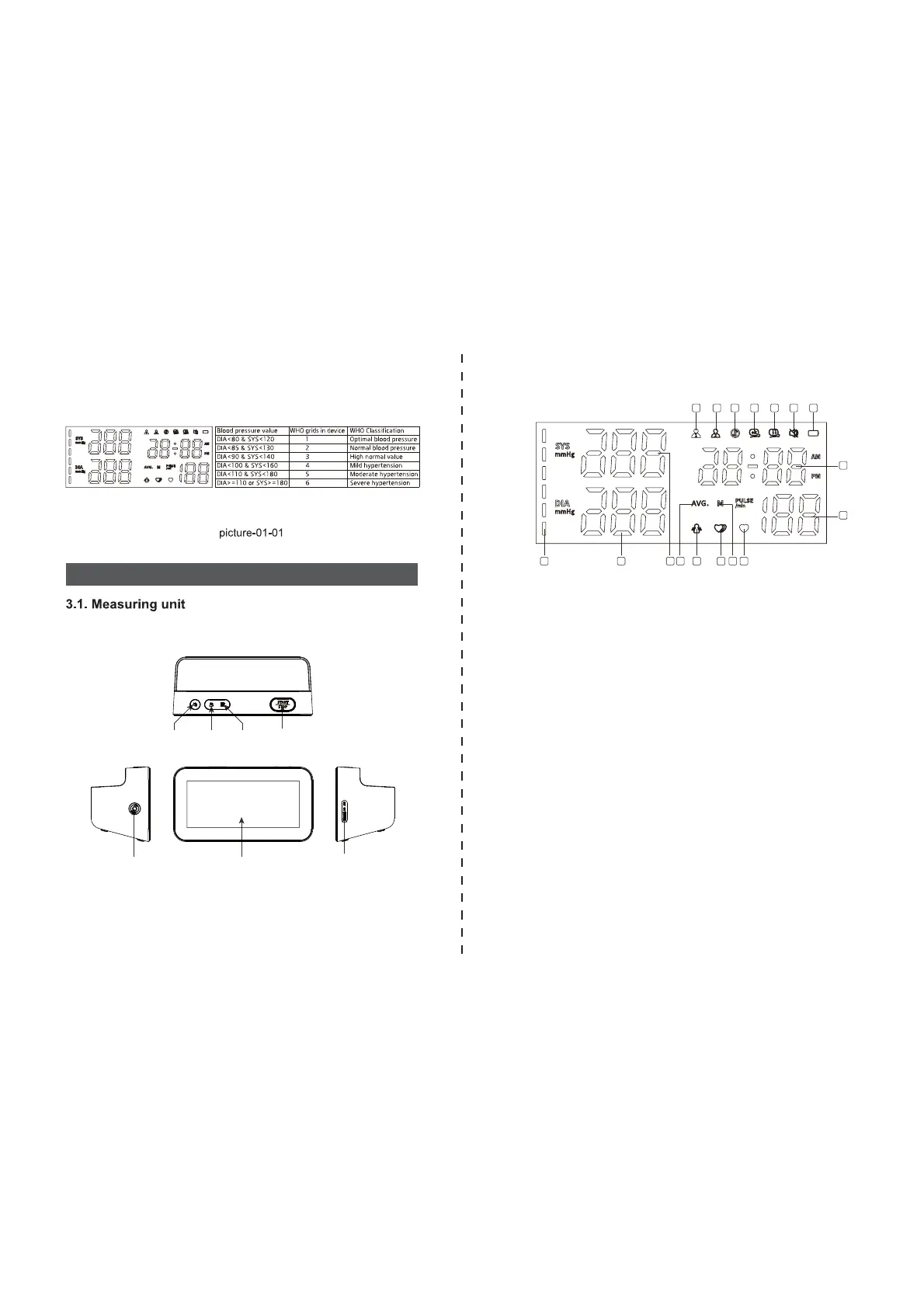
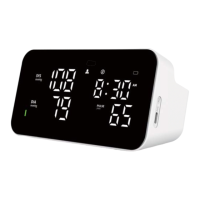
There are six grids in the display of device. Please refer to the picture-01-01.
Different grids represent different interval scales of WHO.
Picture-02
Picture-03
3.3 Features of Model
3.2 The symbols on the LED display
2. Double users: 2 x 120 sets memory
4. Irregular heartbeat checking
6. Low battery display
8. Auto power-off
10. Volume adjustment
1. Voice function
3. Cuff self-checking function
5. Average value function
7. WHO function
9. External power adapter support
11. Date/time display
Note: Arm circumference should be measured with a measuring tape in the
middle of the relaxed upper arm. Do not force cuff connection into the
opening. Make sure the cuff connection is not pushed into the AC adapter
port.
START/STOP
button
Memory
button
AC Adapter Port
Mute
button
Users Switch
button
LED Display
1.USER 1
3.Bluetooth symbol
5.Cuff wrap error symbol
7.Low battery symbol
9.Pulse display / Memory number
11.Memory symbol
13.Movement error symbol
15.Systolic blood pressure
17.WHO function symbol
2.USER 2
4.Cuff wrap correct symbol
6.Mute symbol
8.Date/Time display
10.Heartbeat symbol number
12.Irregular heartbeat symbol
14.Average value symbol
16.Diastolic blood pressure
1 2 3 4 5 6 7
8
9
1011
12
1314151617
Cuff Connector Port


 To Next Page