Need help?
Do you have a question about the Jamr Technology BC31L and is the answer not in the manual?
Covers safety warnings, precautions, and user guidance for safe operation of the device.
Key notes for users regarding professional interpretation and usage limitations of the monitor.
Explains the physiological factors influencing blood pressure levels.
Details normal, high-normal, and hypertensive blood pressure ranges.
Details the physical components and ports of the blood pressure monitor.
Explains the meaning of various symbols shown on the device's LED display.
Outlines the key features and functionalities of the blood pressure monitor.
Explains how to check battery status and the charging process.
Guides users through setting voice, user ID, date, time, and volume.
Instructions on how to properly connect the cuff tube to the monitor.
Steps to follow before taking a blood pressure measurement for accuracy.
Detailed instructions on how to correctly wrap and position the cuff.
Step-by-step guide for performing a blood pressure measurement.
Explains how to handle movement errors and proper patient posture during measurement.
Describes the irregular heartbeat symbol and its significance.
Lists common error codes and their corresponding solutions for troubleshooting.
Instructions on how to access and view past measurement records.
Guide on how to delete stored blood pressure and pulse data.
How to safely stop a blood pressure measurement in progress.
Instructions for connecting and using the AC adapter for charging.
Guidelines for cleaning the device and cuff, and handling the tubing.
Recommendations for periodical accuracy checks and warranty information.
Details the manufacturer's warranty period and terms.
Lists the device standards and EMC compliances met.
Provides key technical details like model, weight, display, and operating conditions.
Information regarding compliance with FCC rules for radio frequency emissions.
Special precautions for EMC and guidance on installation and service.
Guidance on immunity tests and compliance levels for electromagnetic environments.
Specifies minimum distances for RF equipment to maintain device performance.
Details RF emissions classification and suitability for domestic environments.
Provides detailed immunity test levels and recommended separation distances for RF equipment.
Explains FCC rules, conditions, and measures to correct interference.
States compliance with FCC radiation exposure limits for uncontrolled environments.
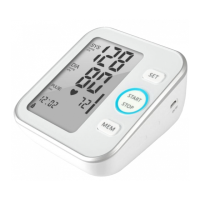
This device is a fully automatic digital blood pressure measuring device designed to measure systolic and diastolic blood pressure, as well as the pulse rate. It operates by wrapping a cuff around the upper arm, suitable for arm circumferences ranging from 22cm to 42cm. The device is intended for adults over 12 years old, particularly patients with hypertension or those requiring blood pressure monitoring. It can be used in medical facilities or at home, and is for indoor use only.
The device is not suitable for patients undergoing dialysis therapy or those on anticoagulant, antiplatelet, or steroid medications.
To ensure accurate readings, avoid eating, smoking, and all forms of exertion directly before measurement. It is recommended to relax in an armchair in a quiet atmosphere for about ten minutes prior to taking a measurement. Remove any garment that fits closely to your upper arm. Always measure on the same arm, preferably the left.
Wrap the cuff around your upper left arm, ensuring the rubber tube extends downward to your hand on the inside of your arm. The cuff should be positioned approximately 2 to 3 cm above the elbow. Crucially, the artery mark on the edge of the cuff must align with the artery running down the inner side of the arm. Secure the cuff by wrapping it around your arm and pressing the hook and loop closure together. There should be a small gap, allowing two fingers to fit between your arm and the cuff. Improperly fitted cuffs can lead to inaccurate measurements. If unsure of the correct fit, measure your arm circumference. Lay your arm on a table with the palm upward, ensuring the cuff is at the same height as your heart. Prevent the tube from kinking.
The device is designed to take and store measurements for two users, User ID 1 and User ID 2. Each user's measurements are stored separately.
Ensure sufficient battery power before adjusting settings.
The unit stores 120 measurements for each of two users, totaling 240 sets. Ensure you are viewing the correct user's measurements.
If a measurement needs to be interrupted for any reason (e.g., patient discomfort), press the Start/Stop button at any time. The device will immediately lower the cuff pressure automatically.
When the device is charging via the AC adapter (output d.c. 5V/1A with Type C connector), it cannot be turned on or used. Ensure the AC adapter and cable are undamaged. Plug the adapter cable into the AC adapter port on the right side of the blood pressure monitor, then plug the adapter into your electrical outlet. The device will recharge when connected.
Wash hands after each measurement. If the device is used by multiple patients, wash hands before and after each use.
Sensitive measuring devices require periodic accuracy checks. It is recommended to have your device inspected by an authorized dealer annually.
 General
| Measurement Method | Oscillometric |
|---|---|
| Measurement Range (Pressure) | 0-299 mmHg |
| Measurement Range (Pulse) | 40-199 beats/min |
| Cuff Size | 22-42 cm |
| Display | LCD |
| Automatic Shut-off | Yes |
| Irregular Heartbeat Detection | Yes |
| Power Supply | 4 x AA batteries or AC adapter |

 To Next Page