5. Measurement Procedure
$YRLGHDWLQJDQGVPRNLQJDVZHOODVDOOIRUPVRIH[HUWLRQGLUHFWO\EHIRUH
measurement. These factors influence the measurement result. Find time to
UHOD[E\VLWWLQJLQDQDUPFKDLULQDTXLHWDWPRVSKHUHIRUDERXWWHQPLQXWHV
before taking a measurement.
5HPRYHDQ\JDUPHQWWKDWILWVFORVHO\WR\RXUXSSHUDUP
$OZD\VPHDVXUHRQWKHVDPHDUPQRUPDOO\OHIW
5.1. Before measurement:
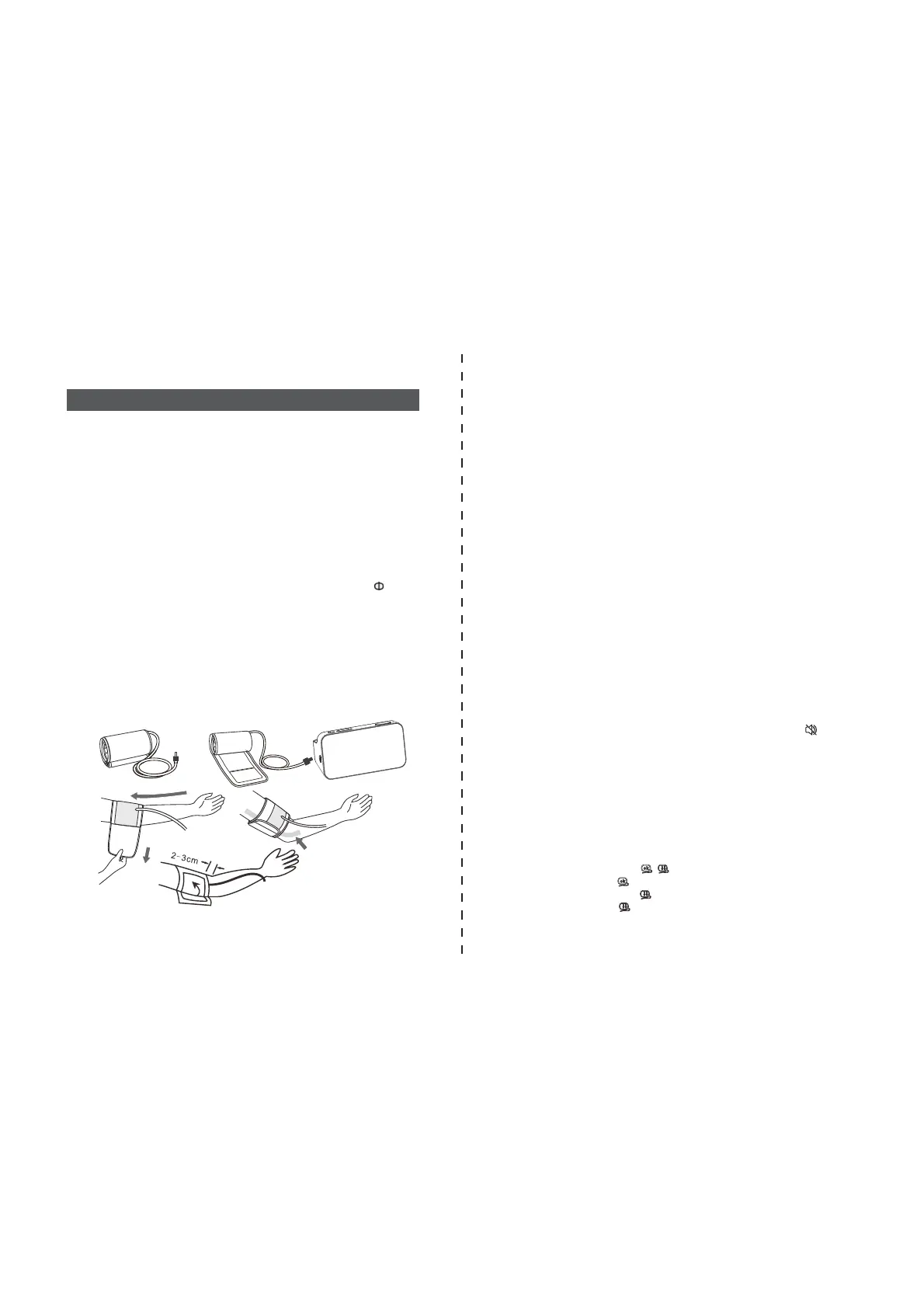
Please refer to picture-05
a) Wrap the cuff around your upper left arm. The rubber tube should be on
the inside of your arm extending downward to your hand. Make certain the
FXIIOLHVDSSUR[LPDWHO\WRFPDERYHWKHHOERZ,PSRUWDQW7KHRQWKH
edge of the cuff (Artery Mark) must lie over the artery which runs down the
inner side of the arm.
b) To secure the cuff, wrap it around your arm and press the hook and loop
closure together.
c) There should be little free space between your arm and the cuff. You
should be able to fit 2 fingers between your arm and the cuff. Cuffs that don’t
fit properly result in false measurement values. Measure your arm
circumference if you are not sure of proper fit.
d) Lay your arm on a table (palm upward) so the cuff is at the same height as
your heart. Make sure the tube is not kinked.
5.2. Fitting the Cuff
Picture-05
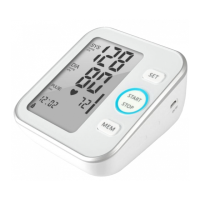
a) Press the START/STOP button and then turn the device on ,all symbols
appear on the display.The pump begins to inflate the cuff. In the display, the
increasing cuff pressure is continually displayed.
NOTE:
If the voice is playing,you can turn off the voice by pressing the ( ) button
before the pump begins to inflate the cuff.
b) After automatically reaching an individual pressure, the pump stops and the
pressure slowly falls. The cuff pressure is displayed during the measurement.
c) When the device has detected your pulse, the heart symbol in the display
begins to blink.
d) When the measurement has been concluded, the measured systolic and
diastolic blood pressure values, as well as the pulse will be displayed.
e) The measurement results are displayed until you turn the device off by
pressing the START/STOP button .If no button is pressed for 60 seconds,
the device switches off automatically.
f) Cuff self-checking symbol ( )
The cuff correct symbol( ) will be displayed if the cuff position is correct,
otherwise the wrong symbol( ) will be displayed. Please check again the
cuff if the wrong symbol( ) is displayed.
5.3. Measure Procedure
Refer to picture-06
1. Sit comfortably in a chair with your feet flat on the floor.
2. Select your User ID (1 or 2).
3. Stretch your arm forward on the desk and keep relaxing, make sure the
palm of hand is upturned. Make sure arm is in correct position, to avoid
body movement. Sit still and do not talk or move during the measurement.
After the cuff has been appropriately positioned on the arm and connected
to the blood pressure monitor, the measurement can begin:
1) Operate via the App on smart phone with Bluetooth
(No Bluetooth models
do not have this step )
a) Install the App from Google play store or Apple app store.
Open Bluetooth on smart phone, and then Turn on the App.
b) Bluetooth pairing for the first time
Press the Memory button and the Bluetooth symbol will flash,Then operate
bluetooth pairing according to the Settings on the APP,The bluetooth symbol
(will stop flashing after the connection is successful).
c)Bluetooth paired successfully
Bluetooth will be automatically searched and connected when it is powered on.
The device is designed to take measurements and store the measurement
values in memory for two people using User ID 1 and User ID 2.
Operate on the device


 To Next Page