EasyManua.ls Logo

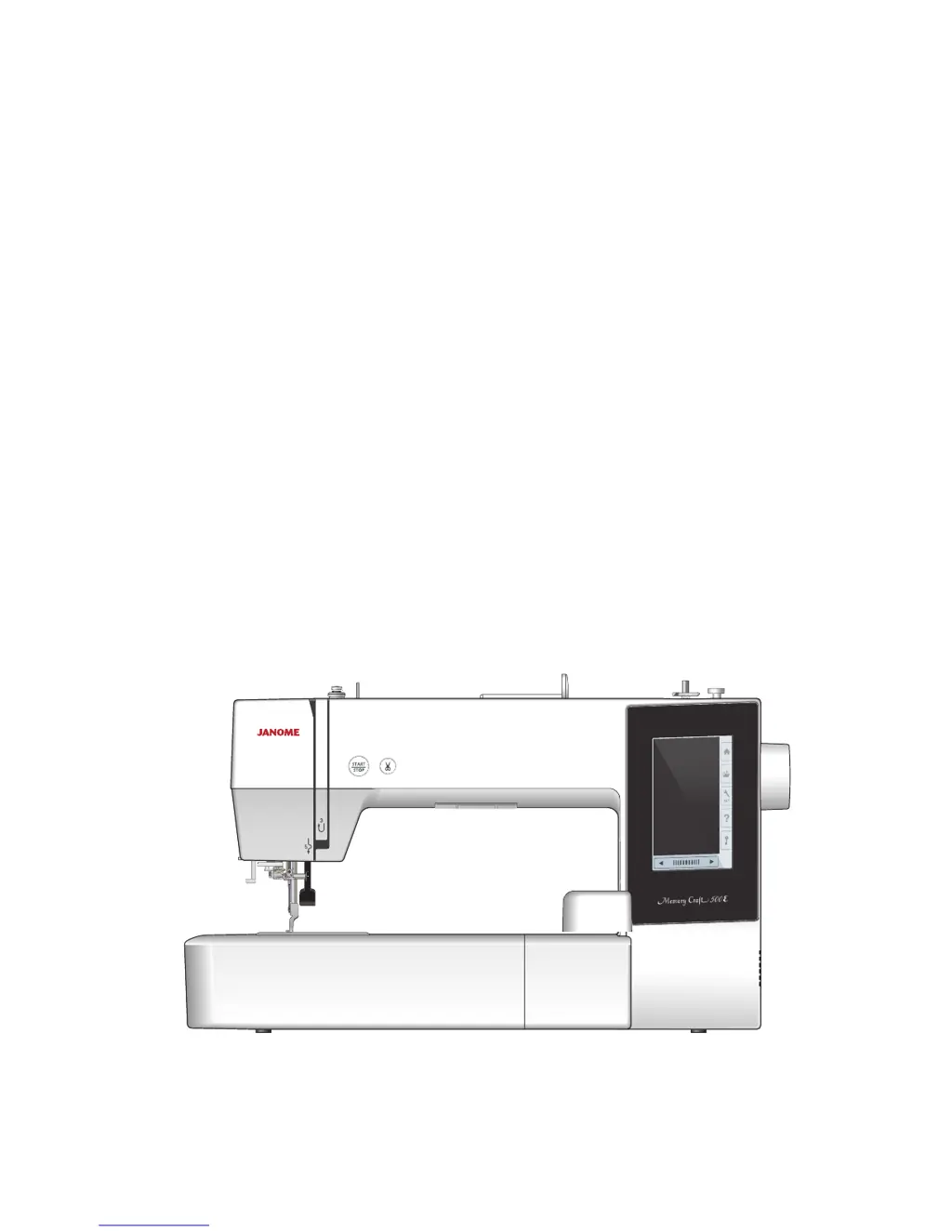
Janome Memory Craft 500E - User Manual

Janome Memory Craft 500E
76 pages
Print Icon
To Next Page IconTo Next Page
Loading...
Instruction Book

Table of Contents

Questions and Answers

  • B
    Brian WilsonSep 9, 2025
    What to do if USB flash drive does not work with Janome Sewing Machine?
    • T
      toni85Sep 9, 2025
      If your USB flash drive isn't working with your Janome Sewing Machine: * Ensure the USB flash drive is inserted correctly. * The USB flash drive might be damaged; in this case, replace or format it.
  • J
    Jennifer JacksonSep 12, 2025
    What causes distorted patterns on my Janome Sewing Machine?
    • L
      Lisa ChenSep 12, 2025
      The patterns on your Janome Sewing Machine may be distorted due to the following: * The fabric is not pulled tightly on the embroidery hoop. * The embroidery hoop is not fixed securely. * The carriage is bumping into something around the machine; make sure there are no obstacles. * The fabric is caught or pulled for some reason when sewing embroidery; in this case, reattach the fabric. * A stabilizer is not used.
  • M
    Ms. Brittany KnappSep 13, 2025
    Why aren't the function keys working on my Janome Memory Craft 500E Sewing Machine?
    • L
      Lori PerezSep 13, 2025
      The function keys on your Janome Sewing Machine may not be working because: * Key positions are not adjusted properly. * The control circuit is not working correctly. * The bobbin winder spindle is in the winding position.
  • T
    Tim HurleySep 14, 2025
    What to do if the USB flash drive doesn't work with my Janome Sewing Machine?
    • J
      Jose RileySep 14, 2025
      The USB flash drive on your Janome Sewing Machine may not be working because: * The USB flash drive is not inserted correctly; make sure it is inserted properly. * The USB flash drive is damaged; in this case, replace or format the USB flash drive.
  • Q
    qjacobsSep 16, 2025
    What causes abnormal noise when I turn on my Janome Sewing Machine?
    • J
      Jason KnightSep 17, 2025
      If you hear an abnormal noise when you switch on your Janome Sewing Machine, it might be because something is caught between the carriage and the arm. Remove the object to resolve this.

Summary

IMPORTANT SAFETY INSTRUCTIONS

General Safety Precautions

Essential safety guidelines to prevent electric shock, burns, fire, and injury.

Child Safety Guidelines

Safety instructions for appliance use by children and persons with reduced capabilities.

GETTING READY TO SEW

Names of Parts

Identification of the sewing machine's various components and their functions.

Standard Accessories

List and description of all included accessories with the sewing machine for various operations.

Extra Wide Table

Instructions on attaching and using the extra wide table for larger embroidery projects.

Anti-slipping Sticker

Guide on applying an anti-slipping sticker to the embroidery hoop for better fabric stability.

Connecting the Power Supply

Machine Operating Buttons

Explanation of the function of the start/stop and thread cutter buttons.

Common Keys and Presser Foot Adjustment

Common Keys Overview

Overview of the main navigation keys on the touch screen interface for operation.

Presser Foot Adjustment

Instructions on how to adjust the presser foot height for different sewing tasks.

Basic Bobbin and Threading Operations

Setting the Spool of Thread

Guide on how to correctly place and secure the thread spool on the machine.

Winding the Bobbin

Step-by-step instructions for winding thread onto a bobbin.

Inserting the Bobbin

Threading the Machine

Built-in Needle Threader

Replacing Needles

Needle Replacement Procedure

Guide on how to safely remove and insert needles for sewing.

Fabric and Needle Chart

Recommendations for needle types and sizes based on fabric weight.

On-screen Help

Accessing Help Information

How to access step-by-step instructions and guides via the touchscreen.

Embroidery Foot Management

Removing and Attaching the Embroidery Foot

Procedure for safely removing and attaching the embroidery foot.

Embroidery Preparation and Setup

Bobbin Holder for High Tension

Instructions for replacing the standard bobbin holder with a high-tension one.

Embroidery Hoops

Overview of available embroidery hoop sizes and their specifications.

Stabilizers for Embroidery

Using and Attaching Stabilizers

Guidance on selecting, using, and attaching stabilizers for quality embroidery.

Types of Stabilizers

Description of different stabilizer types and their properties for embroidery.

Setting the Fabric in an Embroidery Hoop

Hoop Fabric Preparation

Steps for preparing fabric and attaching it correctly within an embroidery hoop.

Attaching the Embroidery Hoop to the Machine

Hoop Attachment Procedure

Detailed steps for attaching and removing the embroidery hoop from the machine carriage.

Using Embroidery Designs

Thread Holder Usage

How to properly use the thread holder to manage needle thread tails.

Selecting Built-in Designs

Guide to browsing and selecting pre-loaded embroidery designs from the machine's memory.

Monogramming and Design Selection

Selecting Designs by Hoop Size

How to choose embroidery designs compatible with the selected hoop size.

Monogramming Features

Introduction to creating monograms using various fonts and patterns.

Monogramming Function Keys

Explanation of the function keys used for creating and editing monograms.

Programming and Placing Monograms

Steps for programming monograms and adjusting their placement within the hoop.

2-Letter Monogram Example

Demonstration of creating a two-letter monogram design, including placement.

Editing Monograms

Deleting and Inserting Characters

How to edit monograms by deleting or inserting characters.

Ready to Sew Screen and Controls

Ready to Sew Window Overview

Explanation of the Ready to Sew screen, function keys, and pattern information.

Sewing Navigation and Controls

Using stitch back/forward keys, jump keys, and color section keys for design control.

Embroidery Tracing and Thread Management

Checking design outlines with trace keys and managing thread colors and jog keys.

Fine Design Adjustments

Making fine adjustments to the position, angle, rotation, and movement of embroidery designs.

Advanced Embroidery Editing

Editing Mode and Hoop Selection

Entering editing mode and selecting appropriate hoop sizes for designs.

Editing Tool Bar and Pattern Operations

Understanding editing tools and performing operations like duplicating, deleting, resizing, rotating.

Monogramming in an Arc

Steps for creating monograms in upper or lower arc layouts.

Grouping and Customizing Designs

How to combine patterns and adjust display colors for better visualization.

Advanced Design Manipulation

Zooming in the Editing Window

Enlarging or reducing the view of the embroidery design in the editing window.

Sewing Order and Center Positioning

Changing the sewing order of patterns and positioning designs in the center.

Creating Square Frames

Using corner layout to create symmetrical frame designs.

Single Color Sewing

Sewing a design in a single color without stopping for thread changes.

Special Embroidery Techniques

Pantry Designs for Applique

Instructions for creating applique designs using special pantry patterns.

Alternative Applique Method

An alternative method for creating applique pieces using specific fabric preparation.

Celebration Designs

Creating flag garlands using built-in celebration designs.

Bracelet Designs

Sewing bracelet designs on water-soluble stabilizer to create jewelry.

CUSTOMIZING MACHINE SETTINGS

Machine Setting Mode Overview

Accessing and navigating through common, embroidery, and language setting modes.

Common Settings Customization

Adjusting screen contrast, volume, units, and touch screen calibration.

Embroidery Mode Settings

Customizing auto thread tension, speed, hoop confirmation, and thread cutting.

Language Selection Mode

Selecting the desired language for screen messages and interface.

File Management and PC Connectivity

Saving and Opening Embroidery Files

Instructions for saving designs to memory or USB and opening files.

File and Folder Management

Procedures for deleting files/folders, changing names, and managing file attributes.

Direct PC-Link

Connecting the machine to a PC for transferring embroidery designs.

CARE AND MAINTENANCE

Cleaning the Hook Area

Step-by-step guide for cleaning the hook area and bobbin holder.

Cleaning the Thread Path

How to clean lint and wax from the tension area and thread guides.

Oiling the Machine

Instructions for oiling specific points on the machine for smooth operation.

Troubleshooting

Common Machine Issues and Solutions

Troubleshooting guide for common problems like noisy operation, thread breaks, and skipped stitches.

DESIGN CHART

Embroidery Design Catalog

Visual catalog of available built-in embroidery designs categorized by type.

Janome Memory Craft 500E Specifications

General IconGeneral
Built-in Designs160
USB PortYes
LCD ScreenYes
Maximum Embroidery Speed860 SPM
On-Screen EditingYes
Fonts6
TypeEmbroidery Machine
Needle Positions1
ScreenColor LCD Touchscreen
Embroidery Area7.9" x 11" (200mm x 280mm)

Related product manuals