EasyManua.ls Logo

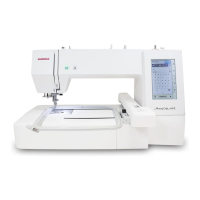
Janome Memory Craft 550E - User Manual

Janome Memory Craft 550E
84 pages
Print Icon
To Next Page IconTo Next Page
Loading...
Instruction Book

Table of Contents

Questions and Answers

  • A
    Amanda SheltonJul 28, 2025
    Why is my Janome Sewing Machine skipping stitches?
    • G
      gregorygardnerJul 28, 2025
      Skipped stitches on your Janome Sewing Machine can occur for several reasons: * The needle may be inserted incorrectly, bent, or blunt. * The needle thread might not be threaded properly. * The needle could be defective, perhaps rusted or with a burr. * The embroidery hoop might not be set properly, or the fabric isn't stretched tightly enough. * A stabilizer might not be in use. * The thread coming out from the needle eye might be too short after auto thread cutting. Consider these possibilities to resolve the issue.
  • B
    Brandon MoralesAug 3, 2025
    Why does the needle thread keep breaking on my Janome Memory Craft 550E?
    • J
      justinmilesAug 3, 2025
      Needle thread breakage on your Janome Sewing Machine can stem from several issues: * The needle thread might not be threaded correctly. * The needle thread tension could be too tight. * The needle might be bent or blunt. * The needle might be inserted incorrectly. * The needle thread was not set in the thread holder when embroidery sewing started. Check these points to address the problem.
  • L
    lisarodriguezAug 7, 2025
    Why is the bobbin thread breaking on my Janome Sewing Machine?
    • D
      donald15Aug 7, 2025
      Bobbin thread breakage on your Janome Sewing Machine can occur due to: * The bobbin thread not being threaded properly in the bobbin holder. * Lint accumulation in the bobbin holder. * A damaged bobbin that doesn't turn smoothly; if this is the case, replace the bobbin.
  • S
    Susan WilsonAug 12, 2025
    Why does my Janome Sewing Machine make abnormal noise when switched on?
    • A
      aberryAug 12, 2025
      If an abnormal noise occurs when you switch on your Janome Sewing Machine, something may be caught between the carriage and the arm. Remove the object.
  • I
    ilucasAug 18, 2025
    What causes distorted patterns on my Janome Memory Craft 550E Sewing Machine?
    • J
      Jacob PowellAug 18, 2025
      Distorted patterns on your Janome Sewing Machine can be caused by: * The fabric not being pulled tightly on the embroidery hoop. * The embroidery hoop not being fixed securely. * The carriage bumping into something around the machine; ensure there are no obstacles. * The fabric being caught or pulled during sewing; reattach the fabric. * A stabilizer not being used.
  • R
    Robyn RiceAug 22, 2025
    What to do if the USB flash drive doesn't work on my Janome Memory Craft 550E Sewing Machine?
    • R
      richardeatonAug 23, 2025
      If the USB flash drive is not working with your Janome Sewing Machine: * Ensure the USB flash drive is inserted correctly. * The USB flash drive may be damaged; in this case, replace or format the USB flash drive.

Summary

IMPORTANT SAFETY INSTRUCTIONS

DANGER - Electric Shock Prevention

Never leave the appliance unattended when plugged in. Always unplug after use and before cleaning.

WARNING - Hazard Prevention

Basic safety precautions for operating the sewing machine, covering usage, maintenance, and handling.

GETTING READY TO SEW

Names of Parts

Lists and illustrates all external parts of the sewing machine, including the carriage, buttons, and guides.

Connecting the Power Supply

Presser Foot and Common Keys

Common Control Panel Keys

Explanation of keys like Home, Open file, Set mode, Help, Lockout, Next/Previous page.

Winding the Bobbin

Inserting the Bobbin

Threading the Machine

Built-in Needle Threader

Needle Replacement and Chart

Replacing Needles

Procedure for safely replacing the needle, including clamp screw and alignment.

Setting Fabric in Embroidery Hoops

Hoops SQ14 b, SQ20 b, RE20 b

Instructions for properly placing and tensioning fabric within specific embroidery hoops.

Hoop RE36 b

Instructions for properly placing and tensioning fabric within the RE36b embroidery hoop.

Attaching Hoop to Machine

Selecting Embroidery Designs

Selecting Built-in Embroidery Designs

Guide to accessing and selecting designs stored within the machine.

Monogramming Functionality

Programming a Monogram

Editing Monograms

Ready to Sew Window and Navigation

Trace Key and Thread Color;Jog Keys

Trace Key Functionality

Using the trace key to check the embroidery area outline or add basting stitches.

Fine Position and Angle Adjustment

Rotating and Flipping Designs

Grouping Patterns and Customizing Colors

Grouping Embroidery Patterns

Combining multiple patterns together for editing or duplication.

Applique Design Instructions

Machine Setting Mode Overview

CUSTOMIZING EMBROIDERY MODE SETTINGS

Embroidery Mode Settings

Adjusting settings specific to embroidery like thread tension and speed.

Auto Thread Tension

Adjusting the automatic thread tension level for optimal stitching.

Low Bobbin Thread Warning

Setting the warning level for low bobbin thread or turning it off.

Embroidery Speed, Stitch Stop, and Color Grouping

Maximum Embroidery Speed

Setting sewing speed for embroidery, with notes on high speed usage.

One Stitch Stop Function

Enabling single stitch sewing for precise control and thread management.

Hoop Settings and Calibration

Thread Cutting and Selection

Thread Cutting Options

Configuring automatic thread trimming based on jump length or color changes.

File Management: Saving, Opening, and Folders

File Management: Saving and Opening

Saving designs to memory/USB and opening existing files.

File Management: Deleting and Opening Files

File Management: Deleting Files

Procedures for deleting embroidery files or folders.

File Management: Opening Files

Steps to open saved embroidery files, including understanding file attributes.

File Management: Renaming and PC Link

CARE AND MAINTENANCE

Cleaning the Hook Area

Detailed steps for cleaning the hook area, bobbin holder, and thread cutter.

Cleaning the Thread Path

Oiling the Sewing Machine

Troubleshooting Common Issues

Detailed Troubleshooting Guide

A guide to diagnosing and fixing issues like noisy operation, thread breaks, and skipped stitches.

DESIGN CHART: Embroidery Patterns

Janome Memory Craft 550E Specifications

General IconGeneral
TypeAutomatic sewing machine
DisplayLCD
Free armNo
InterfaceUSB
Control typeTouch
Sewing speed860
Product colorWhite
Buttonhole type-
Number of fonts6
Sewing machine functionsSewing
Power supply typeElectric
Weight and Dimensions IconWeight and Dimensions
Depth327.6 mm
Width584.2 mm
Height449.5 mm
Weight5216.31 g

Related product manuals