EasyManua.ls Logo

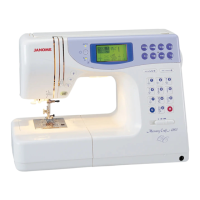
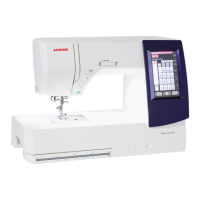
Janome Memory Craft 4400 - User Manual

Janome Memory Craft 4400
70 pages
Print Icon
To Next Page IconTo Next Page
Loading...
Printed in Taiwan
841-800-342 (E)

Table of Contents

Questions and Answers

  • R
    Robert BrownAug 16, 2025
    Why does the needle thread keep breaking on my Janome Memory Craft 4400?
    • R
      Robert TrujilloAug 16, 2025
      The needle thread may be breaking due to several reasons: * The needle thread is not threaded properly. * The needle thread tension is too tight. * The needle is bent or blunt. * The needle is incorrectly inserted. * The needle thread and the bobbin thread are not drawn to the rear when sewing is started. * The fabric is not drawn to the rear when sewing is finished. * The thread is too heavy or too fine for the needle.
  • M
    michele84Aug 19, 2025
    Why is the needle breaking on my Janome Memory Craft 4400?
    • N
      Norma DodsonSep 12, 2025
      The needle may break because: * The needle is incorrectly inserted. * The needle is bent or blunt. * The needle clamp screw is loose. * The needle thread tension is too tight. * The fabric is not drawn to the rear when sewing is finished. * The needle is too fine for the fabric being sewn.
  • L
    Laurie LawsonAug 22, 2025
    What to do if the bobbin thread breaks on my Janome Sewing Machine?
    • C
      cruzkristenAug 22, 2025
      The bobbin thread may be breaking because: * The bobbin thread is not threaded properly in the bobbin holder. * Lint has collected in the bobbin holder. If the bobbin is damaged and doesn’t turn smoothly, change the bobbin.
  • J
    Jeffrey TownsendAug 25, 2025
    Why is my Janome Memory Craft 4400 making a lot of noise?
    • G
      gailleeAug 26, 2025
      Noisy operation may be caused by: * There is thread caught in the hook race. * Lint has built up in the bobbin holder or hook race. * The feed dogs are packed with lint. A slight humming sound coming from internal motor is normal.
  • E
    Edward BrownAug 28, 2025
    Why is the cloth not feeding smoothly through my Janome Memory Craft 4400?
    • M
      Mary CookAug 28, 2025
      If the cloth is not feeding smoothly, it may be because: * The feed dog is packed with lint. * The presser foot pressure is too weak. * Feed dogs are lowered. * The correct presser foot is not being used. To resolve this, you can make the stitch coarser.
  • D
    Danielle RhodesAug 31, 2025
    What causes seam puckering on my Janome Memory Craft 4400 Sewing Machine?
    • J
      Jessica WarnerAug 31, 2025
      Seam puckering can occur because: * The needle thread tension is too tight. * The needle thread is not threaded properly. * The needle is too heavy for the fabric being sewn. * The stitch length is too long for the fabric. To address this, try to make stitch denser.
  • C
    Christopher RodriguezSep 3, 2025
    Why are patterns distorted when using my Janome Memory Craft 4400?
    • A
      Adam JonesSep 3, 2025
      If the patterns are distorted, it could be due to: * The correct presser foot is not used. * The needle thread tension is too tight. * The stitch length is not suitable for the fabric being sewn. * Interfacing is not being used for sewing stretch and very fine fabrics. To resolve this, make stitch adjustments.
  • A
    anthonymorenoSep 6, 2025
    Why aren’t the automatic buttonhole stitches working on my Janome Memory Craft 4400 Sewing Machine?
    • C
      Carrie TrujilloSep 6, 2025
      The automatic buttonhole stitches may not be working because: * The stitch length is not suitable for the fabric being sewn. * Interfacing is not used with stretch fabrics. * The presser foot is not the correct one. * The machine setting is incorrect. To resolve this, make stitch adjustments.
  • S
    steve42Sep 9, 2025
    Why is the screen not clear on my Janome Sewing Machine?
    • S
      Shawn PaulSep 9, 2025
      The screen may not be clear because the sharpness of the liquid crystal display is not adjusted properly.
  • J
    Julie HillSep 12, 2025
    What does it mean when my Janome Memory Craft 4400 stalls and shows “STOP FOR SAFETY PURPOSES”?
    • G
      Gregory ParkerSep 12, 2025
      The machine may stall, and the message “STOP FOR SAFETY PURPOSES” may appear on the screen because: * Lint has built up in the hook race. * Needle or bobbin thread is not correctly threaded. * The fabric is too thick.

Summary

SECTION I NAMES OF PARTS

Screen Sharpness Adjusting Dial

Adjusts display sharpness and brightness.

Extension Table

Provides additional sewing surface, removable for free arm sewing.

Standard Accessories

Lists all included tools and attachments for the sewing machine.

SECTION II GETTING READY TO SEW

Connecting Machine to Power Supply

Instructions for safely connecting the sewing machine to power.

For Your Safety

Important safety precautions to follow during operation.

Controlling Sewing Speed

How to adjust sewing speed using the lever and foot control.

Main Function of Buttons;Keys

Explains the primary functions of the machine's control buttons.

Winding the Bobbin

Instructions on how to wind a bobbin with thread.

Threading the Machine

Detailed steps for threading the upper and bobbin threads.

Balanced Thread Tension

Adjusting thread tension for optimal stitch quality.

SECTION III BASIC SEWING

Straight Stitch Sewing

Core techniques for performing straight stitch sewing.

Practice Common Stitching Skills

Exercises for mastering basic sewing maneuvers.

Various Utility Stitches

Instructions for essential stitches like basting.

Zigzag Stitch

How to use and adjust the zigzag stitch.

SECTION IV DECORATIVE STITCHING TECHNIQUES

Sensor Buttonhole

Creating automatic buttonholes using the sensor system.

Zipper Sewing

Instructions for inserting zippers into garments.

Rolled Hem

Creating neat, narrow rolled hems.

Blind Stitch Hemming

Techniques for creating invisible blind hems.

Quilting

Using the quilting bar for straight quilting lines.

Sewing Letters in Block Style

Programming and sewing block letters.

Editing Function (1)

Correcting and deleting programmed patterns.

SECTION V CARE OF YOUR MACHINE

Care of Your Machine

General maintenance and cleaning recommendations.

Cleaning the Hook Race and Feed Dogs

How to clean internal parts for optimal performance.

Replacing the Light Bulb

Guide for safely replacing the sewing machine's light bulb.

Troubleshooting

The needle thread breaks.

Causes and solutions for needle thread breakage.

Skipped stitches

Diagnosing and resolving skipped stitch problems.

The machine doesnt work.

Common reasons why the sewing machine fails to operate.

Machine stalls and the message STOP FOR SAFETY PURPOSES appears on the screen.

Actions to take when the machine stops due to overload.

Janome Memory Craft 4400 Specifications

General IconGeneral
Buttonhole Styles1-Step
Needle Up/DownYes
Speed ControlYes
LCD DisplayYes
Automatic Needle ThreaderYes
Drop FeedYes
Weight14.3 lbs
LCD ScreenYes
Needle ThreaderAutomatic

Related product manuals