7
4
4
4
4.
.
.
.3
3
3
3Front
Front
Front
Front&
&
&
&back
back
back
backpanel
panel
panel
panelintroduction
introduction
introduction
introduction
4.4
4.4
4.4
4.4Power
Power
Power
Powersupply
supply
supply
supplyinput
input
input
inputcable
cable
cable
cableconnection
connection
connection
connection
�Makesuretheswitchisturnedoffinthedistributionboxbeforeinstallthepowersupplyinputcable.
�Connectthewelder’sinputcabletotheoutputportofdistributionboxswitch’s.Thecableconnectionis
completed.
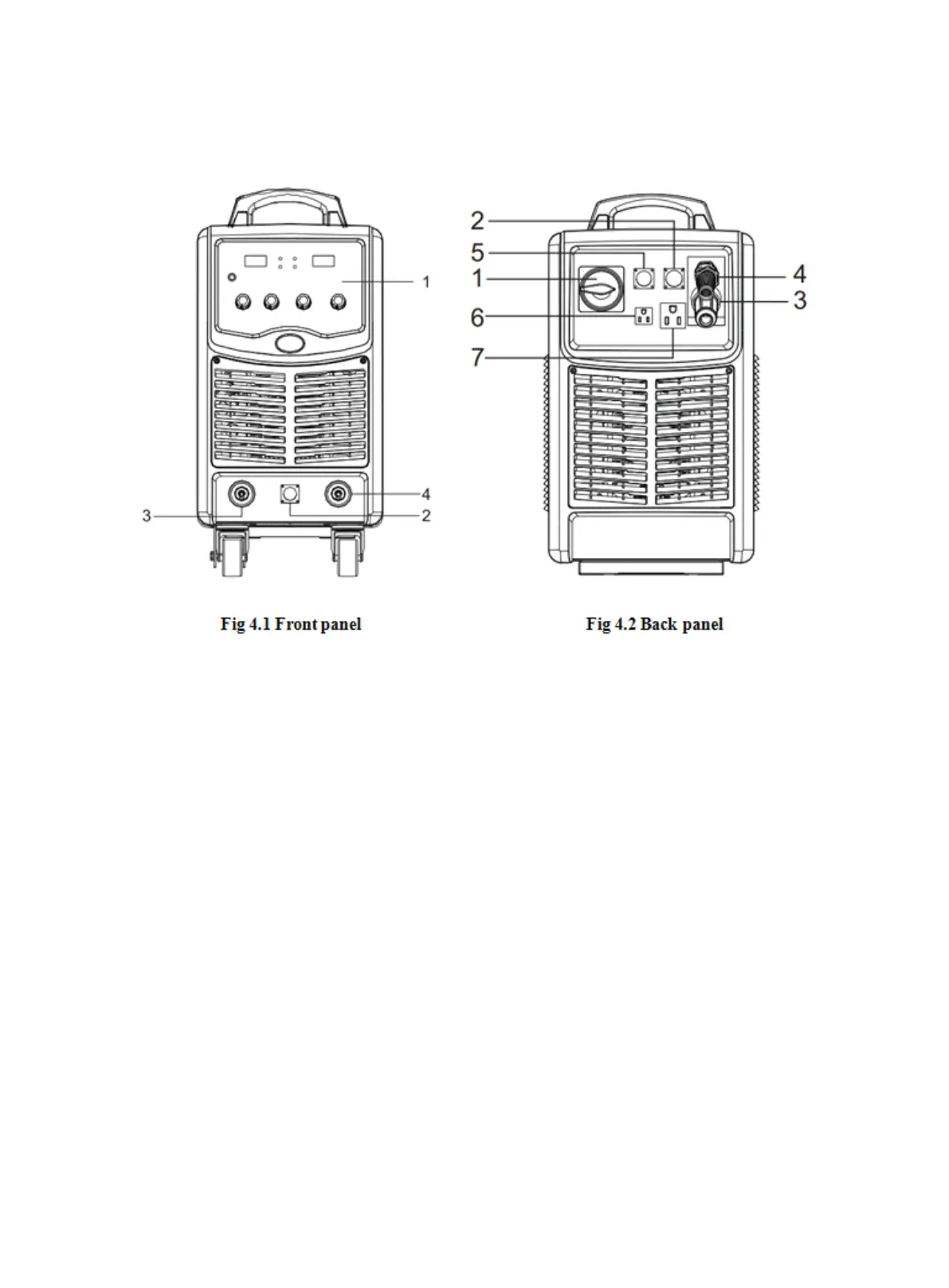
Frontpaneldescription:
1.Analogfrontpanel(parametersselection,
settinganddisplay.)
2.Wirefeedercontrolcableconnector
3.Quicksocketforpositiveoutput(connectwire
feederorMMAelectrodeholder)
4.Quicksocketforpositiveoutput(connect
MMAearthclamp)
Backpaneldescription:
1.Breaker(airswitch)
2.Wirefeedercontrolcableconnector
3.Quicksocketforpositiveoutput(connectwirefeeder)
4.3phasepowercable(4×6mm
2
/4×4mm
2
)
5.Softwareupgradeinterface
6.Socketforgasheater(Notforanyotheruse
exceptheatinggas.)
7.Socketforwatercooler



 To Next Page