User Manual Javo Plus en Plus Extra Potmachine
Version 2015-1 18
5.16 Moving the expiration conveyor (option for Plus)
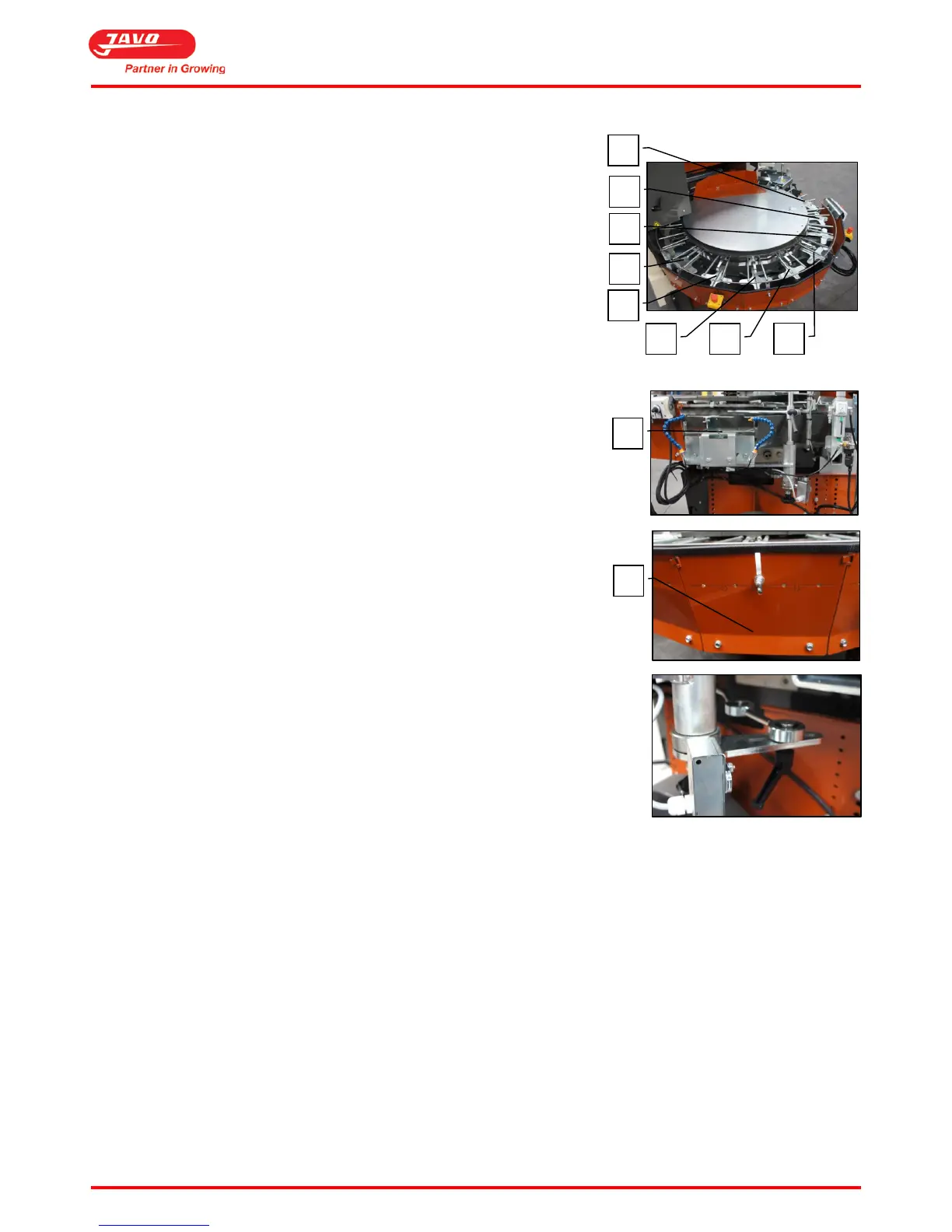
The expiration conveyor can be moved to all free positions on the pottrack
(A).
Follow the steps below.
Procedure:
1. First, the conveyor belt has to be removed which has been placed
onto support (B).
2. Dismantle two plates (C) by unscrewing the M8 bolts.
a. Leave the M8 bolts in the frame and lift the plates out.
3. Disassemble the end bracket (B).
4. Remove the support.
5. Assemble the support at the place where the left plate has been
removed from the pottrack.
6. Move the expiration to the place where the plates (C) have been removed.
7. Tighten the M8 bolts and insert the rod (where the plastic tip is attached)
to the bottom of the pottrack back into the hole.
8. Insert the two plates (C) back in the former position of the exit conveyor.
9. Tighten four M8 bolts.


 To Next Page