15
DETAILED INSTRUCTIONS
PLAYING MUSIC
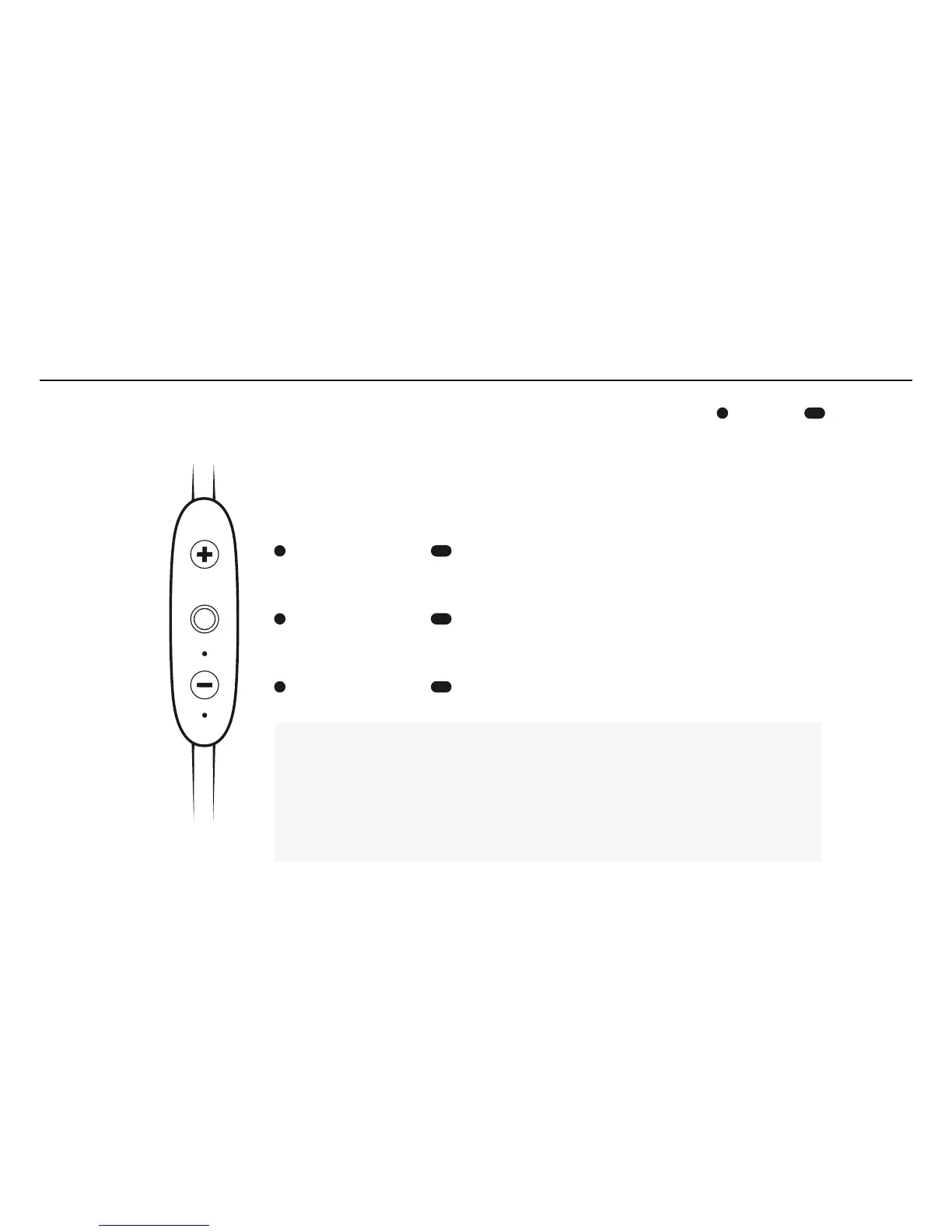
Play or pause, a song or video with a singel press and release of the Middle Button.
To skip a song, long press the Vol. + Button.
To go backwards, long press the Vol. – Button.
To change the volume + or , press the Vol. + or Vol. – Button.
To activate voice assistant, (Siri or Google Now), long press the Middle Button.
PRESS LONG PRESS
VOLUME UP SKIP FORWARD
PLAY PAUSE VOICE ASSISTANT
VOLUME DOWN SKIP BACKWARD



 To Next Page