55
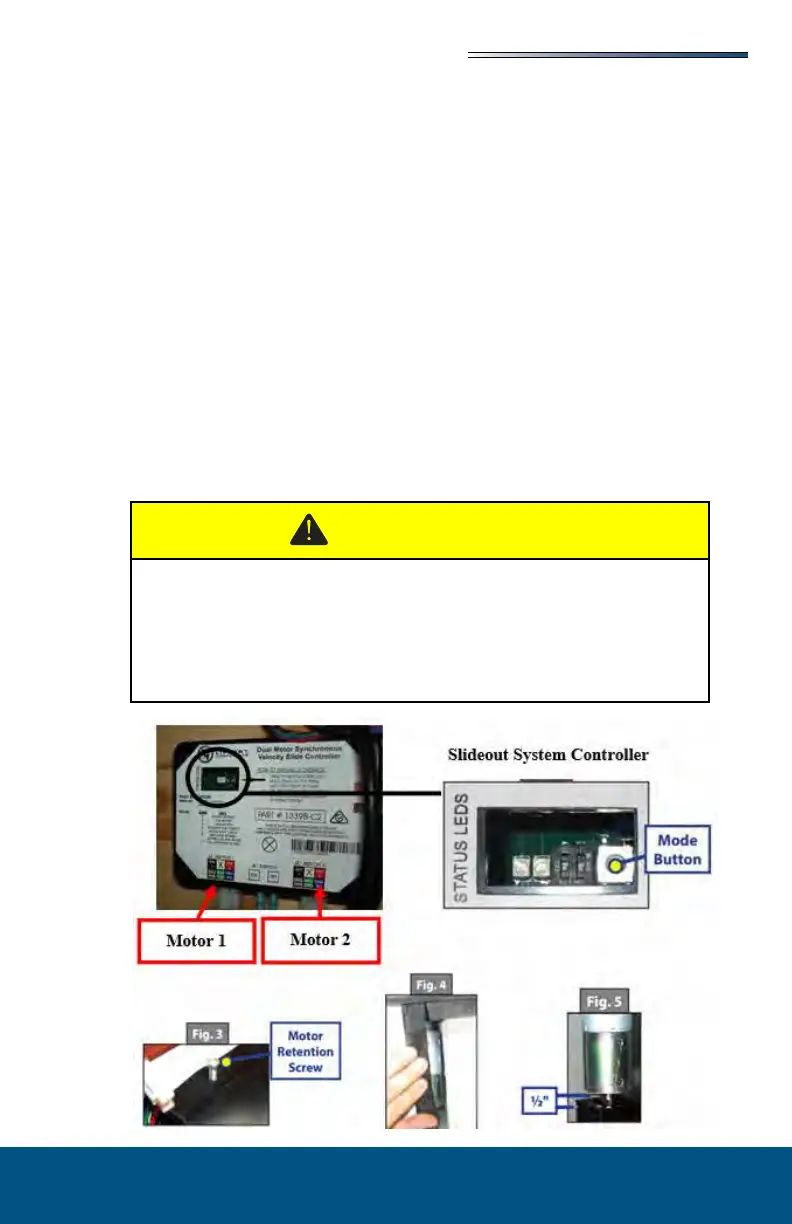
The slideout system comes with an “electronic” manual override. In event the slide out
does not extend or retract follow these steps to override the system which should allow the
slideout to be retracted.
1. Locate the slideout system controllers. There should be one for each slideout on the
recreation vehicle. They are typically located on the forward wall or ceiling of a base-
ment compartment. In some models they may be behind a cargo lined panel.
2. The malfunctioning controller should have a ashing red LED indicating a halt signal
fault (will ash 8 or 9 times).
3. Press the “mode button” six times quickly, then press a seventh time and hold for ap-
proximately 5 seconds.
4. The red and green LED’s will ash indicating you are in override mode. Release the
mode button.
5. Using either a wall or command center panel switch, press and hold the switch toward
the word IN or RETRACT until the unit comes in completely. This will allow you to
get the recreation vehicle to a service center to have the slideout malfunction diag-
nosed.
Call your dealer or Customer Service if:
During the override procedure the motors are not synchronized. Visually
watch the room, and if one side is moving signicantly slower than the
other (or not at all).
If the system stalls out before reaching end of stroke OR if the room does
not close and seal tightly.





 To Next Page