- 8 -
2. Travel limit setting Opening & closing force self-learning
NOTE – Later model openers
may have ‘S’ in place of ‘SET’,
‘C’ in place of ‘CODE’, ‘+’ in
Place of ‘UP’ and ‘-‘ in place of
‘DOWN’
3. Safety reverse force adjustment
NOTE – Later model openers
may have ‘S’ in place of ‘SET’,
‘C’ in place of ‘CODE’, ‘+’ in
Place of ‘UP’ and ‘-‘ in place of
‘DOWN’
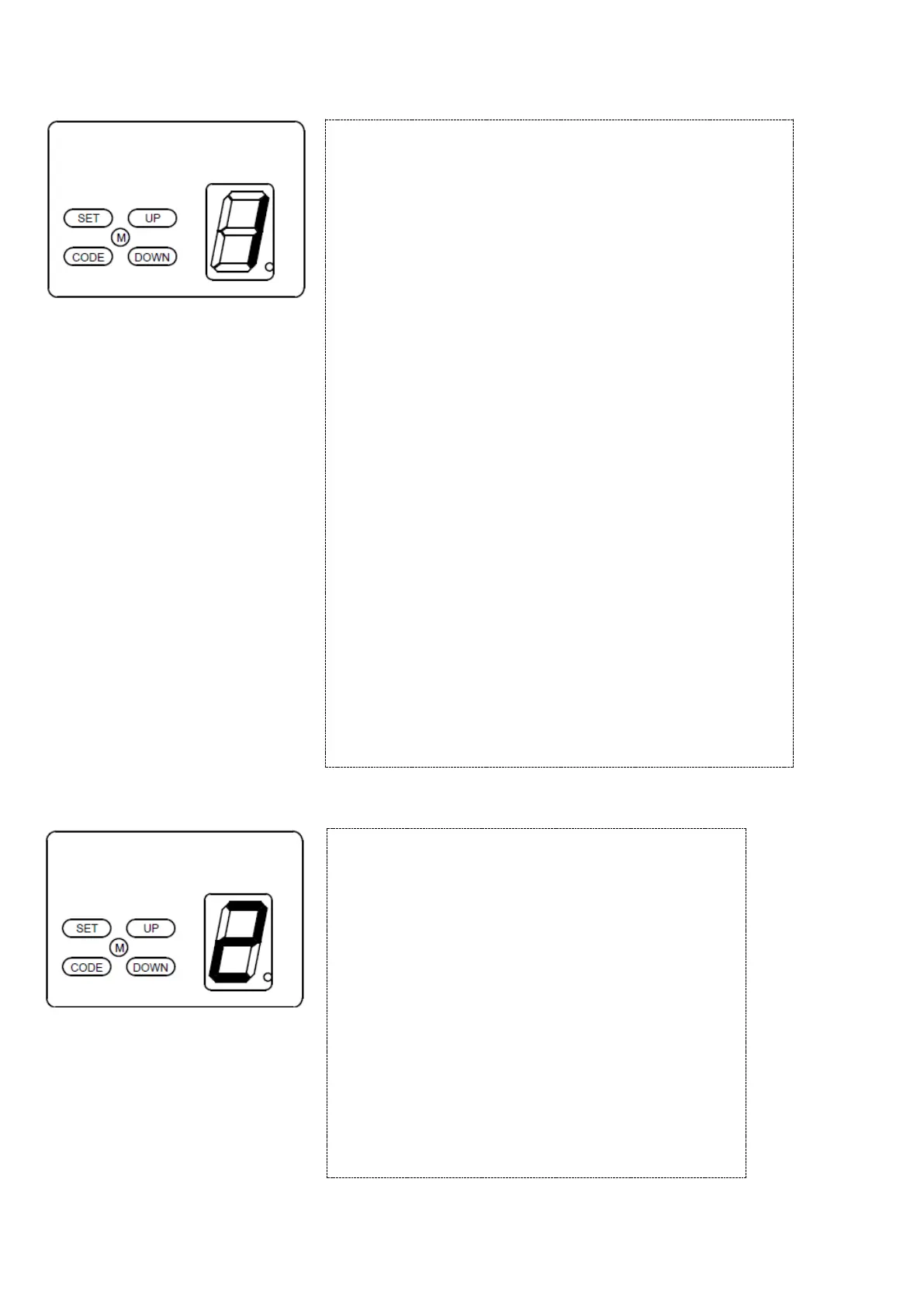
Press and hold “SET” button for 3 seconds until the LED flashes
“1”. Press “SET” button again for 1 second . “1” should now
display as steady (not flashing).
Adjust the open limit by pressing and holding the “UP” button.
When the door is near it’s intended open position release the
button and fine-tune the open position by momentarily pressing
the “UP” and “DOWN” to determine the final open limit position,
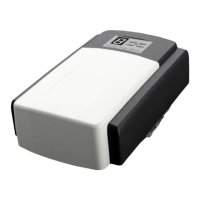
then press “SET” button, the display will show “2”
NOTICE – Be sure not to set the open limit too far as this
can cause the door to overtravel and come out of the tracks
or torsion cables to become loose.
Now adjust the close limit by pressing and holding the “DOWN”
button. When the door is near it’s intended close position release
the button and fine-tune the position by momentarily pressing the
‘UP’ and ‘DOWN’ buttons to determine the final close limit
position, then press “SET”
If the opener stops and displays “H” or “C”, this indicates
there’s no hall signal or the opener is overloaded. Call a Service
Technician.
The opener will now operate a cycle automatically to remember
the limit positions and the original opening & closing force,
then return to standby mode.
During learning, if the door stops unusually, and flashes “H”,
“C”, “O”. “L” for 5 seconds, this indicates there’s no hall
signal, overload, overtime or an incorrect limit setting.
Press and hold “SET” button for 3 seconds until the LED
flashes “1”. Press “UP” until LED flashes “2”, then press
“SET” button. The display is now in force adjustment
mode. The LED displays the current set force value.
Press “UP” button to increase the force and “DOWN”
button to decrease the force value. The maximum force
is 9 and the minimum is 1. Press “SET” button to
confirm, then the opener returns to standby mode.
The default setting of safety reverse force is 5.
Warning – Excessive or incorrect force settings can
cause damage or personal injury. We recommend only
authorized Technicians should adjust force values and a
safety reverse test should be carried out after manually
adjusting this setting.


 To Next Page