- 7 -
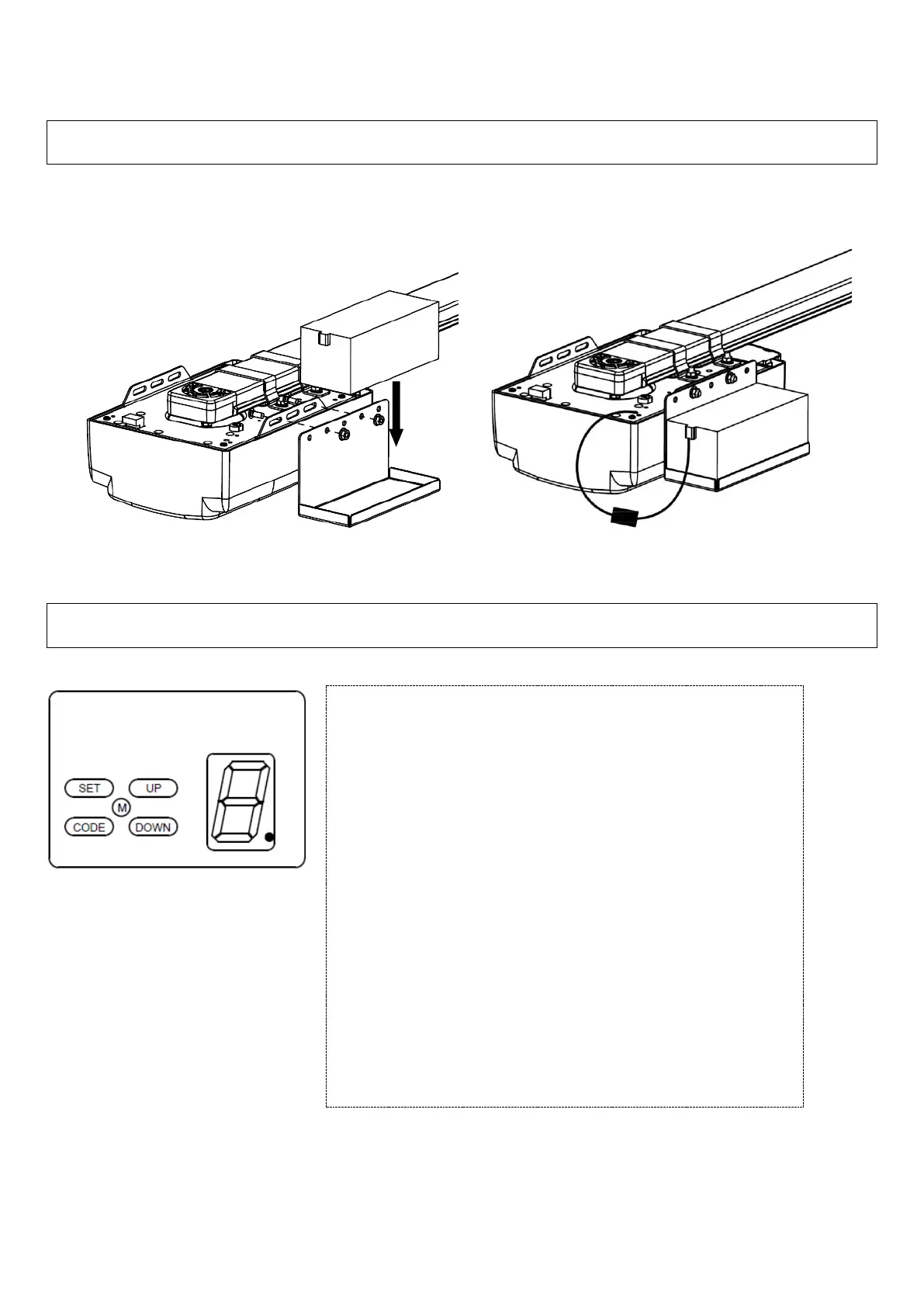
Battery backup Assembly (optional)
Assemble the battery using battery bracket, washers and nuts supplied (Fig. 9, Fig.10). Connect the battery leads to
the marked terminals on the internal PCB.
Basic function settings
1. Matching the receiver and transmitter
Fig. A
(The opener is supplied with
pre-coded transmitters.)
NOTE – Later model openers
may have ‘S’ in place of ‘SET’,
‘C’ in place of ‘CODE’, ‘+’ in
Place of ‘UP’ and ‘-‘ in place of
‘DOWN’
Coding Transmitters:
Press and hold “CODE” button for 1 second until the LED
dot is illuminated (Fig A). Press a preferred button on transmitter
once, the LED dot will extinguish, press the same button on the
transmitter again.
The transmitter is now coded into the receiver.
Repeat the above steps to code more transmitters.
The receiver has the capacity to store 20 transmitters.
If the LED display flashes “F” and returns to standby mode
(after you have pressed the “CODE” button), this indicates
that the memory storage is full.
Follow the steps below to delete all transmitters that are
stored in the receiver memory (in case of a full memory, lost or
stolen transmitter)
Press and hold on “CODE” button for more than 8 seconds until
the LED flashes “C”, all the stored codes are deleted.


 To Next Page