8
To leave the date and time unaltered, press Left key and then OK key to Exit setup mode.
7. Indicators / LED lights:
Busy light - the light will turn on when the camera is busy recording video, capturing
photo, processing data, or being connected to computer.
LED light – this supporting light may be used when recording video/ pictures in dark
environment. Please note that this lamp is effective for short distances only.
Self Timer light – indicates that the camera Self Timer has been activated.
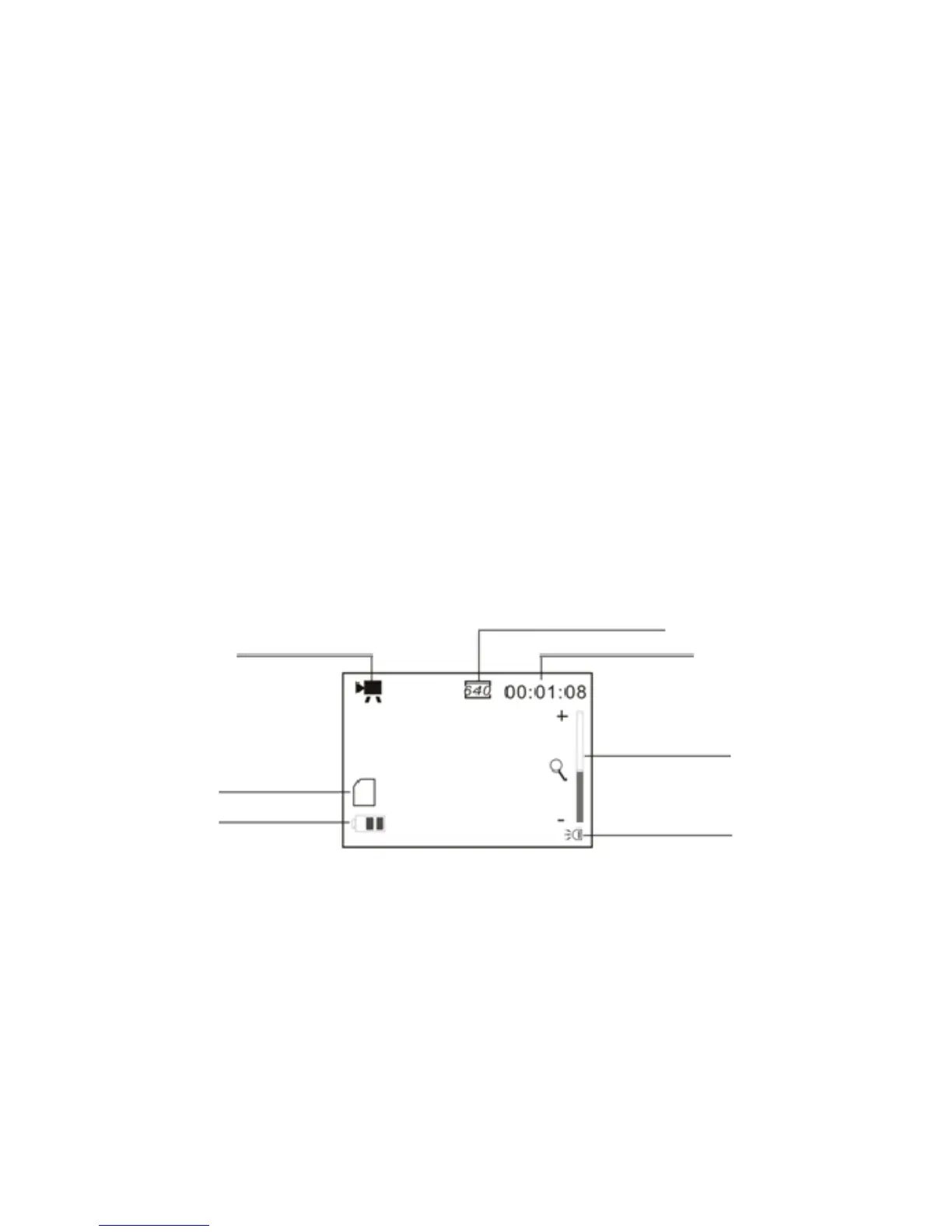
8. Video mode:
Preview mode
Video Recording Icon
Video resolution; it can be selected at 640x480 or 320x240
The remaining time for recorded
Video; ex 1 minute 8 seconds left
Battery icon
The LED Lamp is turned ON
Zoom ratio range



 To Next Page