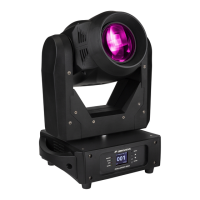
[DMX Functions > DMX Address]
Used to set the desired DMX-address.
• Press the [MENU] button to access the different functions in the menu.
• Press the ▲/▼ buttons until the desired function is showing on the display.
• Press the [ENTER] button: the values can be changed
• Use ▲/▼ buttons to select the desired DMX512 address.
• Once the correct address shows on the display, press the [ENTER] button to confirm.
[DMX Functions > DMX Channel]
Used to set the desired channel mode.
• Press the [MENU] button to access the different functions in the menu.
• Press the ▲/▼ buttons until the desired function is showing on the display.
• Press the [ENTER] button: the values can be changed
• Use ▲/▼ buttons to select the desired mode:
• 5MSL mode: [PAN/TILT] are music controlled while the dimmer, strobe speed, gobos, colors &
[PAN/TILT] –speed can be set using only 5 DMX channels.
• 17 CH mode: same as the 20CH mode but without Pan/Tilt/Dim Fine adjustment possibility.
• 20 CH mode: Full DMX-control on all functions.
• Once the correct option shows on the display, press the [ENTER] button to confirm.
[DMX Functions > No DMX]
Used to set how the projector reacts when the DMX-signal disappears.
• Press the [MENU] button to access the different functions in the menu.
• Press the ▲/▼ buttons until the desired function is showing on the display.
• Press the [ENTER] button: the values can be changed
• Use ▲/▼ buttons to select the desired mode:
• Sound: the projector starts working in audio mode.
• Freeze: output based on the last valid DMX-signal is kept on the projector.
• Blackout: output turns black while no DMX is detected.
• Once the correct option shows on the display, press the [ENTER] button to confirm.
Note: as soon as the input detects a DMX-signal, blackout, freeze or audio mode will be cancelled.
[DMX Functions > View DMX Value]
Shows the value of each function of the fixture on every moment. Used for problem solving.
• Press the [MENU] button to access the different functions in the menu.
• Press the ▲/▼ buttons until the desired function is showing on the display.


 To Next Page
 Loading...