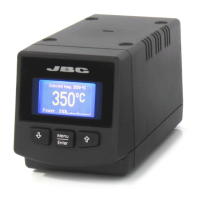
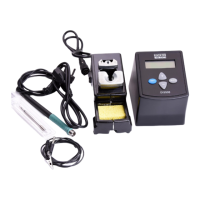
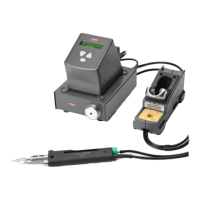
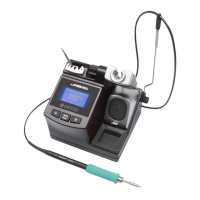
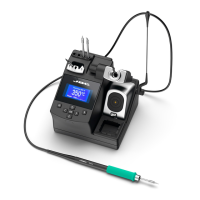
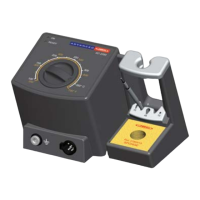
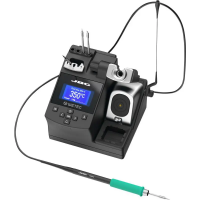
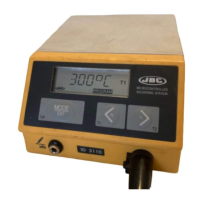
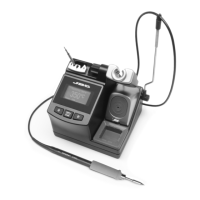
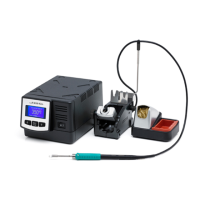
The JBC DIU 1-Tool Control Unit is a sophisticated soldering and desoldering station designed for precision work, offering advanced temperature control and user-friendly features. It is part of the JBC Most Efficient Soldering System, which emphasizes rapid tip temperature recovery, improved soldering quality, and extended tip life through intelligent sleep and hibernation modes.
Function Description:
The DIU 1-Tool Control Unit serves as the central hub for a single soldering or desoldering tool. It provides precise temperature control, allowing users to select and maintain specific temperatures for various soldering tasks. The unit integrates with a range of JBC stands, tools, and cartridges, forming a complete working system. Its core function is to power and regulate the connected tool, ensuring optimal performance and efficiency. The system's revolutionary technology enables extremely quick tip temperature recovery, which allows users to work at lower temperatures, thereby improving soldering quality and reducing thermal stress on components. The Sleep and Hibernation modes further contribute to tip longevity by significantly reducing tip temperature during periods of inactivity, extending tip life by up to five times.
Important Technical Specifications:
The DIU 1-Tool Control Unit is available in three main references, each tailored for different voltage requirements:
- DI-9D: 100V 50/60Hz, Input fuse: T2.5A, Output: 23.5V
- DI-1D: 120V 50/60Hz, Input fuse: T2A, Output: 23.5V
- DI-2D: 230V 50/60Hz, Input fuse: T1A, Output: 23.5V
Key performance specifications include:
- Output Peak Power CD-BE: 130W
- Temperature Range: 90 - 450 °C / 190 - 840 °F (±5%)
- Idle Temp. Stability (still air): ±1.5 °C / ±3 °F
- Tip to Ground Voltage/Resistance: Meets and exceeds ANSI/ESD S20.20-2014 and IPC J-STD-001F standards, ensuring ESD safety.
- Ambient Operating Temp: 10 - 40 °C / 50 - 104 °F
- Connections: USB-B / Peripherals connectors
- Control Unit Dimensions (L x W x H) / Weight: 180 x 94 x 106 mm / 2.153 kg (7.10 x 3.70 x 4.17 in / 4.75 lb)
- Total Package Dimensions (L x W x H) / Weight: 220 x 213 x 160 mm / 2.5 kg (8.66 x 8.39 x 6.30 in / 5.51 lb)
- Compliance: Complies with CE standards. ESD safe.
Usage Features:
The DIU unit features a clear screen display that provides real-time information on the tool's status, including selected temperature, actual temperature, and power usage. Navigation and settings adjustments are managed through intuitive menu buttons.
Operation Modes:
- Work Mode: When the tool is lifted from its stand, the tip quickly heats up to the user-selected temperature (90 to 450°C). Users can select temperature levels or fix a single temperature.
- Sleep Mode: When the tool is placed in the stand, the temperature automatically falls to a preset Sleep temperature (e.g., 180°C). This mode helps conserve energy and prolong tip life. The Sleep delay can be adjusted from 0 to 9 minutes or disabled.
- Hibernation Mode: After longer periods of inactivity in the stand, the power is cut off, and the tool cools down to room temperature (e.g., 20°C). This further extends tip life and saves energy. The Hibernation delay can be set from 0 to 60 minutes or disabled.
The unit's menu system (accessible via "Menu Enter" button, default PIN: 0105) allows for comprehensive customization and monitoring:
- Main Menu:
- Reset settings
- Station settings
- Tool settings
- Counters
- Program version
- Station Settings:
- Temperature unit (Celsius/Fahrenheit)
- Maximum and minimum temperature limits
- Nitrogen mode (ON/OFF)
- Help text (ON/OFF)
- Beep (ON/OFF)
- Change PIN
- Tool Settings:
- Fix one temperature
- Temperature levels set (ON/OFF)
- Sleep delay
- Sleep temperature
- Hibernation delay
- Temperature adjust
- Counters:
- Plugged hours
- Working hours
- Sleep hours
- Hibernation hours
- No tool hours
- Sleep cycles
- Desoldering cycles
Connectivity:
- USB Connector: Allows for software updates via the JBC Updater (www.jbctools.com/software.html).
- JBC Web Manager Lite: (www.jbctools.com/manager.html) Enables management and monitoring of multiple JBC stations from a PC. It offers features like changing settings for groups of stations and creating real-time graphs of soldering processes, showing power and temperature data. Data can be exported for analysis.
- Peripherals: The unit connects to various peripherals such as stands, desoldering pumps, and external pedals (e.g., Pedal P005 for desoldering irons) via dedicated ports.
Compatibility:
The DIU is compatible with a wide range of JBC modular system components, including different stands (ADS, DNS, APS, AMS, ATS, HTS, DSS, DRS), tools (T210, T245, T470, T210N, T245N, AP250, AM120, PA120, AT420, HT420, DS360, DR560), and cartridge ranges (C210, C245, C250, C120, C420, C360, C560). It also supports various peripherals like MS/MV, MN, and P405.
Maintenance Features:
Regular maintenance is crucial for optimal performance and longevity. Before any maintenance, the device must be switched off, disconnected from the mains, and allowed to cool down.
- Cleaning:
- Clean the station screen with a glass cleaner or damp cloth.
- Use a damp cloth to clean the casing and the tool. Alcohol can be used for metal parts only.
- Periodically check and clean the metal parts of the tool and stand to ensure proper tool status detection.
- Tip Care: Maintain the tip surface clean and tinned before storage to prevent oxidation. Rusty or dirty surfaces reduce heat transfer.
- Cable and Tube Inspection: Periodically check all cables and tubes for wear or damage.
- Part Replacement: Replace any defective or damaged pieces using only original JBC spare parts. Repairs should be performed by a JBC authorized technical service.
- Fuse Replacement:
- Pull off the fuse holder and remove the blown fuse (use a tool if necessary).
- Insert the new fuse into the holder and return it to the station.
Safety Guidelines:
Adherence to safety guidelines is imperative to prevent electric shock, injury, fire, or explosion.
- Use the unit only for soldering or rework.
- Ensure the power cord is plugged into approved, properly grounded bases.
- Do not work on electrically live parts.
- Place the tool in its stand when not in use to activate sleep mode. Hot parts (tip, nozzle, metal parts of tool and stand) may remain hot even when off; handle with care.
- Do not leave the appliance unattended when on.
- Do not cover ventilation grills to prevent ignition of flammable products.
- Avoid flux contact with skin or eyes.
- Be cautious of fumes produced during soldering.
- Maintain a clean and tidy workplace; wear appropriate protection glasses and gloves.
- Exercise utmost care with liquid tin waste due to burn risk.
- The appliance can be used by children over eight and persons with reduced capabilities if supervised and instructed on safe use and hazards. Children must not play with the appliance.
- Maintenance must not be carried out by children unless supervised.

 Need help?
 General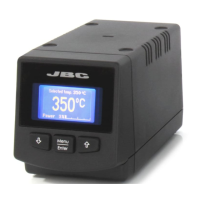

 To Next Page