®
bvHARMAN
Wi-Fi
setup
Authentics
LS
There are five ways to connect
JBL
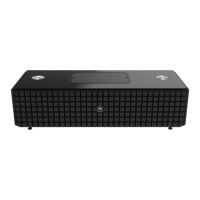
Authentics to your Wi-
Fi
router for the first time setup.
The three most common are shown below. For more options consult the owner's manual online at www.jbl.com.
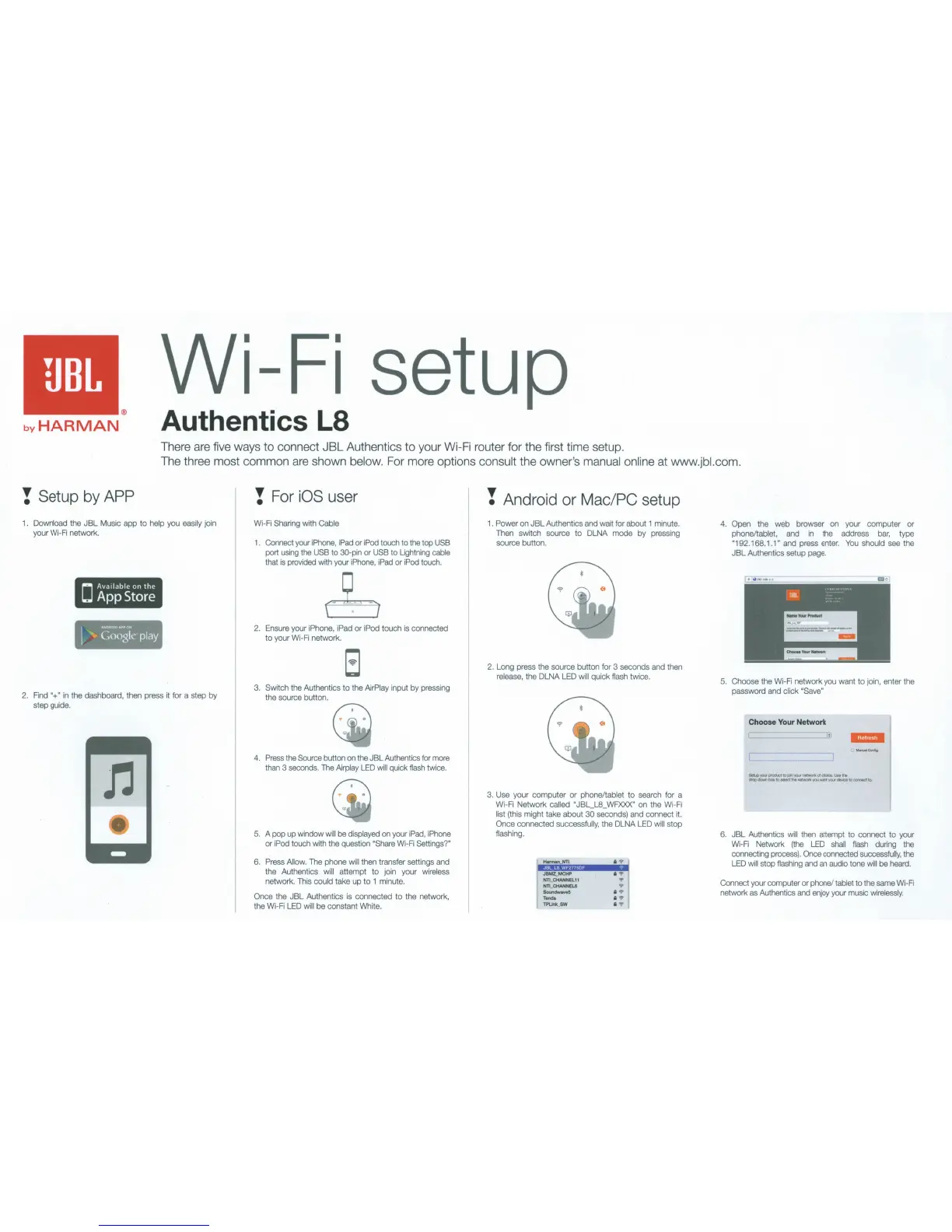
! Setup
by
APP
1 . Download the JBL Music app
to
help you easily join
your Wi-Fi network.
2.
F
in
d "+"
in
the dashboard, then press it for a step by
step guide.
! For iOS user
Wi-Fi Sharing with Cable
1
. Connect your
iP
hone,
iPad
or iPod touch to the top USB
port
us
i
ng
the USB to 30-pin or USB to Lightning cable
that
is
provided with your iPhone,
iPad
or iPod touch.
2.
Ensure your iPhone, iPad or iPod touch
is
connected
to your Wi-Fi network.
3.
Switch the Authentics
to the
AirPlay input by pressing
the source button.
4.
Press the Source button
on
t
he
JBL Authentics for more
than 3 seconds. The
Airplay LED
wi
ll
quick fl
ash
twice.
5. A pop up window
wi
ll
be di
sp
layed
on
your iPad, iPhone
or iPod touch with t
he
quest
ion
"Share Wi-
Fi
Settings?"
6.
Press Allow. The phone wi
ll
then transfer settings and
the
Au
thentics will attempt to join your wireless
ne
twork. This could take up to 1 minute.
Once the JBL Authentics
is
connected
to
the networ
k,
the
Wi
-
Fi
LED
w
ill
be constant White.
! Android
or
Mac/PC setup
1 . Power on
JB
L Authentics and wait for about 1 minute.
Then switch source
to
DLNA mode by pressing
source button.
2. Long press the source button for 3 seconds and then
re
lease, the DLNA LED will quick flash twice.
3.
Use your computer
or
phone/tablet to search for a
Wi-Fi Network
called "JBL_L8_WFXXX" on the Wi-Fi
list (this might take about 30 seconds) and connect it.
Once connected successfully, the DLNA
LED
will stop
flashing.
HannanNTI i '?' I
M!:!i!;il
if@i,!
1
JB
MZ_
MCHP
i
NTl_CHANNEL11
NTI_
CHANNEL6
Sound
wa
v
e5
T
onda
TPUnk_SW
4. Open the web browser on your computer or
phone/tablet, and
in
the address
bar,
type
"1
92.168.
1.1
" and press enter.
You
should see the
JBL Authentics setup page.
5.
Choose the
Wi
-Fi network you want to join, enter the
password and
click "Save".
Choose Your
Network
Sel.
upyQ.XproWcltojooyt:J4Xnelwof\o;ofchoice.Usethe
drOpdownbox
t
osefectthanetwotk)Qiwantyo.Jrdavk::etoCO!Y18C'tto.
6. JBL
Au
thentics
wi
ll then attempt to connect to your
Wi-Fi Network (the LED
shall
flash during the
connecting process).
Once connected successfully, the
LED
wi
ll
stop flashing and
an
audio tone
will
be heard.
Connect your computer or phone/
tablet to the same Wi-Fi
network as Authentics and enjoy your music
wirelessly.


 To Next Page