Need help?
Do you have a question about the JBL CS200.1 and is the answer not in the manual?
This document is an owner's manual for the JBL CS Series car audio power amplifiers, specifically models CS200.1 and CS50.4. It provides comprehensive instructions for installation, setup, and troubleshooting, ensuring optimal performance and user safety.
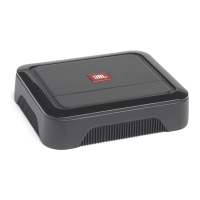
The JBL CS Series amplifiers are designed to boost the audio signal from a car's source unit (e.g., car stereo) to drive speakers or subwoofers with greater power and clarity. The CS200.1 is a single-channel (monoblock) amplifier primarily intended for powering subwoofers, while the CS50.4 is a multi-channel amplifier capable of driving full-range speakers in various configurations (4-channel stereo, 3-channel, or 2-channel bridged). These amplifiers are crucial components in enhancing a car's audio system, delivering higher volume levels and improved sound quality.
The manual emphasizes proper installation as key to performance and safety. Users are advised to choose a mounting location that ensures adequate air circulation for cooling, such as in the trunk or cargo area, and to secure the amplifier to prevent damage from shifting cargo. It also warns against mounting the amplifier in locations exposed to moisture or in the engine compartment.
For power connections, the manual details the importance of heavy-duty and reliable wiring. It instructs users to connect the amplifier's Ground (GND) terminal to a solid point on the vehicle's metal chassis, ensuring a clean, paint-free connection. The Positive (+12V) terminal must be connected directly to the vehicle's positive battery terminal with an appropriate fuse holder installed within 50cm of the battery. Grommets should be used when routing wires through the firewall or sheet metal to prevent damage. The Remote (REM) terminal connects to the source unit's remote turn-on lead, or to the vehicle's accessory circuit if a remote turn-on connection is unavailable. Speaker connections are detailed with specific wire gauge recommendations for different applications.
The manual provides application diagrams for both amplifier models. For the CS200.1, it illustrates connections for one or two subwoofers. For the CS50.4, it shows configurations for 4-channel stereo operation (driving front and rear full-range speakers), 3-channel operation (driving full-range speakers and a subwoofer), and 2-channel bridged mode (driving components or subwoofers). These diagrams help users plan their audio system setup according to their specific needs.
Setting up the amplifier involves adjusting the crossover and input sensitivity. The crossover mode switch allows users to select between FLAT (full-range), HP (high pass for full-range speakers to limit bass and reduce distortion), or LP (low pass for subwoofers to remove vocal information). The crossover frequency control allows fine-tuning of the frequency cutoff. Input sensitivity is adjusted by turning the INPUT LEVEL control to minimum, playing a dynamic music track, increasing the source unit's volume to 3/4, and then slowly increasing the INPUT LEVEL until slight distortion is heard, then backing off slightly. This process ensures the amplifier receives an optimal signal without clipping.
The manual highlights several maintenance and safety considerations. Users are strongly advised to wear protective eyewear when using tools and to turn off the audio system and disconnect the vehicle's negative battery lead before starting any installation work. Checking clearances before drilling or cutting, and being aware of fuel lines, brake lines, vacuum lines, and electrical wiring, are crucial safety steps.
When routing cables, it's important to keep input-signal cables separate from power cables and speaker wires to prevent interference. All connections must be secure and properly insulated. If an amplifier's fuse needs replacement, only the same type and rating as the original should be used.
The troubleshooting section is a key maintenance feature, providing solutions for common issues. If there's no audio and the POWER LEDs are off, it suggests checking voltage at the BATT+ or REM terminals and verifying ground connection. If the POWER LEDs are on but there's no audio, it indicates the amplifier might be overheated, prompting users to check cooling and speaker impedance. If the POWER LEDs flash, it suggests a voltage issue (less than 9V on BATT+), requiring a check of the vehicle's charging system. Distorted audio can be caused by improper input sensitivity settings, a defective amplifier or source unit, or a short circuit in a speaker or wire. The manual advises checking input level settings, removing speaker leads one at a time to locate shorts, and verifying speaker wire polarity. If music lacks "punch," it suggests checking speaker connections for proper polarity.
The manual also emphasizes the importance of retaining the original purchase receipt and returning the enclosed warranty registration card for warranty service. This ensures that users can access professional support if the amplifier requires service due to a defect.
 General
| Amplifier Class | Class D |
|---|---|
| Number of Channels | 1 |
| RMS Power @ 2 Ohms | 200W |
| THD at Rated Power | <1% |
| Signal-to-Noise Ratio | >80dB |
| Fuse Rating | 25A |
| Low Pass Filter | 32Hz - 320Hz |
| Bass Boost | 0 to +12dB @ 45Hz |
| Low Pass Crossover | 32Hz - 320Hz |


 To Next Page