EasyManua.ls Logo

JBL CSA 280Z - User Manual

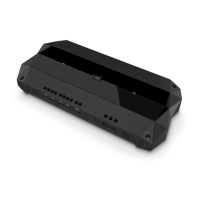
JBL CSA 280Z
24 pages
Print Icon
To Next Page IconTo Next Page
Loading...
CSA 140Z
CSA 180Z
CSA 1120Z
CSA 240Z
CSA 280Z
CSA 2120Z
Commercial Series Amplier
Operation Manual
JBL Commercial Series

Questions and Answers

  • G
    George GibsonAug 7, 2025
    What to do if my JBL CSA 280Z Amplifier has no sound or low sound?
    • M
      Monica AndersonAug 7, 2025
      If you're experiencing no sound or low sound from your JBL Amplifier, several factors could be at play. First, ensure that the input signal is present and at an adequate level. Also, check if the Master Volume control is turned down and increase it if needed. If a CSR-V is connected, make sure it's turned up. If you are using the 70V or 100V outputs, confirm that the Hi-Z switch is ON. Finally, verify that the power switch is ON.
  • J
    Jason MossAug 18, 2025
    How to fix a JBL CSA 280Z Amplifier that has no power?
    • P
      patrickbryantAug 18, 2025
      If your JBL Amplifier isn't receiving power and the power ring isn't illuminated, the most likely cause is that the amplifier isn't properly plugged into the power receptacle. Ensure the amplifier is plugged into the power receptacle.
  • R
    Robert JohnsonAug 27, 2025
    Why does my JBL CSA 280Z Amplifier sound distorted?
    • I
      ismithAug 27, 2025
      If your JBL Amplifier produces distorted sound, it might be due to a high input signal level. Try turning down the input level controls. Alternatively, the Master Volume could be too high; in that case, lower the Master Volume.

Summary

Important Safety Information

General Safety Precautions and Wiring

Covers safety symbols, general precautions, power cord safety, wiring color codes, and grounding for safe operation.

User Protection and Operational Warnings

Key warnings for user protection regarding electrical safety, ventilation, heat, lightning, and maintenance.

Additional Safety Guidelines

UK Plug Safety and Product Disposal

Specific safety warning for UK mains plugs and guidance on product disposal according to regulations.

EMC and Magnetic Field Advice

Details EMC compliance, FCC rules, and magnetic field considerations for sensitive equipment placement.

EC Declaration of Conformity

Product Standards and Compliance Declarations

Lists standards for EMC compatibility and safety requirements, declaring conformity with EU directives.

Representative and Technical Documentation Contacts

Provides contact details for the European representative and technical documentation.

Product Introduction and Features

Welcome to JBL Commercial Amplifiers

Introduces the JBL Commercial Series Amplifiers for installed sound applications, highlighting models and capabilities.

Key Amplifier Features

Lists features like 1 or 2 channel outputs, 70V/100V operation, rack mounting, Euro-block connectors, and DriveCore™ technology.

Front Panel Overview

Controls and Indicator Descriptions

Explains the function of the Output Volume Control, Power Switch, signal/clip indicators, and tone controls.

Rear Panel Overview

Rear Panel Connectors and Switches

Details AC Power Inlet, Amplifier Output, Hi-Z Switch, RCA/Euro-block Inputs, Sleep Disable, and Remote Volume connector.

Setup and Installation Guide

Unpacking and Initial Amplifier Inspection

Instructions for unpacking, inspecting for damage, and saving packing materials for future transport.

Amplifier Mounting and Placement

Describes rack mounting, stacking, and recommended spacing for sensitive equipment to ensure proper installation.

Rack Mounting Procedures

Rack Mounting Two Amplifier Units

Step-by-step guide for rack mounting two amplifier units using provided brackets and screws.

Single Unit Rack Mounting

Rack Mounting a Single Amplifier Unit

Instructions for rack mounting a single amplifier unit using provided brackets and screws.

Cooling and Input Connectivity

Ensuring Proper Amplifier Cooling

Guidelines for maintaining adequate space and ventilation in equipment racks for optimal cooling.

Choosing Input Wires and Connectors

Recommendations for balanced/unbalanced input wiring using Euro-block or RCA connectors.

Output Wiring and Speaker Connection

Connecting Distributed Speaker Systems

Guidelines for connecting 70V or 100V distributed speaker systems, including wire gauge recommendations.

Audio System Wiring Guide

Input and Output Wiring Configurations

Details typical input wiring and output connections for low impedance and high impedance speakers.

Power Connection and Speaker Protection

AC Mains Power Connection Safety

Instructions for connecting the amplifier to the AC mains power source and safety warnings.

Amplifier and Speaker Protection Mechanisms

Explains how to avoid clipping and subsonic signals, and the function of the HI-Z switch and high-pass filter.

Amplifier Startup Procedure

Step-by-step guide for powering on the amplifier and setting levels for initial operation.

Operation and Safety Precautions

General Operational Precautions

Essential precautions for safe and optimal operation, including wiring, connections, and avoiding overdriving the amplifier.

Specific Operation Warnings and Protection

Covers warnings about clip LEDs, mixer overdrive, load impedance, ventilation, and low voltage protection.

Advanced Operational Features

Hi-Z Switch and High-Pass Filter

Explains the Hi-Z switch for driving 70V/100V speakers and its associated 70Hz high-pass filter.

Remote Volume Control Setup

Details how to implement remote volume control using the CSR-V controller via Ethernet.

Sleep Mode Functionality

Describes the unit's energy-saving sleep mode and how to disable it.

Troubleshooting Common Issues

Addressing Power and Sound Problems

Addresses conditions of no power (unilluminated ring) and no/low sound, listing possible causes and solutions.

Resolving Distorted Sound Issues

Explains causes for distorted sound, such as high input signal or master volume levels, and how to resolve them.

Performance Specifications

Target Performance Parameters

Presents target specifications including rated power, input sensitivity, frequency response, distortion, impedance, and dimensions.

Contact and Support Information

JBL Support and Distributor Contacts

Provides contact details for JBL Professional Customer Service, website, and international distributor information.

JBL CSA 280Z Specifications

General IconGeneral
BrandJBL
ModelCSA 280Z
CategoryAmplifier
LanguageEnglish

Related product manuals